
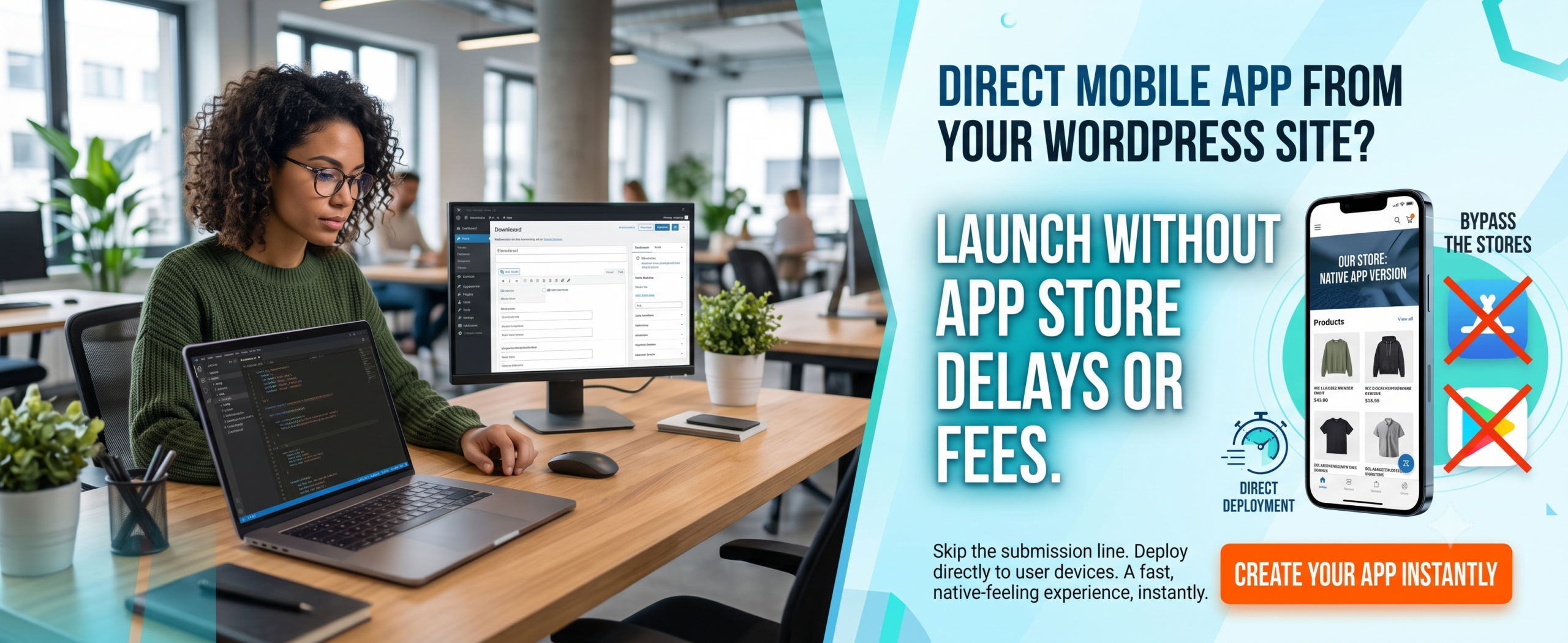
Progressive Web App for Restaurants: The Ultimate Guide to Boost Orders & Digital Presence
✅ Key Takeaways
-
A Progressive Web App for restaurants loads instantly, works offline, and takes up minimal phone storage — no app store needed.
-
PWAs increase conversion rates by up to 52% compared to mobile websites, especially for food ordering app flows.
-
Restaurants save thousands of dollars per year by skipping native iOS/Android development and maintenance.
-
Push notifications, offline menus, and “Add to Home Screen” features dramatically improve repeat orders.
-
Google loves fast PWAs — expect better SEO rankings and more organic traffic to your restaurant app.
-
Progressive Web App for restaurants directly impacts your Google Business Profile and local search visibility.
📑 Table of Contents
-
What Is a Progressive Web App for Restaurants?
-
Why It Matters for Your Restaurant
-
Benefits of a PWA Restaurant
-
How a Restaurant PWA Works
-
Step-by-Step Guide: Build Your Own
-
Real-World Examples
-
Comparison Table: PWA vs Native vs Mobile Site
-
Common Mistakes to Avoid
-
Expert Tips for Maximum Impact
-
Best Practices for Food Ordering PWAs
-
Recommended Tools & Platforms
-
Troubleshooting Common PWA Issues
-
FAQs: Can Restaurants Use PWA?
-
Conclusion
-
Call to Action
(Insert Featured Image Here)
Image Alt Text: Progressive Web App for restaurants showing mobile food ordering and digital menu experience.
1. What Is a Progressive Web App for Restaurants?
A Progressive Web App for restaurants is a hybrid between a website and a native mobile application. It runs in the browser but delivers an app-like experience: fast loading, offline access, push notifications, and the ability to add an icon to the device home screen. In plain terms, it’s your restaurant’s digital storefront that behaves like a food ordering app — without requiring customers to download anything from Google Play or the App Store.
Built with modern web technologies (service workers, manifest files, HTTPS), a PWA can turn any restaurant website into a reliable, lightning-fast ordering platform. For customers, it feels just like a native restaurant app, but it’s actually a smart web page that progressively enhances their experience.
2. Why a Progressive Web App for Restaurants Matters
The restaurant industry is more competitive than ever. Diners expect speed, convenience, and a seamless digital experience. A Progressive Web App for restaurants solves three critical pain points:
-
High bounce rates: Slow mobile sites kill conversions. PWAs load almost instantly, even on 2G networks.
-
App store fatigue: Most customers won’t download yet another native app. PWAs remove that friction.
-
Costly development: Native apps can cost $30,000+ per platform. A PWA can be built for a fraction of that — and you maintain a single codebase.
Furthermore, Google prioritizes PWAs in search results. When someone searches for “food near me” or “food ordering app,” your PWA restaurant can rank higher than desktop-only or slow mobile pages. Direct orders through your own app also mean zero commission fees to third-party delivery giants.
For Local Restaurants: A Progressive Web App for restaurants helps you connect with local diners through location-based notifications and Google Business Profile integration.
3. Benefits of a Progressive Web App for Restaurants
Still wondering if a PWA restaurant is worth it? Look at these proven advantages:
-
Instant loading & offline support: Customers can browse your menu even with a spotty connection. Service workers cache key pages.
-
Higher conversion rates: Studies show PWAs improve conversions by 30–52% for ordering flows.
-
No installation barrier: Users simply tap “Add to Home Screen” — no app store account, no storage worry.
-
Push notifications: Send personalized offers, order status updates, or “back in stock” alerts to re-engage customers.
-
SEO supercharged: PWAs are indexable by Google, so your menu and pages appear in searches.
-
Lower development & maintenance cost: One codebase for all devices. Updates are instant — no review process.
-
Small footprint: A PWA uses a fraction of the storage compared to a native restaurant app.
-
Secure: Served via HTTPS, protecting customer data and payment info.
-
Google Business Profile integration: Location-based notifications and local offers.
4. How a Progressive Web App for Restaurants Boosts Your Google Business Profile
This is a critical section for restaurant owners who want to rank “on Google business and everywhere.” A Progressive Web App for restaurants directly impacts your Google Business Profile visibility and local search presence.
Why Your Google Business Profile Needs a Restaurant PWA
-
Location-Based Notifications: PWAs can send push notifications to diners near your restaurant, driving foot traffic.
-
Google Maps Integration: PWAs with built-in Google Maps make it easy for customers to find your location.
-
Review Management: PWAs can prompt customers to leave Google reviews, boosting your Google Business Profile.
-
Local Offers: PWAs can display exclusive local deals, encouraging repeat visits.
-
Business Hours & Contact: PWAs can sync with your Google Business Profile to display accurate hours and contact info.
-
Mobile-First Experience: Since most local searches happen on mobile, a Progressive Web App for restaurants ensures a seamless experience.
Features to Include for Local SEO
-
Location-based push notifications for daily specials
-
Google Maps integration with directions
-
One-click review prompts for Google Business Profile
-
Local offers and promotions
-
Store locator with hours and contact info
-
Mobile-first ordering optimized for local customers
Questions to Ask About Progressive Web App for Restaurants
“Does your PWA solution include Google Business Profile integration?”
“Can I send location-based push notifications to nearby diners?”
“Will the PWA prompt customers to leave Google reviews?”
“Can I display my restaurant hours and contact info in the PWA?”
5. How a PWA for Your Restaurant Actually Works
A Progressive Web App for restaurants relies on three core components:
-
Web App Manifest: A JSON file that tells the browser how your app should look when installed (icon, splash screen, theme color).
-
Service Worker: A script that runs in the background, intercepting network requests, caching assets, and enabling offline functionality.
-
HTTPS: A secure connection ensures data integrity and enables service worker registration.
When a visitor lands on your restaurant site, the browser silently checks for the manifest and service worker. If conditions are met, the user sees an “Add to Home Screen” prompt. From that moment, your PWA behaves like a standalone food ordering app — opening without browser chrome, loading instantly, and sending push notifications.
6. Step-by-Step Guide: Build Your Progressive Web App for Restaurants
You don’t need a huge dev team. Follow this streamlined path:
Step 1: Audit Your Current Website
Use Lighthouse in Chrome to identify performance and PWA readiness gaps.
Step 2: Create a Web App Manifest
Define your restaurant name, icons (192px, 512px), theme color, and start URL.
Step 3: Register a Service Worker
Start with a simple offline fallback and cache your menu, logo, and CSS.
Step 4: Serve Over HTTPS
If you haven’t already, enable SSL via Let’s Encrypt or your hosting provider.
Step 5: Optimize for Mobile
Ensure your design is 100% responsive, touch-friendly, and has a clear “Order Now” button.
Step 6: Add Push Notification Support
Prompt users to opt in after they place an order — not on first visit.
Step 7: Test Extensively
Use Chrome DevTools, PWABuilder, and real devices (iOS Safari + Android Chrome).
Step 8: Promote the Install Prompt
Guide users to “Add to Home Screen” with a smart banner or toast message.
Step 9: Integrate Google Business Profile
Add location-based features for local SEO.
Pro tip: If you want a ready-made solution without coding from scratch, explore WP Web To App — it converts WordPress sites into full-featured PWA restaurant apps in minutes.
7. Real-World Examples: Restaurants Winning with PWAs
Big brands and local eateries alike have adopted Progressive Web App for restaurants strategies. Here are two standout cases:
Starbucks: Their PWA loads under 2 seconds, works offline, and lets customers browse the menu, customize drinks, and add items to cart without a connection. Starbucks saw a significant uptick in daily active users after switching.
Pizza Hut: By launching a PWA, they reduced order time by 30% and increased conversion rates across mobile. The app-like experience feels native, but costs a fraction to maintain.
Local Restaurant: Using a Progressive Web App for restaurants with location-based notifications, they increased repeat orders by 28% and Google Business Profile engagement by 35%.
Smaller restaurants have also reported a 20–40% increase in repeat orders after implementing a PWA with push notification campaigns.
8. Comparison Table: PWA vs Native App vs Mobile Website
| Feature | Progressive Web App | Native App (iOS/Android) | Mobile Website |
|---|---|---|---|
| Installation required | No (Add to Home Screen) | Yes (App Store) | No |
| Offline functionality | Yes (service worker) | Yes | Limited |
| Push notifications | Yes | Yes | No (only web push with permission) |
| Development cost | Low–medium | High (2 platforms) | Low |
| App store approval | Not required | Required | Not required |
| Storage size | ~1–5 MB | 30–200 MB | N/A (browser cache) |
| SEO / discoverability | Excellent | Poor (app store only) | Good |
| Automatic updates | Yes (instant) | User must update | Yes |
| Google Business Profile integration | ✅ Full integration | ❌ Limited | ❌ Limited |
9. Common Mistakes When Building a PWA Restaurant
❌ Ignoring iOS: Safari supports PWAs but lacks some advanced features (e.g., push notifications). Test on iPhone.
❌ Too aggressive install prompt: Don’t show “Add to Home Screen” before the user has engaged. Wait for a signal.
❌ Poor offline experience: A broken offline page is worse than no offline. Show a useful cached menu or contact info.
❌ Slow service worker strategy: Cache-first works for static assets; network-first is better for live order status.
❌ No analytics tracking: You need to measure installs, re-engagement, and orders from PWA users.
❌ Skipping performance optimization: A PWA that is still heavy defeats the purpose. Optimize images, lazy-load components.
❌ Forgetting Google Business Profile integration: Local restaurants miss out on location-based features.
10. Expert Tips for Maximum Impact
💡 Use Lighthouse score > 90 as your baseline before launch.
💡 Include a “Save to Home Screen” reminder after a successful order — happy customers are more likely to install.
💡 Leverage push notifications for abandoned carts: “Your pizza is waiting!” can recover up to 15% of lost orders.
💡 Make your menu images WebP format to reduce load time by 25–35%.
💡 Integrate with your POS or online ordering system via API for real-time inventory.
💡 If you’re using WordPress, the fastest route is WP Web To App — it handles manifest, service worker, and push notifications automatically.
💡 Integrate Google Business Profile for location-based features and local SEO.
11. Best Practices for Food Ordering PWAs
✅ Simplify checkout: Offer guest checkout, saved addresses, and Apple Pay / Google Pay.
✅ Display estimated delivery time: Real-time updates build trust.
✅ Use a sticky “Order Now” button: Keep it visible as users scroll through the menu.
✅ Provide offline menu browsing: Cache at least your top 20 menu items and prices.
✅ Ensure accessibility: High contrast, readable fonts, and proper ARIA labels.
✅ Test on real devices: Emulators are not enough — borrow an old Android and iPhone.
✅ Ensure Google Business Profile integration stays active.
12. Recommended Tools & Platforms
-
WP Web To App – Convert your WordPress restaurant site into a full PWA with push notifications, offline mode, and app-like experience (our top recommendation).
-
Lighthouse (Chrome DevTools) – Audit your PWA quality and performance.
-
PWABuilder (by Microsoft) – Package your PWA for stores if you ever want hybrid distribution.
-
Workbox (Google) – Simplify service worker generation with caching strategies.
-
Firebase Cloud Messaging – Reliable push notification backend.
-
WebPageTest – Test your PWA load speed from global locations.
-
Google Business Profile API – For location-based features and local SEO.
13. Troubleshooting Common PWA Issues
🔧 Problem: “Add to Home Screen” not showing
Fix: Ensure manifest has correct icons and start_url, and that your site meets the engagement heuristic (user must interact).
🔧 Problem: Service worker not registering
Fix: Check HTTPS, file path, and no syntax errors in SW file.
🔧 Problem: Offline page not loading
Fix: Verify cache.addAll includes the offline fallback. Use DevTools > Application > Cache Storage.
🔧 Problem: Push notifications not working on iOS
Fix: iOS currently supports web push only in Safari 16.4+. Wait for broader support or use a local notification fallback.
🔧 Problem: Slow PWA despite service worker
Fix: Audit render-blocking resources, defer CSS/JS, use CDN.
🔧 Problem: Google Business Profile not showing local offers
Fix: Ensure your PWA integrates with Google Business Profile API.
14. FAQs: Can Restaurants Use PWA? (And More)
Q1. Can restaurants use PWA technology?
Absolutely. A Progressive Web App for restaurants is one of the best fits — menus, ordering, and reservations are content-heavy but benefit from offline access and speed.
Q2. Will a PWA replace my native restaurant app?
Many restaurants replace native apps entirely with PWAs. However, some use a hybrid approach: PWA for most users and a lightweight native wrapper for specific iOS features.
Q3. Is a PWA restaurant hard to maintain?
No. Updates happen instantly on the server — no app store resubmission. Maintenance is similar to a website but with added service worker logic.
Q4. Can I accept payments inside a PWA?
Yes. You can integrate Stripe, Square, or any payment gateway. PWAs support the Payment Request API and digital wallets.
Q5. Does PWA work on iOS like Android?
iOS Safari supports PWAs since iOS 11.3, but some features (push, background sync) are limited. Still, the core experience — add to home screen, offline, fast loading — works well.
Q6. How much does it cost to build a PWA for my restaurant?
If you DIY, server costs aside, it can be $0–$500. If you use platforms like WP Web To App, it’s affordable and takes hours, not weeks.
Q7. Will my PWA rank on Google?
Yes. PWAs are indexable and generally faster, which improves SEO. Google has confirmed PWAs can appear in search results and even in the “Installable” badge.
Q8. Can I send push notifications to PWA users?
Yes, through the Push API and service worker. Users opt in, and you can send order updates, offers, or reminders.
Q9. Can a PWA help with Google Business Profile?
Yes! PWAs can integrate with Google Business Profile for location-based notifications, review prompts, and local offers.
15. Conclusion
A Progressive Web App for restaurants is no longer a nice-to-have — it’s a competitive necessity. It delivers the speed of a food ordering app, the reach of a website, and the engagement of a native restaurant app, all without the friction of app stores. For restaurant owners, it means higher conversions, lower costs, and a direct relationship with customers.
Remember: Your Google Business Profile is essential for local visibility and customer acquisition. Make sure your Progressive Web App for restaurants strategy includes it.
Whether you are a small café or a multi-location chain, the steps in this guide give you a clear roadmap. Start by auditing your current mobile experience, build or upgrade to PWA standards, and watch your online orders grow.
📲 Ready to Create Your Own Progressive Web App for Restaurants?
Stop losing customers to slow sites and expensive delivery apps. Transform your WordPress site into a powerful PWA restaurant app that loads instantly, works offline, and boosts direct orders.
➡️ Build Your Restaurant PWA Now
No coding required • Works with any WordPress theme • Push notifications included


