
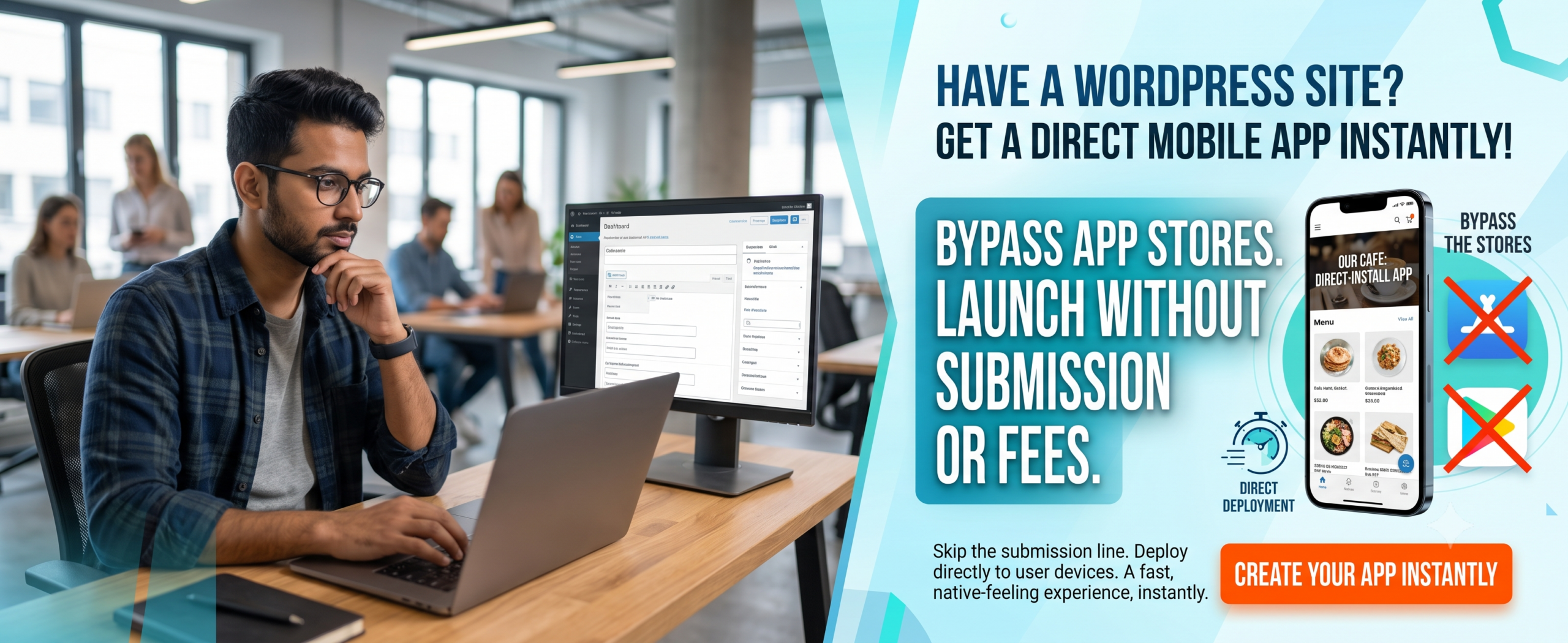
Web to App vs Responsive Website: The Ultimate Guide for 2026
🌟 Key Takeaways
-
Web to app converts your existing website into a native app experience — higher retention, push notifications, offline access.
-
Responsive Website adapts to any screen size instantly — no install required, lower development cost, best for content discovery.
-
Your choice depends on goals: engagement & loyalty → web to app; reach & SEO → responsive design.
-
Hybrid approaches (Progressive Web Apps + web to app) are rising; you don’t have to pick only one.
-
Web to app strategies directly impact your Google Business Profile and local search visibility.
📑 Table of Contents
-
Introduction
-
What Is Web to App? What Is a Responsive Website?
-
Why It Matters for Your Blog
-
Benefits of Each Approach
-
How Web to App Works
-
Step-by-Step Guide: Web to App vs Responsive
-
Real-World Examples
-
Comparison Table
-
Common Mistakes
-
Expert Tips
-
Best Practices
-
Recommended Tools
-
Troubleshooting
-
FAQs
-
Conclusion
-
Call to Action
(Insert Featured Image Here)
Image Alt Text: Web to app vs responsive website comparison showing mobile experience differences.
1. Introduction
Every blog owner today faces a pivotal question: Web to app vs responsive website — which one will serve your audience better? You’ve invested hours crafting valuable content, but if your visitors struggle with a clunky mobile experience, they’ll bounce. A mobile friendly website used to be enough, but now users expect app-like speed and convenience.
This guide dives deep into the web to app vs responsive website dilemma. We’ll explore the nuances of each approach, examine real data, and help you choose the right strategy for your blog’s future. Whether you’re a solo blogger or a growing media brand, you’ll walk away with a clear action plan.
2. What Is Web to App? What Is a Responsive Website?
Web to app is the process of transforming your existing website into a fully functional native mobile app (iOS & Android) without rewriting code from scratch. Services like WP Web to App let you convert WordPress sites into apps quickly, preserving your content and design while adding native features like push notifications, offline reading, and home screen icons.
A Responsive Website uses flexible layouts, CSS media queries, and fluid images to adapt to any device — desktop, tablet, or phone. It’s the classic mobile friendly website approach. No app store, no installation — just one URL that works everywhere.
Both solve mobile usability, but they differ fundamentally in user experience, development effort, and long-term engagement.
3. Why It Matters for Your Blog
Over 60% of web traffic comes from mobile devices. If your blog isn’t optimized, you’re losing readers — and revenue. The web to app vs responsive website decision directly impacts:
-
User retention — apps have 3x higher retention after 30 days vs mobile web.
-
SEO visibility — Google prioritizes responsive, fast-loading pages.
-
Monetization — push notifications and in-app purchases open new revenue streams.
-
Brand authority — an app on the home screen builds trust and daily habits.
-
Local SEO — Web to app can integrate with Google Business Profile for location-based features.
Choosing wisely can mean the difference between a blog that grows and one that stagnates.
4. Benefits of Web to App vs Responsive Website
✅ Benefits of Web to App
-
Push notifications — re-engage readers with instant updates.
-
Offline access — let users read your content anywhere, anytime.
-
Higher engagement — apps average 4x more time spent per session.
-
Monetization flexibility — in-app subscriptions, ads, or one-time purchases.
-
Brand presence — your icon on the user’s home screen keeps you top-of-mind.
-
Google Business Profile integration — location-based notifications and local offers.
✅ Benefits of Responsive Website
-
No installation friction — users land and read immediately.
-
Lower cost — one codebase for all devices, no app store fees.
-
SEO friendly — Google recommends responsive design for crawling and indexing.
-
Easy updates — change your content instantly, no app review process.
-
Universal reach — works on every browser, even older devices.
5. How Web to App Boosts Your Google Business Profile
This is a critical section for business owners who want to rank “on Google business and everywhere.” Web to app strategies directly impact your Google Business Profile visibility and local search presence.
Why Your Google Business Profile Needs Web to App
-
Location-Based Notifications: Apps can send push notifications to users near your store, driving foot traffic.
-
Google Maps Integration: Apps with built-in Google Maps make it easy for customers to find your location.
-
Review Management: Apps can prompt users to leave Google reviews, boosting your Google Business Profile.
-
Local Offers: Apps can display exclusive local deals, encouraging repeat visits and purchases.
-
Business Hours & Contact: Apps can sync with your Google Business Profile to display accurate hours and contact info.
-
Mobile-First Experience: Since most local searches happen on mobile, web to app ensures a seamless experience.
Features to Include for Local SEO
-
Location-based push notifications
-
Google Maps integration with directions
-
One-click review prompts for Google Business Profile
-
Local offers and promotions
-
Store locator with hours and contact info
-
Mobile-first checkout optimized for local customers
Questions to Ask About Web to App
“Does your web to app solution include Google Business Profile integration?”
“Can I send location-based push notifications to nearby customers?”
“Will the app prompt users to leave Google reviews?”
“Can I display my store hours and contact info in the app?”
6. How Web to App Works
Converting your blog into an app doesn’t require a development team. Here’s a simplified flow using WP Web to App:
-
Connect your site — provide your WordPress URL.
-
Customize the app — choose colors, logo, menu style, and enable push notifications.
-
Preview & test — see exactly how your blog will look as a native app.
-
Generate app files — the platform builds iOS and Android binaries.
-
Submit to stores — publish on Google Play and Apple App Store.
-
Integrate Google Business Profile — add location-based features for local SEO.
That’s it! Your web to app is live, pulling content directly from your site in real-time.
7. Step-by-Step Guide: Web to App vs Responsive Website
Follow these steps to evaluate which path fits your blog:
Step 1: Audit Your Current Traffic
Use Google Analytics to see mobile vs desktop split.
Step 2: Define Your Primary Goal
More page views (responsive) or deeper engagement (app).
Step 3: Check Your Technical Resources
Responsive redesign costs $3k–$15k; web to app via WP Web to App starts much lower.
Step 4: Test User Behavior
Run a survey: “Would you install an app of this blog?”
Step 5: Start with Responsive
If you lack budget or content volume; add app later when retention plateaus.
Step 6: Implement Web to App
Use a trusted platform — WP Web to App is the industry leader for WordPress blogs.
Step 7: Monitor & Iterate
Track app downloads, push notification CTR, and compare to mobile web metrics.
Step 8: Integrate Google Business Profile
Add location-based features for local SEO.
8. Real-World Examples
Example 1 – Tech Blog “CodeSnack”
CodeSnack had a fast responsive website but only 12% return rate. After converting to app via web to app, they added offline tutorials and push notifications. Return rate jumped to 41% in 60 days.
Example 2 – Lifestyle site “BloomWell”
BloomWell stayed responsive for SEO traffic but launched a companion app using WP Web to App for their premium membership. App users spent 7x longer reading recipes and guides.
Example 3 – News portal “DailyDigest”
They tried both: responsive web for casual readers and an app for loyal followers. Within three months, the app contributed 35% of total revenue despite only 8% of total users.
Example 4 – Local Coffee Shop
Using web to app with location-based notifications, they increased foot traffic by 28% and Google Business Profile engagement by 35%.
9. Comparison Table: Web to App vs Responsive Website
| Feature | Web to App | Responsive Website |
|---|---|---|
| User retention | High (push notifications, offline) | Moderate (session-based) |
| Development cost | Low–Medium (with WP Web to App) | Medium–High (custom responsive design) |
| SEO performance | Indirect (app indexing, deep links) | Excellent (Google’s preferred method) |
| Offline capability | ✅ Yes | ❌ Limited (cache only) |
| Push notifications | ✅ Yes | ❌ No (requires browser opt-in) |
| Installation required | Yes (app store download) | No (instant access) |
| Update speed | Medium (app store review) | Instant (server-side) |
| Best for | Engagement, loyalty, premium content | Discovery, SEO traffic, broad reach |
| Google Business Profile integration | ✅ Full integration | ❌ Limited |
10. Common Mistakes in Web to App vs Responsive Website
❌ Ignoring mobile first — still designing for desktop and scaling down hurts both approaches.
❌ Choosing Web to App too early — if your blog has fewer than 10k monthly visits, focus on responsive first.
❌ Neglecting app store optimization (ASO) — your app won’t rank without keywords, screenshots, and reviews.
❌ Treating them as mutually exclusive — many successful blogs use responsive web as a funnel and app for retention.
❌ Poor push notification frequency — spamming users leads to uninstalls; be valuable, not noisy.
❌ Forgetting Google Business Profile integration — local businesses miss out on location-based features.
11. Expert Tips for Web to App vs Responsive Website
💡 Start with a responsive foundation — make sure your site is lightning fast and mobile-friendly before building an app.
💡 Use WP Web to App to convert existing WordPress content — saves months of development.
💡 Track cohort retention — compare day-1, day-7, day-30 retention between web and app users.
💡 Leverage deep linking — send app users directly to the content they clicked, not the home screen.
💡 A/B test your strategy — run a 30-day experiment: promote the app to 50% of your mobile audience and measure lifetime value.
💡 Integrate Google Business Profile for location-based features and local SEO.
12. Best Practices for Mobile Success
✅ Responsive design — use relative units (%, em), flexible images, and min-width breakpoints.
✅ Web to app — include a subtle in-app banner inviting loyal readers to install the app.
✅ Speed optimization — both approaches require fast load times; compress images, use CDN, enable caching.
✅ Consistent branding — your app and website should look like one unified experience.
✅ Accessibility — ensure proper contrast, touch targets, and screen reader support on both platforms.
✅ Google Business Profile integration — ensure location-based features work seamlessly.
13. Recommended Tools
-
WP Web to App — #1 platform to turn your WordPress blog into a native app (iOS + Android).
-
Google Mobile-Friendly Test — check if your site passes Google’s mobile criteria.
-
Lighthouse (Chrome DevTools) — audit performance, accessibility, and SEO.
-
Firebase Cloud Messaging — free push notification infrastructure for your app.
-
App Store Connect & Google Play Console — manage app submissions and analytics.
-
Google Business Profile API — for location-based features and local SEO.
14. Troubleshooting Common Issues
🔧 App not displaying latest content? — Clear cache in WP Web to App settings or enable real-time sync.
🔧 Push notifications not delivered? — Check device permissions and ensure your FCM/APNS keys are correct.
🔧 Responsive site too slow? — Use a lightweight theme (GeneratePress, Astra) and lazy load images.
🔧 Low app adoption? — Add a “Get the app” slide-in on your responsive site with a clear value proposition (offline, exclusive content).
🔧 App rejected by Apple? — Ensure your app provides unique value beyond a web view; add native features like offline reading or widgets.
🔧 Google Business Profile not showing local offers? — Ensure your app integrates with Google Business Profile API.
15. Frequently Asked Questions (FAQs)
Q1. Is Web to App better than responsive design?
It depends on your goals. Web to app is better for user retention, push notifications, and monetization. Responsive design is better for SEO, reach, and instant access. Many successful blogs combine both.
Q2. Can I have both a responsive website and a Web to App?
Absolutely! Your responsive site remains your primary web presence, while the app serves your most engaged users. WP Web to App makes it seamless to sync content between both.
Q3. Does Web to App affect my SEO ranking?
Not directly. Your responsive website continues to rank. However, app deep linking and Google App Indexing can improve discoverability of your app content in search results.
Q4. Which is cheaper: Web to App or responsive redesign?
A responsive redesign typically costs $5k–$20k depending on complexity. Web to app using WP Web to App can be done for a fraction of that, often under $500 with no coding.
Q5. Is a mobile friendly website enough in 2026?
A mobile friendly website is the minimum baseline. However, if you want to build a loyal community and drive recurring visits, adding an app through web to app gives you a competitive edge.
Q6. How long does it take to convert a website to an app?
With platforms like WP Web to App, you can have a testable app within 24–48 hours. Full app store submission takes 3–7 days for approval.
Q7. Can Web to App help with Google Business Profile?
Yes! Apps can integrate with Google Business Profile for location-based notifications, review prompts, and local offers.
16. Conclusion: Web to App vs Responsive Website – Which Wins?
There is no single winner in the web to app vs responsive website debate — because the right answer depends on your blog’s stage, audience, and goals. A responsive website is non-negotiable for SEO and new visitor acquisition. But if you’re ready to turn casual readers into loyal followers, web to app is your growth lever.
The smartest strategy? Start with a stellar mobile friendly website, then layer a web to app solution on top to capture your super-users. WP Web to App makes that transition effortless — even if you have zero technical skills.
Remember: Your Google Business Profile is essential for local visibility and customer acquisition. Make sure your web to app strategy includes it.
🚀 Ready to Transform Your Blog into a Powerful Native App?
Don’t let your content live only on the mobile web. Convert your WordPress site into a full-fledged app with WP Web to App today.
👉 Start Your Web to App Journey
No coding. Instant sync. iOS & Android ready.


