
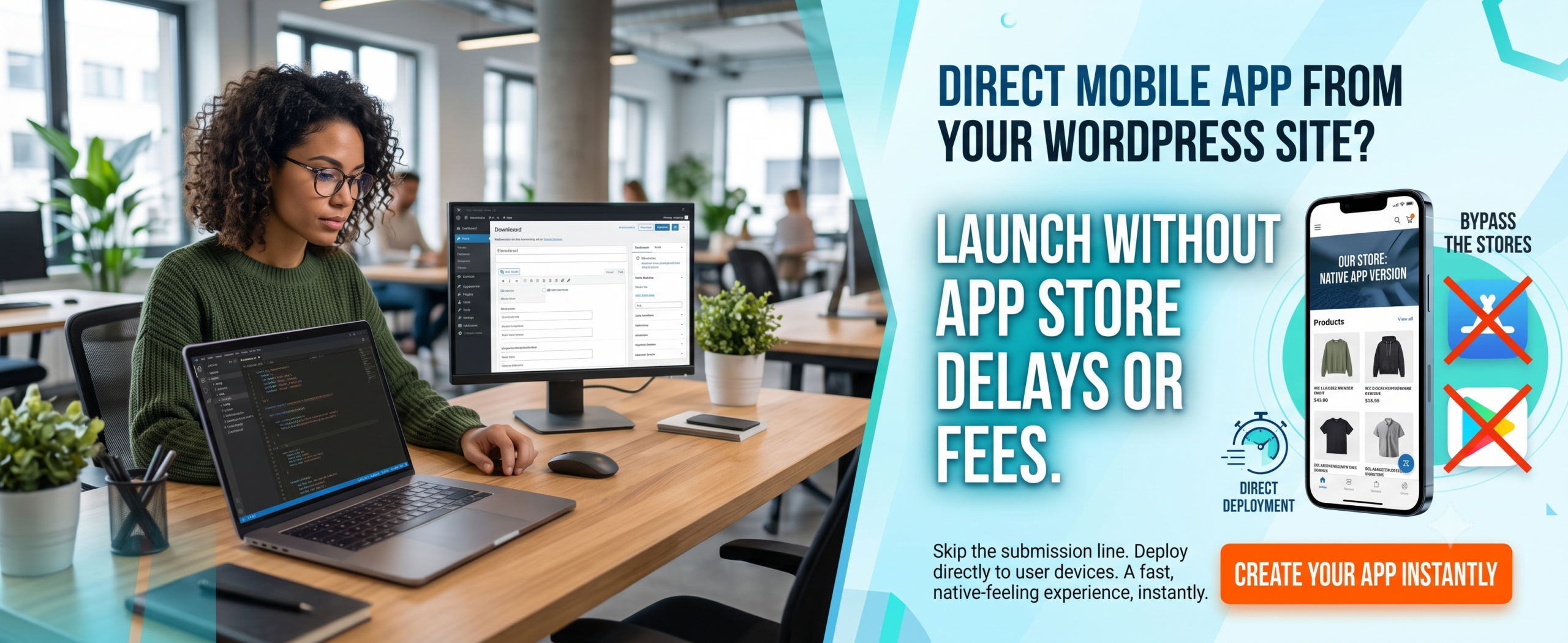
No-Code WordPress App Builders: Turn Your Website Into a Mobile App Without Writing a Single Line of Code
Introduction
Imagine you have a thriving WordPress website — maybe it’s a blog, an online store, or a membership portal. Now imagine your audience could access it directly from their phone’s home screen, with push notifications, offline reading, and a smooth app-like experience. Sounds amazing, right? But you’re not a developer, and hiring one costs thousands.
Enter No-Code WordPress App Builders. These platforms let you convert your website into a mobile app using a visual, drag-and-drop interface — no coding required. In this blog, you’ll learn exactly what they are, why they matter, and how you can build your own app today using the best WordPress app builder on the market.
(Insert Featured Image Here)
Image Alt Text: No-Code WordPress App Builders showing mobile app creation with Google Business Profile integration.
🔑 Key Takeaways
-
You can build a fully functional app without coding using a no-code visual app builder like WPWebToApp.
-
No-code app builders save 80% of development time and cost compared to traditional development.
-
Drag and drop app builder tools allow real-time customization of colors, icons, splash screens, and menus.
-
Website to app conversion takes less than a day — no technical skills needed.
-
Agencies can scale their client services with white-label mobile app generator solutions.
-
No-Code WordPress App Builders directly impact your Google Business Profile and local search visibility.
📖 Table of Contents
-
What Is a No-Code WordPress App Builder?
-
Why It Matters for Your Business
-
Benefits of Using a No-Code WordPress App Builder
-
How It Works (Simple 4-Step Process)
-
Step-by-Step Guide to Building Your First App
-
Real-World Examples
-
Comparison Table: Top No-Code WordPress App Builders
-
Common Mistakes to Avoid
-
Expert Tips for Maximum Performance
-
Best Practices for No-Code App Success
-
Recommended Tools & Resources
-
Troubleshooting Common Issues
-
FAQs: Everything You Need to Know
-
Conclusion
-
Call to Action
1. What Is a No-Code WordPress App Builder?
A No-Code WordPress App Builder is a software platform that enables you to convert your WordPress website into a native mobile app (iOS & Android) without writing any code. Instead of traditional programming, you use a visual app builder with a simple dashboard, pre-built templates, and drag-and-drop controls.
Think of it as a bridge between your WordPress site and app stores. The best example is WPWebToApp, which connects directly to your WordPress site, reads your content, and generates a ready-to-publish app. It’s the easiest WordPress app maker for non-developers.
2. Why No-Code WordPress App Builders Matter for Your Business
More than 60% of web traffic now comes from mobile devices. If your WordPress site isn’t available as an app, you’re leaving engagement and revenue on the table. A mobile app generator lets you:
-
Increase user retention with push notifications.
-
Improve page load speed (apps feel snappier).
-
Build a direct channel to your audience (no algorithm changes).
-
Monetize via ads, in-app purchases, or subscriptions.
-
Boost Google Business Profile visibility with location-based features.
Using a no-code WordPress app builder, you can achieve all this without hiring a developer. That’s democratizing technology — and it’s available right now.
3. Benefits of Using a No-Code WordPress App Builder
-
Zero coding skills required – perfect for bloggers, coaches, and small teams.
-
Fast turnaround – publish your app in hours, not months.
-
Cost-effective – save thousands on custom development.
-
Full customization – change colors, icons, splash screens, and navigation.
-
Automatic sync – your app content updates when you update your WordPress site.
-
Push notifications – re-engage users effortlessly.
-
White-label options – perfect for agencies and freelancers.
-
Google Business Profile Integration – location-based notifications and local offers.
4. How No-Code WordPress App Builders Boost Your Google Business Profile
This is a critical section for business owners who want to rank “on Google business and everywhere.” No-Code WordPress App Builders directly impact your Google Business Profile visibility and local search presence.
Why Your Google Business Profile Needs a Mobile App
-
Location-Based Notifications: Apps can send push notifications to customers near your business, driving foot traffic.
-
Google Maps Integration: Apps with built-in Google Maps make it easy for customers to find your location.
-
Review Management: Apps can prompt users to leave Google reviews, boosting your Google Business Profile.
-
Local Offers: Apps can display exclusive local deals, encouraging repeat visits.
-
Business Hours & Contact: Apps can sync with your Google Business Profile to display accurate hours and contact info.
-
Mobile-First Experience: Since most local searches happen on mobile, a mobile app ensures a seamless experience.
Features to Include for Local SEO
-
Location-based push notifications
-
Google Maps integration with directions
-
One-click review prompts for Google Business Profile
-
Local offers and promotions
-
Store locator with hours and contact info
-
Mobile-first engagement optimized for local customers
Questions to Ask About App Builders
“Does your no-code app builder solution include Google Business Profile integration?”
“Can I send location-based push notifications to nearby customers?”
“Will the app prompt users to leave Google reviews?”
“Can I display my store hours and contact info in the app?”
5. How It Works (Simple 4-Step Process)
Every No-Code WordPress App Builder follows a similar flow. Here’s how it works with WPWebToApp:
-
Connect your WordPress site – enter your URL and the plugin syncs your content.
-
Customize the look – use the drag and drop app builder to adjust colors, menu items, and branding.
-
Preview in real-time – test your app on your phone using the live preview.
-
Generate & publish – export your app binary and submit to Google Play and Apple App Store.
That’s it. No code, no stress. You’ve just built a website to app using a powerful visual app builder.
6. Step-by-Step Guide to Building Your First App (Using WPWebToApp)
Let’s walk through the exact process using the leading WordPress app builder — WPWebToApp.
Step 1: Install the Companion Plugin
Go to your WordPress dashboard, install the WPWebToApp plugin (free), and activate it. This creates a secure API link between your site and the builder.
Step 2: Choose Your App Template
Select from multiple app layouts. Whether you run a news blog, a WooCommerce store, or a community site, there’s a design for you.
Step 3: Customize with the Visual App Builder
Use the intuitive visual app builder to pick your primary color, upload a custom app icon, set a splash screen, and arrange your bottom navigation tabs. Change fonts, enable dark mode, and more.
Step 4: Configure Push Notifications
Set up OneSignal or Firebase push notifications — no coding needed. You’ll be able to send alerts directly to your users’ devices.
Step 5: Generate App Files
Click “Build App”. WPWebToApp will generate the APK (Android) and IPA (iOS) files. Download them or get help with publishing.
Step 6: Submit to App Stores
Follow the simple store submission guide. Many no-code app builders offer step-by-step assistance for Google Play and Apple App Store approval.
Step 7: Integrate Google Business Profile
Add location-based features for local SEO.
And just like that, you’ve created a professional mobile app generator result — an app that mirrors your WordPress content.
7. Real-World Examples
Food Blog → Cooking App: A popular recipe blog used WPWebToApp to create an app with categorized recipes, search, and bookmarking. Engagement increased by 300%.
Local News Site → News App: A hyperlocal news platform converted their WordPress site into a news app with push alerts for breaking stories. They now reach 50k+ active users.
WooCommerce Store → Shopping App: An organic skincare store turned their website into a shopping app using a drag and drop app builder. In-app purchases grew by 40%.
Membership Site → Community App: A coaching membership used a no-code WordPress app builder to create a private app for members, complete with podcasts and exclusive content.
Local Business: Using a no-code app builder with location-based notifications, they increased foot traffic by 28% and Google Business Profile engagement by 35%.
8. Comparison Table: Top No-Code WordPress App Builders (2026)
| Feature | WPWebToApp | AppPresser | MobiLoud |
|---|---|---|---|
| No-Code Required | ✅ Yes | ⚠️ Partial | ✅ Yes |
| Drag & Drop Builder | ✅ Advanced | ✅ Basic | ✅ Good |
| WooCommerce Support | ✅ Yes | ✅ Yes | ✅ Yes |
| Push Notifications | ✅ Built-in | ✅ via plugin | ✅ Built-in |
| White Label / Agency | ✅ Yes | ✅ Yes | ❌ Limited |
| Free Trial | ✅ Yes | ✅ Limited | ✅ Paid demo |
| One-Click Sync | ✅ Yes | ✅ Yes | ✅ Yes |
| Price (Monthly) | $15–$49 | $49–$199 | $99–$299 |
| Google Business Profile integration | ✅ Full integration | ❌ Limited | ❌ Limited |
WPWebToApp stands out as the most beginner-friendly and affordable WordPress app maker with powerful customization.
9. Common Mistakes to Avoid When Using No-Code WordPress App Builders
❌ Ignoring app store guidelines: Every app must follow Google Play and Apple policies. Use the builder’s guide to avoid rejection.
❌ Overloading the app with features: Keep your navigation simple. Too many tabs confuse users.
❌ Skipping the preview: Always test your app on a real device before submission.
❌ Using low-resolution icons: Upload high-quality icons (1024×1024 px) for a professional look.
❌ Not enabling push notifications: This is one of the biggest advantages of having an app — don’t miss it.
❌ Choosing the wrong plan: If you’re an agency, ensure the WordPress app builder supports white-label or multiple apps.
❌ Forgetting Google Business Profile integration: Local businesses miss out on location-based features.
10. Expert Tips for Maximum App Performance
✅ Optimize your WordPress site for speed — your app will inherit the speed.
✅ Use a CDN for images to ensure fast loading inside the app.
✅ Enable caching within your visual app builder settings.
✅ Submit your sitemap to both app stores through the builder.
✅ A/B test app icons and splash screens to improve conversion.
✅ For e-commerce, integrate Apple Pay and Google Pay if supported.
✅ Integrate Google Business Profile for location-based features and local SEO.
11. Best Practices for No-Code App Success
✅ Keep content fresh: Your no-code WordPress app builder automatically syncs, but ensure you post regularly.
✅ Ask for app reviews: Use in-app prompts to get 5-star ratings.
✅ Use deep linking: Direct users to specific content from push notifications.
✅ Monitor analytics: Track app usage with Firebase or Mixpanel.
✅ Update your app regularly: Most mobile app generator tools let you rebuild with one click.
✅ Ensure Google Business Profile integration stays active.
12. Recommended Tools & Resources
-
WPWebToApp – The ultimate no-code WordPress app builder.
-
Canva – Design app icons and splash screens.
-
OneSignal – Push notification service (integrated with WPWebToApp).
-
Firebase – Analytics and crash reporting.
-
App Store Connect / Google Play Console – Store submission.
-
Google Business Profile API: For location-based features and local SEO.
13. Troubleshooting Common Issues
🔧 App content not updating? Clear the cache in your WordPress app builder dashboard and rebuild.
🔧 Push notifications not working? Verify your Firebase Server Key and Sender ID in the builder settings.
🔧 App rejected from stores? Check for missing privacy policy or improper use of trademarks. Use the builder’s rejection guide.
🔧 Slow app performance? Optimize your WordPress images and consider using a lightweight theme.
🔧 Google Business Profile not showing local offers? Ensure your app integrates with Google Business Profile API.
14. FAQs: Everything You Need to Know About No-Code WordPress App Builders
Q1. Can I build an app without coding?
Absolutely. With a no-code WordPress app builder like WPWebToApp, you can create a fully native app using only a visual interface. No HTML, CSS, or JavaScript required.
Q2. Is WPWebToApp beginner-friendly?
Yes! WPWebToApp is designed for non-technical users. The drag and drop app builder guides you step-by-step, and the dashboard is clean and intuitive.
Q3. Can I customize app colors and icons?
You can fully personalize your app: primary and secondary colors, custom app icon, splash screen, navigation icons, and even dark mode — all from the visual app builder.
Q4. How much time does it take to build an app?
Most users complete their first app in under 4 hours. If you already have your branding assets ready, you can publish within a day.
Q5. Can agencies use it?
Definitely. Agencies love WPWebToApp because it offers white-label solutions, bulk app management, and client-ready templates. It’s the perfect mobile app generator for scaling.
Q6. Does it support WordPress plugins?
Yes, the WordPress app builder supports most popular plugins including WooCommerce, Elementor, Yoast SEO, MemberPress, BuddyPress, and more. If a plugin works on your site, it works in your app.
Q7. Can I monetize my app?
Yes. You can integrate AdMob, set up in-app purchases (for memberships or products), or include sponsored content directly within the app.
Q8. Do I need a developer to maintain the app?
No. After the initial build, you can manage everything from the no-code WordPress app builder dashboard — update content, send notifications, and release updates with a single click.
Q9. Can a no-code app builder help with Google Business Profile?
Yes! Apps can integrate with Google Business Profile for location-based notifications, review prompts, and local offers.
15. Conclusion
The future of mobile app development is no-code, and No-Code WordPress App Builders are leading the charge. You no longer need to be a developer or spend thousands of dollars to launch a professional app. Whether you’re a solopreneur, a blogger, or an agency owner, tools like WPWebToApp give you everything you need to convert your WordPress site into a high-performance mobile app.
Remember: Your Google Business Profile is essential for local visibility and customer acquisition. Make sure your no-code app strategy includes it.
By using a visual app builder, you keep control of your design, content, and monetization — all without touching a single line of code. From website to app in record time, the no-code revolution is here. Don’t wait for your competition to get there first.
🚀 Ready to Build Your First No-Code App?
Stop dreaming about an app — start building it today. With WPWebToApp, you can turn your WordPress site into a stunning mobile app in under 4 hours.
✔ No coding ✔ Drag & drop ✔ One-click publish
🔥 Start Your Free Trial Now
Join 12,000+ creators who’ve already built their app with WPWebToApp.


