
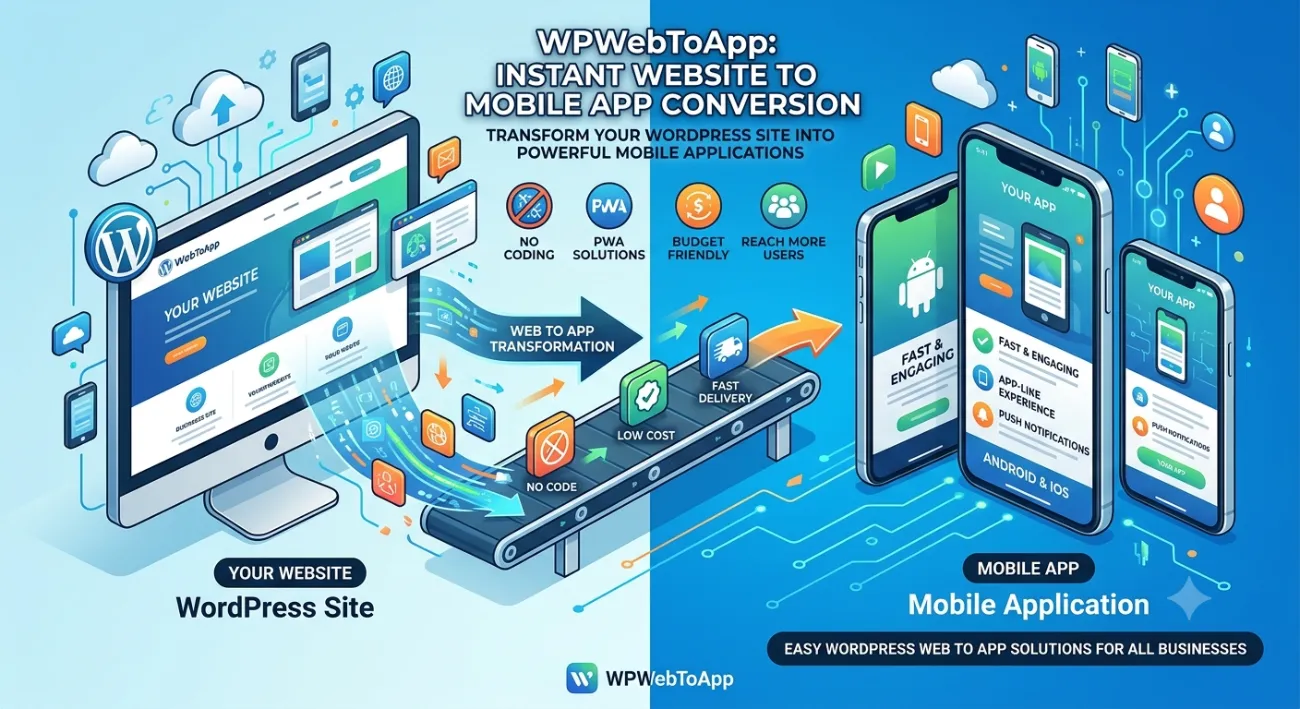
WooCommerce Mobile Apps: The Ultimate Guide to Build Your Online Store App in 2026
🚀 Key Takeaways
-
WooCommerce Mobile Apps dramatically increase conversions, customer retention, and average order value.
-
You don’t need coding skills — a WooCommerce app builder can convert your store into native WooCommerce Android app and WooCommerce iOS app effortlessly.
-
A dedicated online store app offers push notifications, one-tap checkout, and seamless order tracking.
-
Automatic product sync, secure payments, and full shopping app experience are now standard.
-
Using an eCommerce app builder like the one at WPWebToApp is the fastest path to a professional mobile presence.
-
WooCommerce Mobile Apps directly impact your Google Business Profile and local search visibility.
📑 Table of Contents
-
What Is a WooCommerce Mobile App?
-
Why It Matters for Your Business
-
Benefits of WooCommerce Mobile Apps
-
How It Works: WooCommerce App Builder in Action
-
Step-by-Step Guide to Build Your App
-
Real-World Examples
-
Comparison Table: WooCommerce Mobile Apps vs Traditional Store
-
Common Mistakes to Avoid
-
Expert Tips for Maximizing Your App
-
Best Practices for eCommerce Mobile App Success
-
Recommended Tools & Platforms
-
Troubleshooting Common Issues
-
Frequently Asked Questions (FAQ)
-
Conclusion
-
Call to Action
(Insert Featured Image Here)
Image Alt Text: WooCommerce Mobile Apps showing shopping app on mobile with Google Business Profile integration.
1. What Is a WooCommerce Mobile App?
A WooCommerce Mobile App is a native or hybrid mobile application that connects directly to your WooCommerce store. It displays your products, processes orders, and manages customers just like your website — but optimized for smartphones and tablets. Whether you build a WooCommerce Android app, a WooCommerce iOS app, or both, the app syncs in real-time with your store. Modern WooCommerce app builder solutions allow you to create a branded online store app without writing a single line of code.
2. Why WooCommerce Mobile Apps Matter for Your Business
More than 70% of eCommerce traffic now comes from mobile devices. If you only have a website, you’re leaving money on the table. A dedicated shopping app gives you a direct channel to your customers’ home screens. WooCommerce Mobile Apps improve user experience, boost repeat purchases, and build brand loyalty. With an eCommerce app builder like WPWebToApp, you can launch a professional app in days, not months.
3. Benefits of WooCommerce Mobile Apps
-
Higher conversion rates: Mobile app users convert 3x more than mobile web visitors.
-
Push notifications: Re-engage customers with offers, abandoned cart reminders, and updates.
-
Faster shopping experience: One-tap checkout, saved addresses, and biometric login.
-
Offline access: Browse products even without an internet connection.
-
Automatic synchronization: Products, orders, and inventory sync instantly with your WooCommerce backend.
-
Brand presence: Your own WooCommerce Android app and WooCommerce iOS app on Google Play and App Store.
-
Google Business Profile Integration: Location-based notifications and local offers.
4. How WooCommerce Mobile Apps Boost Your Google Business Profile
This is a critical section for store owners who want to rank “on Google business and everywhere.” WooCommerce Mobile Apps directly impact your Google Business Profile visibility and local search presence.
Why Your Google Business Profile Needs a Shopping App
-
Location-Based Notifications: Apps can send push notifications to customers near your store, driving foot traffic.
-
Google Maps Integration: Apps with built-in Google Maps make it easy for customers to find your physical location.
-
Review Management: Apps can prompt customers to leave Google reviews, boosting your Google Business Profile.
-
Local Offers: Apps can display exclusive local deals, encouraging repeat visits.
-
Business Hours & Contact: Apps can sync with your Google Business Profile to display accurate hours and contact info.
-
Mobile-First Experience: Since most local searches happen on mobile, a shopping app ensures a seamless experience.
Features to Include for Local SEO
-
Location-based push notifications for flash sales
-
Google Maps integration with directions
-
One-click review prompts for Google Business Profile
-
Local offers and promotions
-
Store locator with hours and contact info
-
Mobile-first checkout optimized for local customers
Questions to Ask About App Builders
“Does your WooCommerce app builder solution include Google Business Profile integration?”
“Can I send location-based push notifications to nearby customers?”
“Will the app prompt customers to leave Google reviews?”
“Can I display my store hours and contact info in the app?”
5. How It Works: WooCommerce App Builder in Action
A WooCommerce app builder connects to your store via the WooCommerce REST API. It pulls your products, categories, images, prices, and customer data. Then it generates native code for both Android and iOS. You customize the look, colors, tabs, and features. Once you’re happy, the builder packages the app for submission to app stores. Every time you add a product or update an order on your store, the online store app reflects the change immediately. That’s the magic of a quality eCommerce app builder.
6. Step-by-Step Guide to Build Your WooCommerce Mobile App
Step 1: Choose a Reliable WooCommerce App Builder
We recommend WPWebToApp for its seamless integration and advanced features.
Step 2: Connect Your WooCommerce Store
Enter your site URL and API credentials. The builder will fetch your products and categories.
Step 3: Customize Your App Design
Pick colors, fonts, icon styles, and layout (grid/list, bottom tabs, etc.).
Step 4: Configure Features
Enable push notifications, payment gateways (Stripe, PayPal, etc.), order tracking, and login options.
Step 5: Preview Your App
Test the live demo on your phone to ensure everything works.
Step 6: Generate Native Builds
The platform will create your WooCommerce Android app (APK/AAB) and WooCommerce iOS app (IPA).
Step 7: Submit to App Stores
Publish on Google Play and Apple App Store. Your shopping app is live!
Step 8: Promote Your App
Use QR codes, email campaigns, and social media to drive downloads.
Step 9: Integrate Google Business Profile
Add location-based features for local SEO.
7. Real-World Examples of Successful WooCommerce Mobile Apps
Organic Beauty Brand: A small skincare store used WPWebToApp to launch a WooCommerce Mobile App. Within 3 months, repeat orders increased by 40%.
Local Coffee Shop: Converted their WooCommerce store into a shopping app for pre-orders and loyalty rewards. Average order value grew by 25%.
Fashion Boutique: Built both WooCommerce Android app and WooCommerce iOS app. Push notifications for flash sales drove 3,000+ downloads in the first month.
Local Retail Store: Using a WooCommerce Mobile App with location-based notifications, they increased foot traffic by 28% and Google Business Profile engagement by 35%.
8. Comparison Table: WooCommerce Mobile App vs Traditional Web Store
| Feature | WooCommerce Mobile App | Traditional Web Store |
|---|---|---|
| Push notifications | ✅ Yes | ❌ No |
| One-tap checkout | ✅ Yes | ⚠️ Requires typing |
| Offline browsing | ✅ Yes | ❌ No |
| User retention | High (app stays on home screen) | Low (depends on bookmarks) |
| Automatic product sync | ✅ Real-time | ✅ Real-time (web) |
| Payment support | ✅ Stripe, PayPal, Apple Pay, Google Pay | ✅ Same gateways |
| Order tracking | ✅ In-app tracking + notifications | ✅ Email-based |
| Build complexity | Low with eCommerce app builder | Already exists |
| Google Business Profile integration | ✅ Full integration | ❌ Limited |
9. Common Mistakes to Avoid When Building WooCommerce Mobile Apps
❌ Ignoring app store optimization (ASO): Use relevant keywords like “WooCommerce Mobile Apps” in your app title and description.
❌ Not testing on real devices: Always test your WooCommerce Android app and WooCommerce iOS app on multiple screen sizes.
❌ Overcomplicating features: Start with core functionality (browse, cart, checkout, tracking). Add more later.
❌ Skipping push notifications: They are the #1 reason customers keep your shopping app installed.
❌ Poor app performance: Optimize images and lazy-load content for speed.
❌ Not using a professional app builder: Choose a proven WooCommerce app builder like WPWebToApp to avoid technical headaches.
❌ Forgetting Google Business Profile integration: Local stores miss out on location-based features.
10. Expert Tips for Maximizing Your WooCommerce Mobile App
💡 Leverage deep linking: Send users directly to a product page from a push notification.
💡 Offer app-only discounts: Incentivize downloads with exclusive coupons inside the online store app.
💡 Integrate loyalty programs: Reward points and redeem them seamlessly via the app.
💡 Use analytics: Track user behavior within the app to optimize product placement and offers.
💡 Keep your app updated: Regularly refresh content and features to maintain high ratings.
💡 Integrate Google Business Profile: Ensure location-based features work seamlessly.
11. Best Practices for eCommerce Mobile App Success
✅ Prioritize UX: Simple navigation, clear CTAs, fast load times.
✅ Secure payment options: Support Apple Pay, Google Pay, and major credit cards.
✅ Enable social login: Reduce friction by allowing sign-in via Google, Apple, or Facebook.
✅ Optimize for different screen sizes: Ensure your WooCommerce Android app looks great on tablets and phones.
✅ Test checkout flow regularly: Ensure a smooth payment and order confirmation experience.
✅ Backup your store: Before connecting an eCommerce app builder, always backup your WooCommerce data.
✅ Ensure Google Business Profile integration stays active.
12. Recommended Tools & Platforms
-
WPWebToApp – The best WooCommerce app builder for creating native WooCommerce Mobile Apps with zero coding.
-
WooCommerce Mobile App plugin – Another option, but often less flexible than a dedicated builder.
-
Firebase Cloud Messaging – For push notifications on both WooCommerce Android app and WooCommerce iOS app.
-
Stripe / PayPal SDKs – For in-app payments.
-
App Store Connect & Google Play Console – For submission and analytics.
-
Google Business Profile API: For location-based features and local SEO.
13. Troubleshooting Common WooCommerce Mobile App Issues
🔧 App not syncing products: Check your WooCommerce REST API keys and ensure they have read/write permissions.
🔧 Push notifications not working: Verify Firebase / FCM setup and ensure permissions are granted on the device.
🔧 Payment gateway errors: Confirm that your payment gateway is active and supports mobile SDKs.
🔧 App crashes on launch: Clear cache, update the app builder plugin, or regenerate the app with your WooCommerce app builder.
🔧 Order tracking not updating: Ensure order statuses are correctly mapped in the app builder settings.
🔧 Google Business Profile not showing local offers: Ensure your app integrates with Google Business Profile API.
14. Frequently Asked Questions (FAQ)
Q1. Can I convert my WooCommerce store into an app?
Absolutely! Use a dedicated WooCommerce app builder like WPWebToApp to convert your existing store into a native WooCommerce Android app and WooCommerce iOS app in minutes. Everything syncs automatically.
Q2. Does the app support payments?
Yes, modern WooCommerce Mobile Apps support all major payment gateways including Stripe, PayPal, Apple Pay, and Google Pay. Your customers enjoy a secure and fast checkout experience inside the shopping app.
Q3. Can customers track orders?
Definitely. Your online store app can display real-time order status, tracking numbers, and delivery updates. Push notifications alert customers when their order status changes.
Q4. Does it sync products automatically?
Yes. Any change you make in WooCommerce (price, stock, images, description) is automatically reflected in your WooCommerce Mobile App in real time. No manual updates needed.
Q5. Can I send push notifications?
Absolutely. Push notifications are one of the biggest advantages of a mobile app. You can send offers, abandoned cart reminders, and order updates directly to your customers’ devices.
Q6. Is checkout supported?
Yes, full checkout is supported. Customers can add products to cart, apply coupons, select shipping, and pay — all within the eCommerce mobile app. The checkout flow is optimized for mobile.
Q7. How long does it take to build a WooCommerce mobile app?
With a professional WooCommerce app builder, you can have a fully functional shopping app ready in 1–3 days, including customization and testing.
Q8. Do I need coding skills?
No. A good eCommerce app builder is no-code. You simply configure, preview, and generate your app. Perfect for store owners without technical background.
Q9. Can a WooCommerce Mobile App help with Google Business Profile?
Yes! Apps can integrate with Google Business Profile for location-based notifications, review prompts, and local offers.
15. Conclusion
WooCommerce Mobile Apps are no longer optional — they are essential for any serious eCommerce business. A native WooCommerce Android app and WooCommerce iOS app give you a direct relationship with your customers, increase retention, and multiply revenue. Thanks to powerful WooCommerce app builder platforms like WPWebToApp, building your own online store app is faster and more affordable than ever.
Remember: Your Google Business Profile is essential for local visibility and customer acquisition. Make sure your WooCommerce Mobile App strategy includes it.
Don’t let your competitors steal your mobile traffic. Turn your WooCommerce store into a high-performance shopping app today.
🚀 Ready to Launch Your WooCommerce Mobile App?
Stop dreaming — start building. Convert your WooCommerce store into a powerful WooCommerce Mobile App with the #1 trusted WooCommerce app builder.
👉 Build Your App Now at WPWebToApp
Get a free demo and see how easy it is to create your own eCommerce mobile app in minutes.


