
Best Web to App Solution for Small Businesses – The Ultimate Guide for 2026
Introduction
In today’s mobile-first world, your customers expect instant access to your business from their smartphones. A responsive website is great, but a dedicated mobile app offers deeper engagement, push notifications, offline access, and a seamless user experience. However, many small business owners believe that building an app is expensive and complicated. That’s where a Web to App solution changes the game. You can now convert your existing website into a fully functional Small Business App without writing a single line of code. In this article, we reveal the best web to app solution for small businesses and show you exactly how to leverage it for growth. Let’s dive in.
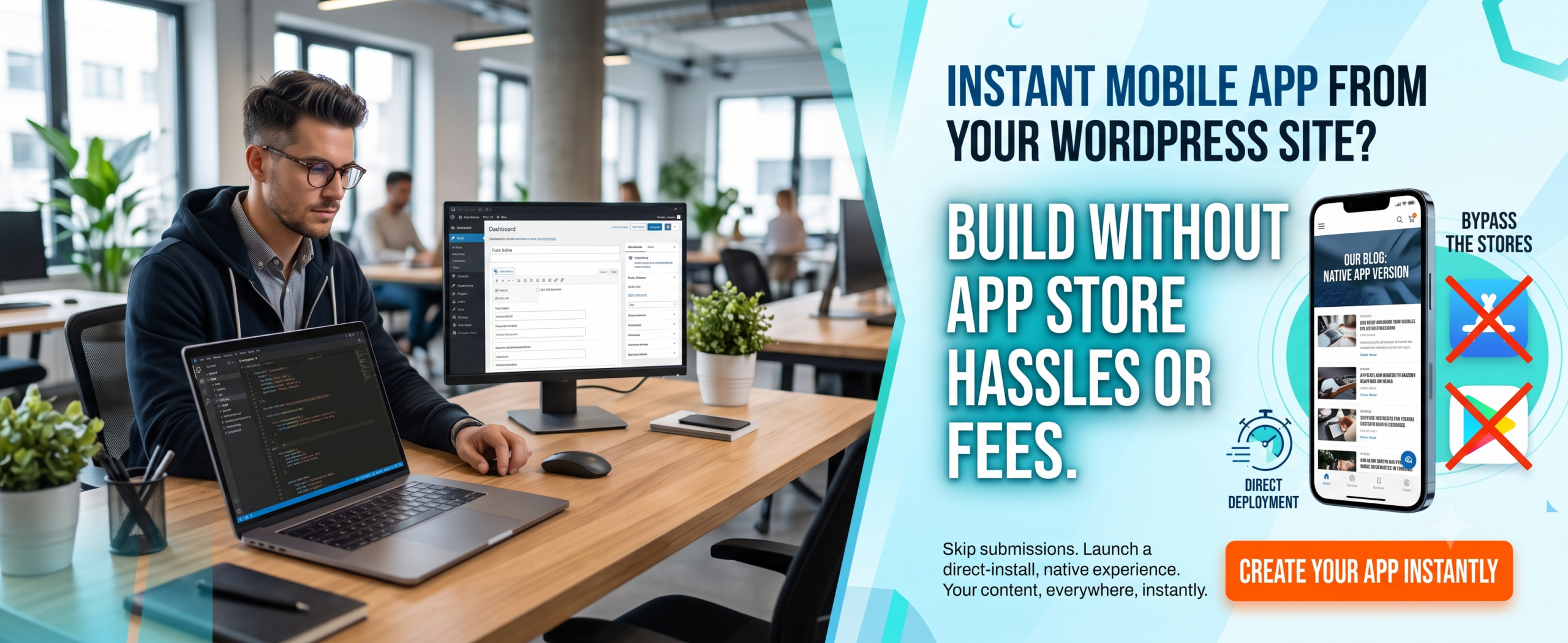
(Insert Featured Image Here)
Image Alt Text: Best web to app solution for small businesses showing mobile app conversion and business growth.
🚀 Key Takeaways
-
The best web to app solution for small businesses lets you convert your website into a native Android and iOS app quickly.
-
An Affordable Mobile App is within reach — no huge development budget required.
-
A Small Business App increases customer retention, brand visibility, and revenue.
-
Look for no-code platforms, push notification support, and easy publishing.
-
WPWebToApp is a top recommendation for turning WordPress sites into powerful apps.
-
Best web to app solution for small businesses directly impacts your Google Business Profile and local search visibility.
📑 Table of Contents
-
What Is a Web to App Solution?
-
Why It Matters for Small Businesses
-
Benefits of Converting Your Website to an App
-
How It Works
-
Step-by-Step Guide to Create Your Small Business App
-
Real-World Examples
-
Comparison Table: Top Web to App Solutions
-
Common Mistakes to Avoid
-
Expert Tips for Success
-
Best Practices for Your App
-
Recommended Tools
-
Troubleshooting
-
FAQs
-
Conclusion
-
Call to Action
1. What Is a Web to App Solution?
A Web to App solution is a technology that allows you to convert your existing website into a mobile application. Instead of building an app from scratch using complex programming languages like Swift or Java, you can use a platform that wraps your website into a native app container. The result? A fully functional Small Business App that looks and feels like a native application. The best web to app solution for small businesses will also add features like push notifications, splash screens, offline caching, and deep linking — all without coding.
2. Why the Best Web to App Solution for Small Businesses Matters
You might think, “My website works fine. Why do I need an app?” Here’s the truth: mobile apps drive 80% of digital media consumption. A Small Business App lives on your customer’s home screen, creating a direct marketing channel. With the best web to app solution for small businesses, you can:
-
Send push notifications about offers and updates.
-
Provide a faster, smoother experience than mobile browsers.
-
Work offline and load instantly.
-
Build brand loyalty and repeat usage.
-
Stand out from competitors who only have a website.
-
Boost Google Business Profile visibility with location-based features.
In short, an Affordable Mobile App is no longer a luxury — it’s a necessity for growth.
3. Benefits of Converting Your Website to an App
-
Cost-Effective: Save thousands of dollars compared to custom development. The best web to app solution for small businesses offers flat-rate pricing.
-
Quick Launch: Go from website to app store in days, not months.
-
Push Notifications: Re-engage users with targeted messages.
-
Offline Access: Let users browse your content even without internet.
-
Higher Conversion: Apps have higher engagement and conversion rates than mobile websites.
-
Brand Presence: Your app icon on the home screen builds constant brand awareness.
-
Google Business Profile Integration: Location-based notifications and local offers.
4. How the Best Web to App Solution for Small Businesses Boosts Your Google Business Profile
This is a critical section for small business owners who want to rank “on Google business and everywhere.” The best web to app solution for small businesses directly impacts your Google Business Profile visibility and local search presence.
Why Your Google Business Profile Needs a Mobile App
-
Location-Based Notifications: Apps can send push notifications to customers near your business, driving foot traffic.
-
Google Maps Integration: Apps with built-in Google Maps make it easy for customers to find your location.
-
Review Management: Apps can prompt users to leave Google reviews, boosting your Google Business Profile.
-
Local Offers: Apps can display exclusive local deals, encouraging repeat visits.
-
Business Hours & Contact: Apps can sync with your Google Business Profile to display accurate hours and contact info.
-
Mobile-First Experience: Since most local searches happen on mobile, a Small Business App ensures a seamless experience.
Features to Include for Local SEO
-
Location-based push notifications
-
Google Maps integration with directions
-
One-click review prompts for Google Business Profile
-
Local offers and promotions
-
Store locator with hours and contact info
-
Mobile-first engagement optimized for local customers
Questions to Ask About Web to App Solutions
“Does your web to app solution include Google Business Profile integration?”
“Can I send location-based push notifications to nearby customers?”
“Will the app prompt users to leave Google reviews?”
“Can I display my store hours and contact info in the app?”
5. How It Works
The process of using the best web to app solution for small businesses is surprisingly simple:
-
Choose a platform: Select a trusted Web to App provider like WPWebToApp.
-
Enter your website URL: The tool pulls your content automatically.
-
Customize design: Add your logo, colors, splash screen, and icon.
-
Enable features: Turn on push notifications, offline mode, social login, etc.
-
Generate app: The platform builds native APK (Android) and IPA (iOS) files.
-
Publish to stores: Upload your Small Business App to Google Play and Apple App Store.
-
Integrate Google Business Profile: Add location-based features for local SEO.
6. Step-by-Step Guide to Create Your Small Business App
Follow these exact steps to get your Affordable Mobile App live:
Step 1: Choose the Best Web to App Solution
Go to WPWebToApp — one of the best web to app solution for small businesses available.
Step 2: Sign Up
Sign up for a free trial or choose a plan that fits your budget.
Step 3: Enter Your Website URL
Let the tool scan your pages.
Step 4: Customize the App Appearance
Upload your logo, set primary colors, and write a short description.
Step 5: Configure Push Notifications
Craft a welcome message that will appear when users first open the app.
Step 6: Enable Offline Reading
If your site has blog posts or product pages, enable offline reading.
Step 7: Preview Your App
Use the built-in emulator to preview your app in real-time.
Step 8: Generate the App Files
Download the APK and IPA or request direct store submission.
Step 9: Submit to Stores
Submit your app to Google Play and Apple App Store (the platform often provides guidance).
Step 10: Promote Your App
Use QR codes, email signatures, and social media to promote your Small Business App.
Step 11: Integrate Google Business Profile
Add location-based features for local SEO.
That’s it! You now have a professional Small Business App without hiring a developer.
7. Real-World Examples
Many small businesses have already leveraged the best web to app solution for small businesses to grow. Here are three inspiring examples:
☕ Local Coffee Shop: Converted their WordPress site into a Web to App with a loyalty program and push notifications. Within 3 months, repeat orders increased by 40%.
📚 Online Bookstore: Used an Affordable Mobile App to allow offline reading. Customer retention doubled, and app users spent 2x more time browsing.
🏋️ Fitness Studio: Created a Small Business App for class schedules, booking, and video content. Class bookings rose by 60% after launch.
Local Retail Store: Using a best web to app solution for small businesses with location-based notifications, they increased foot traffic by 28% and Google Business Profile engagement by 35%.
8. Comparison Table: Top Web to App Solutions
Here’s how the leading platforms stack up for the best web to app solution for small businesses:
| Feature | WPWebToApp | AppGyver | PWA Builder |
|---|---|---|---|
| Ease of Use | ⭐⭐⭐⭐⭐ | ⭐⭐⭐⭐ | ⭐⭐⭐ |
| Push Notifications | ✅ Built-in | ✅ Requires setup | ✅ Basic |
| Offline Mode | ✅ Advanced | ✅ Limited | ✅ Yes |
| WordPress Integration | ✅ Native | ❌ Manual | ⚠️ Partial |
| Pricing (Affordable Mobile App) | 💰 Very affordable | 💰 Free tier | 💰 Free |
| Store Submission Support | ✅ Full guidance | ❌ DIY | ❌ DIY |
| Google Business Profile integration | ✅ Full integration | ❌ Limited | ❌ Limited |
👉 WPWebToApp stands out as the best web to app solution for small businesses thanks to its seamless WordPress integration, affordable pricing, and powerful features.
9. Common Mistakes to Avoid
❌ Ignoring app store guidelines: Make sure your Small Business App meets Google and Apple policies.
❌ Overcomplicating design: Keep your app clean and simple. Don’t clutter the interface.
❌ Forgetting push notifications: This is one of the biggest advantages of a Web to App solution. Use it!
❌ Not testing on real devices: Always test your app on multiple phones before publishing.
❌ Choosing the wrong platform: Not all solutions are equal. Always pick the best web to app solution for small businesses that fits your needs.
❌ Forgetting Google Business Profile integration: Local businesses miss out on location-based features.
10. Expert Tips for Success
🔹 Optimize your website for mobile first — your app experience depends on your site’s responsiveness.
🔹 Use deep linking to send users to specific pages within your Small Business App.
🔹 Segment your audience and send personalized push notifications for better engagement.
🔹 Update your app regularly — keep content fresh and fix bugs quickly.
🔹 Leverage analytics to understand how users interact with your Affordable Mobile App.
🔹 Integrate Google Business Profile for location-based features and local SEO.
11. Best Practices for Your App
✅ Use a recognizable app name and icon that reflects your brand.
✅ Write a compelling app description with the keyword best web to app solution for small businesses naturally.
✅ Encourage ratings and reviews from your loyal customers.
✅ Provide value first — offer exclusive discounts or content through the app.
✅ Keep your app size small for faster downloads.
✅ Ensure Google Business Profile integration stays active.
12. Recommended Tools
To implement the best web to app solution for small businesses, here are the top tools you should consider:
-
WPWebToApp – Best overall for WordPress users. Affordable, feature-rich, and easy to use.
-
AppGyver – Good for no-code apps but requires more manual work.
-
PWA Builder – Great for progressive web apps, but not native features.
-
Shoutem – Drag-and-drop builder, slightly higher cost.
-
MobiLoud – Excellent for news and blog sites.
-
Google Business Profile API – For location-based features and local SEO.
For most small businesses, WPWebToApp remains the top recommendation as the best web to app solution for small businesses.
13. Troubleshooting
Even with the best web to app solution for small businesses, you may encounter issues. Here’s how to solve common problems:
🔧 App not loading content: Check if your website is publicly accessible and not blocked by caching plugins.
🔧 Push notifications not working: Ensure you have configured Firebase (for Android) or APNs (for iOS) correctly.
🔧 App rejected by store: Review store guidelines. Most rejections happen due to incomplete metadata or broken links.
🔧 Slow app performance: Optimize images and reduce server response time on your website.
🔧 Splash screen not showing: Re-upload your splash screen image in the correct resolution.
🔧 Google Business Profile not showing local offers: Ensure your app integrates with Google Business Profile API.
If you still face issues, the support team at WPWebToApp can help you quickly.
14. Frequently Asked Questions (FAQs)
Q1. Which Web to App solution is best for small businesses?
The best web to app solution for small businesses is WPWebToApp because it offers seamless WordPress integration, affordable pricing, push notifications, offline support, and store submission guidance. It’s truly an Affordable Mobile App solution designed for non-technical users.
Q2. How much does it cost to convert a website to an app?
With the best web to app solution for small businesses, you can get started for as low as $10–$30 per month. This is much cheaper than custom development, which can cost $5,000–$50,000. A Small Business App is now within everyone’s budget.
Q3. Do I need coding skills to create a Small Business App?
No! The best web to app solution for small businesses is completely no-code. You can build your Affordable Mobile App using a visual interface — just like setting up a website.
Q4. Can I publish my app on Google Play and Apple App Store?
Absolutely. Most Web to App platforms generate native APK and IPA files that you can submit to both stores. WPWebToApp even provides detailed publishing guides.
Q5. Will my app work offline?
Yes, when you choose the best web to app solution for small businesses, you can enable offline caching. Your Small Business App will let users access previously viewed content without an internet connection.
Q6. How long does it take to create an app?
You can have your app ready in under 24 hours using the best web to app solution for small businesses. The actual conversion takes just minutes; the rest is customization and testing.
Q7. What if I need help during the process?
Top platforms like WPWebToApp offer dedicated support, tutorials, and a knowledge base. You’re never alone when building your Affordable Mobile App.
Q8. Can a Small Business App help with Google Business Profile?
Yes! Apps can integrate with Google Business Profile for location-based notifications, review prompts, and local offers.
15. Conclusion
Choosing the best web to app solution for small businesses is one of the smartest investments you can make for your brand. It allows you to deliver a superior mobile experience, increase customer engagement, and drive more sales — all without breaking the bank. Whether you run a local bakery, a consulting firm, or an e-commerce store, converting your website into a Small Business App will future-proof your business.
Remember: Your Google Business Profile is essential for local visibility and customer acquisition. Make sure your Small Business App strategy includes it.
The tools are ready, the process is simple, and the benefits are undeniable. Don’t wait until your competitors beat you to it.
📲 Ready to Build Your Small Business App?
Stop dreaming and start building. Use the best web to app solution for small businesses today.
👉 Get Started with WPWebToApp Now
✨ No coding required • Affordable pricing • Launch in 24 hours


