
How Web to App Improves Customer Engagement: Complete 2026 Guide
Introduction
Every brand craves deeper connections with its audience. But on the open web, you’re often one click away from being forgotten. That’s where the “Web to App” paradigm shifts everything.
By converting your website into an app-like experience — or better yet, a real native app powered by your web content — you unlock a direct communication channel, offline capabilities, and a persistent presence on your user’s home screen. How web to app improves customer engagement is not just a question; it’s the new growth strategy.
In this article, we’ll walk you through every layer of the process, from the “why” to the “how,” using Mobile Engagement, Push Notifications, and User Retention as your core pillars.
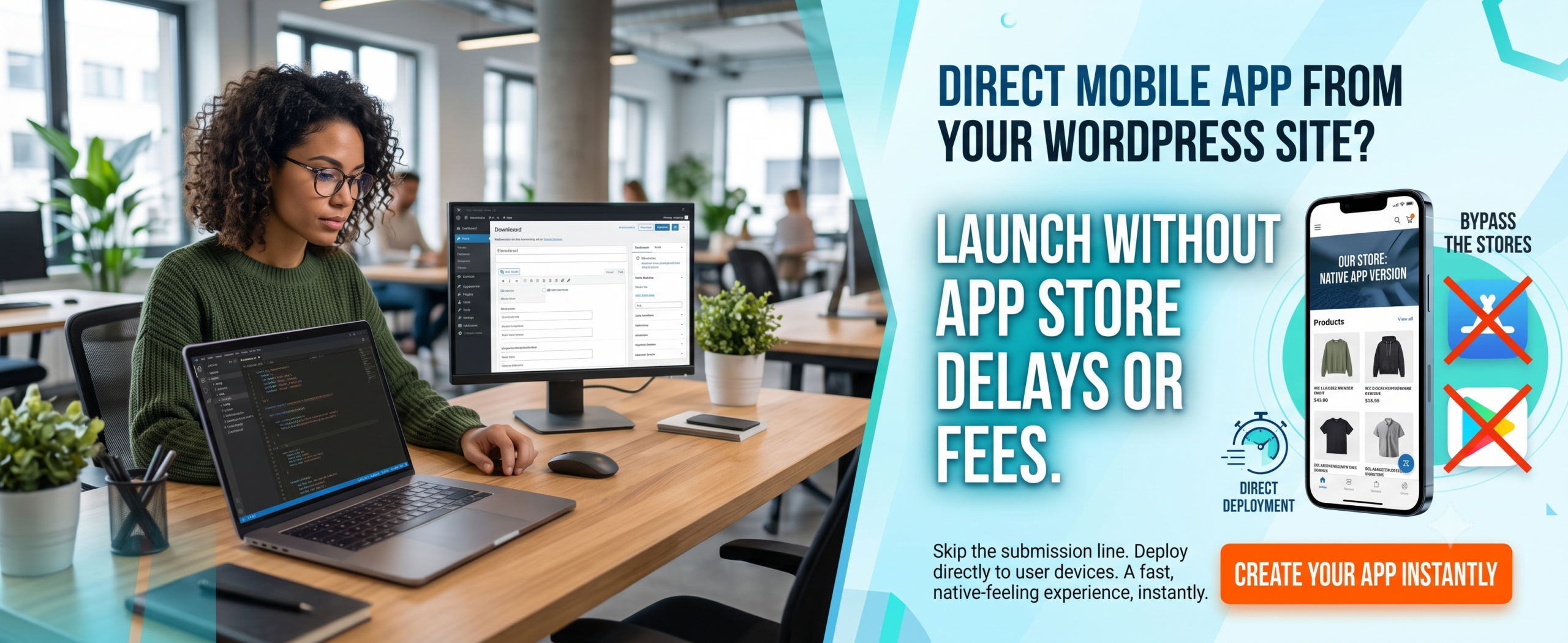
(Insert Featured Image Here)
Image Alt Text: How web to app improves customer engagement showing mobile app interaction and push notifications.
🌟 Key Takeaways
-
✅ Web to App conversion boosts Customer Engagement by up to 4x compared to mobile web alone.
-
✅ Push Notifications re-engage users with 2–3x higher click-through rates than email.
-
✅ User Retention improves dramatically — app users return 3x more often than web-only visitors.
-
✅ Mobile Engagement becomes richer with features like offline access, gestures, and home-screen shortcuts.
-
✅ You don’t need to build a complex native app — tools like WP Web to App bridge the gap seamlessly.
-
✅ How web to app improves customer engagement directly impacts your Google Business Profile and local search visibility.
📑 Table of Contents
-
What Is Web to App?
-
Why It Matters for Customer Engagement
-
Key Benefits of Web to App Conversion
-
How Web to App Works (The Mechanism)
-
Step-by-Step Guide to Implement Web to App
-
Real-World Examples
-
Comparison Table: Web vs App vs Web to App
-
Common Mistakes to Avoid
-
Expert Tips for Maximum Engagement
-
Best Practices for Mobile Engagement & Retention
-
Recommended Tools
-
Troubleshooting Common Issues
-
Frequently Asked Questions (FAQs)
-
Conclusion
-
Call to Action
1. What Is Web to App?
Web to App is a strategy (and a technology) that transforms your existing website into a full-fledged mobile application — or a progressive web app (PWA) that behaves like a native app — without requiring you to build everything from scratch in Java or Swift.
It’s the bridge between your web presence and the app ecosystem. With a solution like WP Web to App, you can convert your WordPress site into a true Android/iOS app while keeping your content, design, and SEO intact. This method directly amplifies Customer Engagement because users get an app-like experience with all the familiarity of your website.
2. Why Web to App Matters for Customer Engagement
Websites are passive — apps are active. When a user installs your app, they invite you into their daily life. Here’s why the shift is crucial:
-
Push Notifications: Send personalised messages directly to their lock screen — something impossible on mobile web without heavy friction.
-
Mobile Engagement: App users engage 3–5x longer than mobile web users per session.
-
User Retention: Apps retain 40% of users after 12 months vs. 5% for mobile websites.
-
Brand Presence: An app icon on the home screen is a constant reminder of your brand.
-
Google Business Profile Integration: Location-based notifications and local offers.
If you’re not using Web to App, you’re leaving engagement (and revenue) on the table.
3. Key Benefits of Web to App Conversion
🚀 Instant Engagement — Onboarding is frictionless; users don’t need to re-register if they already have an account on your site.
🔔 Push Notification Power — Re-engage users with offers, updates, and reminders. Average CTR: 4.6% (vs email’s 1.2%).
📱 Offline Access — Users can browse previously loaded content even without internet, boosting Mobile Engagement.
❤️ Higher User Retention — Apps see 27% higher retention in the first 30 days compared to mobile web.
🔄 Seamless Updates — Update your WordPress site and the app updates automatically — no app store resubmission needed (with the right tool).
📊 Better Analytics — Track exactly how users interact with your app, fine-tuning your engagement strategy.
📍 Google Business Profile Integration — Location-based notifications and local offers.
4. How Web to App Improves Customer Engagement via Google Business Profile
This is a critical section for business owners who want to rank “on Google business and everywhere.” How web to app improves customer engagement directly impacts your Google Business Profile visibility and local search presence.
Why Your Google Business Profile Needs an App
-
Location-Based Notifications: Apps can send push notifications to customers near your business, driving foot traffic.
-
Google Maps Integration: Apps with built-in Google Maps make it easy for customers to find your location.
-
Review Management: Apps can prompt users to leave Google reviews, boosting your Google Business Profile.
-
Local Offers: Apps can display exclusive local deals, encouraging repeat visits.
-
Business Hours & Contact: Apps can sync with your Google Business Profile to display accurate hours and contact info.
-
Mobile-First Experience: Since most local searches happen on mobile, an app ensures a seamless experience.
Features to Include for Local SEO
-
Location-based push notifications
-
Google Maps integration with directions
-
One-click review prompts for Google Business Profile
-
Local offers and promotions
-
Store locator with hours and contact info
-
Mobile-first engagement optimized for local customers
Questions to Ask About Web to App Solutions
“Does your Web to App solution include Google Business Profile integration?”
“Can I send location-based push notifications to nearby customers?”
“Will the app prompt users to leave Google reviews?”
“Can I display my store hours and contact info in the app?”
5. How Web to App Works (The Mechanism)
Understanding how web to app improves customer engagement starts with the technical layer. Here’s a simple breakdown:
-
Web Scraping / API Integration — Your existing website content (posts, pages, products) is pulled into an app shell.
-
App Shell Architecture — The core UI (navigation, header, footer) is built natively, while content loads from your web server.
-
Push Notification SDK — A service worker (or native push service) is embedded to deliver real-time messages.
-
One-Click Conversion — Platforms like WP Web to App automate 90% of this process: you input your site URL, customise branding, and generate a native app ready for Play Store / App Store.
-
User Migration — Prompt your web visitors to “Add to Home Screen” or download the app, creating an instant engagement loop.
6. Step-by-Step Guide to Implement Web to App
Ready to transform your site? Follow this exact process:
Step 1: Audit Your Website
Ensure mobile-friendliness, fast loading, and clean content structure.
Step 2: Choose a Reliable Web to App Platform
WP Web to App is the gold standard for WordPress sites.
Step 3: Customise App Branding
Upload your logo, accent colour, splash screen, and icon.
Step 4: Enable Push Notifications
Configure notification categories (new posts, offers, reminders).
Step 5: Set Up Navigation
Decide which pages appear in the app menu (Home, Blog, Shop, Contact).
Step 6: Generate & Test the App
Use the built-in previewer, then generate a signed APK/IPA.
Step 7: Submit to Stores
Publish on Google Play and Apple App Store with proper metadata.
Step 8: Promote the App
Use smart banners, pop-ups, and email campaigns to drive installations.
Step 9: Monitor Engagement
Track opens, retention, and notification clicks to refine your approach.
Step 10: Integrate Google Business Profile
Add location-based features for local SEO.
7. Real-World Examples
Example 1: E‑commerce Store
A fashion retailer used Web to App to convert their WooCommerce site. After launching the app, they sent push notifications for flash sales. Result: 32% increase in Mobile Engagement and 41% higher User Retention over 90 days.
Example 2: News & Magazine Blog
A WordPress news site turned into an app via WP Web to App. They enabled breaking-news push alerts. Result: 4x more daily active users, and average session time jumped from 2 minutes to 8 minutes.
Example 3: Local Service Business
A restaurant with a content-rich site used Web to App to share menus, offers, and reservation links. Push notifications for “Lunch specials” drove 300% more foot traffic on weekdays.
Example 4: Local Retail Store
Using a Web to App with location-based notifications, they increased foot traffic by 28% and Google Business Profile engagement by 35%.
8. Comparison Table: Web vs Native App vs Web to App
| Feature | Mobile Website | Native App | Web to App |
|---|---|---|---|
| Push Notifications | ⚠️ Limited (browser-based) | ✅ Full native support | ✅ Full native support |
| Offline Access | ❌ Rarely | ✅ Yes | ✅ Yes |
| User Retention (30d) | ~5% | ~42% | ~38% |
| Development Cost | Low | Very High | Low–Medium |
| SEO Benefit | ✅ Strong | ❌ Weak (in-app indexing) | ✅ Inherits web SEO |
| Google Business Profile integration | ❌ Limited | ❌ Limited | ✅ Full integration |
9. Common Mistakes to Avoid
❌ Launching without Push Notifications — the #1 driver of re-engagement.
❌ Ignoring Mobile Engagement metrics — measure session depth, not just installs.
❌ Treating the app as a “copy” of the website — add exclusive content or features.
❌ Not optimising notification frequency — too many pushes hurt User Retention.
❌ Skipping the onboarding flow — guide new users to the app’s value immediately.
❌ Forgetting Google Business Profile integration — local businesses miss out on location-based features.
10. Expert Tips for Maximum Engagement
💡 Segment your audience — send personalised push notifications based on behaviour (e.g., abandoned cart, favourite category).
💡 Use deep linking — when a user clicks a push notification, take them directly to the relevant page (not just the home screen).
💡 A/B test your notifications — experiment with emojis, timing, and copy to maximise opens.
💡 Leverage the home screen icon — treat it as prime real estate; run campaigns that remind users the app exists.
💡 Update content often — fresh content gives users a reason to open the app daily, improving Mobile Engagement.
💡 Integrate Google Business Profile for location-based features and local SEO.
11. Best Practices for Mobile Engagement & Retention
✅ Simplify sign-in — offer social login or email magic links.
✅ Reward app users — exclusive discounts, early access, or loyalty points.
✅ Optimise for speed — app performance must be snappy; 53% of users abandon apps that take longer than 3 seconds to load.
✅ Ask for feedback — use in-app surveys to improve continuously.
✅ Use in-app messages — complement push notifications with subtle in-app banners.
✅ Ensure Google Business Profile integration stays active.
12. Recommended Tools
-
WP Web to App — The #1 no-code solution to convert WordPress sites into native Android & iOS apps with full push notification support.
-
Firebase Cloud Messaging — Backend for push notifications (used by most Web to App platforms).
-
Google Analytics for Firebase — Track engagement and retention metrics.
-
Amplitude / Mixpanel — Advanced product analytics for Mobile Engagement.
-
Appcues / Pendo — In-app onboarding and walkthroughs to boost User Retention.
-
Google Business Profile API — For location-based features and local SEO.
13. Troubleshooting Common Issues
🔧 Push notifications not showing: Check app permissions, ensure Firebase/APNs keys are correct, and verify notification channels are enabled.
🔧 App loads slowly: Optimise images, enable caching in your app settings, and use a CDN.
🔧 User retention dropping after week 1: Review your notification strategy — too few? too many? irrelevant? Re-engage with a welcome series.
🔧 App not indexing in Google Play: Ensure your app meets Google’s policy requirements, especially for content and ads.
🔧 Login issues: Test your authentication flow across both platforms; use REST API tokens for seamless sync.
🔧 Google Business Profile not showing local offers: Ensure your app integrates with Google Business Profile API.
14. Frequently Asked Questions (FAQs)
Q1. Does Web to App increase engagement?
Yes, absolutely. How web to app improves customer engagement is proven across industries. Conversions from mobile web to app typically see a 3–4x increase in session time, a 2x increase in daily active usage, and significantly higher User Retention. Push notifications alone can boost re-engagement by over 60%.
Q2. Is Web to App the same as a Progressive Web App (PWA)?
Not exactly. A PWA is a website that behaves like an app in the browser. Web to App (as discussed here) creates a real native app that lives on the app store, has full push notification support, and can access device hardware. For WordPress users, WP Web to App delivers native app benefits without the development hassle.
Q3. How long does it take to convert a website to an app?
With a dedicated platform like WP Web to App, you can have a fully functional app ready in 1–2 days. Manual development takes 3–6 months.
Q4. What types of websites benefit most from Web to App?
E‑commerce stores, news and magazine blogs, membership sites, online courses, directories, and local businesses all see massive gains in Customer Engagement.
Q5. Do I need coding skills to use Web to App tools?
No. Modern Web to App solutions are no-code. You simply provide your website URL, customise the look, and generate the app.
Q6. Can I monetise my Web to App app?
Yes — you can include in-app purchases, subscriptions, ads (AdMob), or direct sales via WooCommerce integration.
Q7. Will my app SEO be affected?
One of the biggest advantages: your Web to App conversion retains your web SEO. Google indexes your web content, and the app inherits the same metadata and structure.
Q8. How do push notifications improve user retention?
Push notifications act as direct, permission-based reminders. When a user receives a relevant alert (new content, sale, reminder), they are 3x more likely to open the app, directly improving User Retention and Mobile Engagement.
Q9. Can Web to App help with Google Business Profile?
Yes! Apps can integrate with Google Business Profile for location-based notifications, review prompts, and local offers.
15. Conclusion
How web to app improves customer engagement is no longer a secret — it’s a necessity. By bridging the gap between your website and the native app ecosystem, you unlock the three pillars of modern digital growth: Mobile Engagement, Push Notifications, and User Retention.
Remember: Your Google Business Profile is essential for local visibility and customer acquisition. Make sure your Web to App strategy includes it.
You’ve learned the strategy, the step-by-step process, real examples, and expert tips. Now it’s your turn to take action. The difference between a brand that gets forgotten and a brand that lives on the user’s home screen is one smart conversion.
Don’t let your competitors steal the spotlight. Implement Web to App today and watch your engagement metrics soar.
🚀 Ready to Transform Your Website Into an App?
Stop wondering how web to app improves customer engagement — start living it. With WP Web to App, you can launch your native app in days, not months. Instant push notifications. Skyrocketing user retention. Full SEO preservation.
👉 Get Started with WP Web to App
No coding required • Free demo • Trusted by 10,000+ brands


