
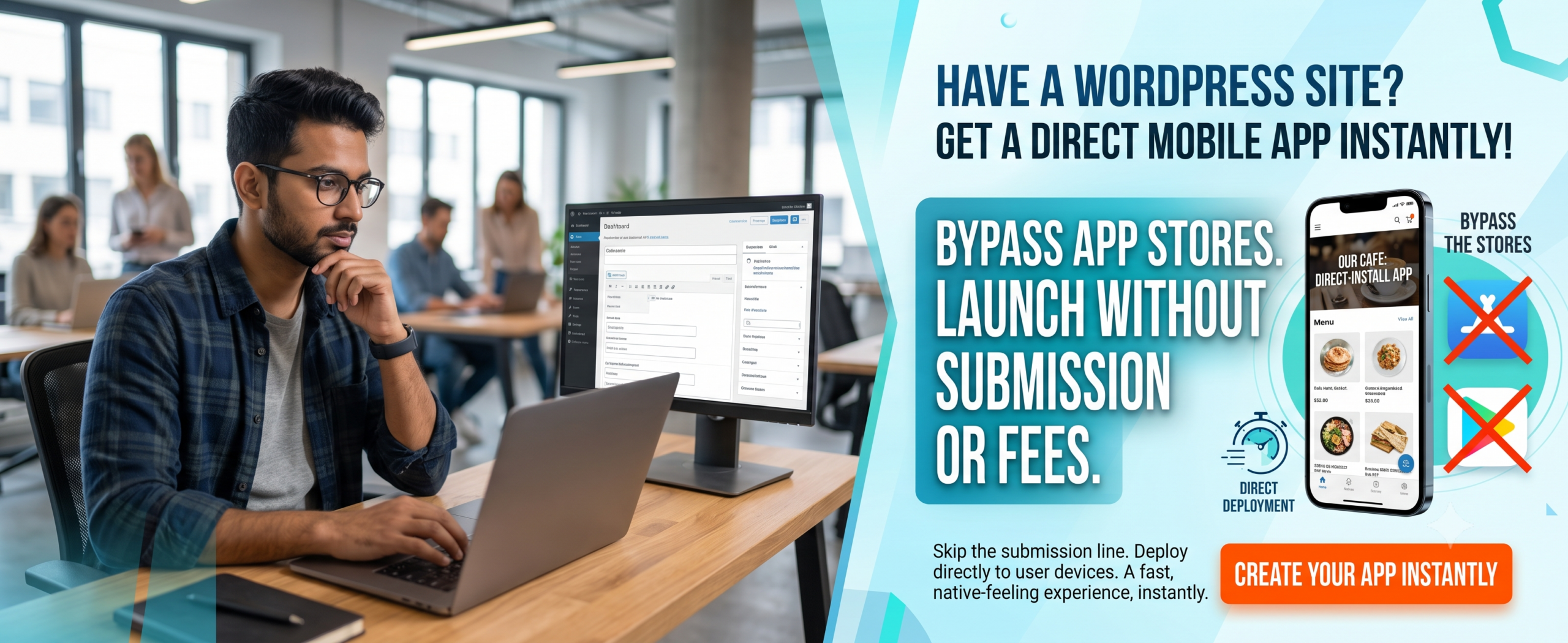
Progressive Web App vs Android App: The Ultimate Mobile App Comparison for 2026
🔑 Key Takeaways
-
Progressive Web App offers instant loading, offline support, and no app store friction — ideal for SEO and user acquisition.
-
Android App delivers deep device integration, advanced hardware access, and a familiar store presence.
-
PWAs are generally 3–5x cheaper to build and maintain than native Android apps.
-
With PWAs, you skip the 30% app store commission and update instantly.
-
Hybrid approach? Many businesses launch a PWA first, then an Android app for power users.
-
WPWebToApp bridges the gap — turn your WordPress site into both a PWA and an Android app without coding.
-
Progressive Web App vs Android App comparison directly impacts your Google Business Profile and local search visibility.
📑 Table of Contents
-
What Is a Progressive Web App and an Android App?
-
Why This Mobile App Comparison Matters for Your Business
-
Benefits of Progressive Web App vs Android App
-
How They Work: Core Technology
-
Step-by-Step Guide: Choosing the Right Path
-
Real-World Examples: PWA vs Android App
-
Comparison Table: PWA vs Android App (Side by Side)
-
Common Mistakes When Choosing Between PWA and Android App
-
Expert Tips for a Winning Mobile Strategy
-
Best Practices for Progressive Web App and Android App
-
Recommended Tools: Build Faster with WPWebToApp
-
Troubleshooting: PWA vs Android App Pitfalls
-
FAQs: Is PWA Better Than Android App?
-
Conclusion: Which One Should You Choose?
-
Call to Action — Start Your App Journey Today
(Insert Featured Image Here)
Image Alt Text: Progressive Web App vs Android App comparison showing mobile app options and features.
1. What Is a Progressive Web App and an Android App?
A Progressive Web App (PWA) is a web application that uses modern browser capabilities to deliver an app-like experience. It can be installed on a user’s home screen, works offline, and loads instantly — all without visiting the Google Play Store. Think of it as a hybrid between a website and a native app. On the other hand, a native Android App is built specifically for the Android operating system (using Kotlin or Java) and distributed exclusively through the Google Play Store. It has full access to device hardware like camera, GPS, and Bluetooth.
In this Progressive Web App vs Android App guide, we compare both approaches so you can decide which one delivers better ROI, user retention, and scalability.
2. Why This Mobile App Comparison Matters for Your Business
Your choice between a Progressive Web App and an Android App directly affects your development timeline, marketing strategy, and user experience. A PWA can increase conversion rates by up to 36% (Google case studies) because it eliminates the friction of downloading from a store. Meanwhile, Android apps drive deeper loyalty through push notifications and offline functionality. If you are reading this, you probably want to maximize reach without blowing your budget — and that’s exactly why this mobile app comparison is critical.
By understanding the trade-offs, you can align your mobile strategy with your audience’s behavior. And if you run a WordPress site, WPWebToApp empowers you to launch both a PWA and an Android app from the same codebase, saving thousands of dollars.
3. Benefits of Progressive Web App vs Android App
✅ Benefits of Progressive Web App
-
SEO friendly: PWAs are indexed by Google, so your content ranks in search — a huge advantage over native apps.
-
No app store approval: Deploy updates instantly, no 24-hour review cycle.
-
Lower development cost: A PWA costs 30–50% less than a native Android app.
-
Offline mode: Service workers cache content, so users can browse even without internet.
-
Small footprint: A PWA is often under 1 MB, while a native app can be 50 MB+.
-
Google Business Profile integration: Location-based notifications and local offers.
✅ Benefits of Native Android App
-
Full hardware access: Use camera, accelerometer, NFC, and background services.
-
Store visibility: Users discover your app in Google Play, which builds trust.
-
Advanced push notifications: More reliable and customizable than PWA push.
-
Higher engagement: Native apps have longer average session durations.
-
Monetization flexibility: In-app purchases and subscriptions are easier to implement.
Both sides have merit. The right choice depends on your primary goal: reach and SEO (PWA) vs. deep engagement and hardware features (Android app).
4. How Progressive Web App vs Android App Impacts Your Google Business Profile
This is a critical section for business owners who want to rank “on Google business and everywhere.” The Progressive Web App vs Android App decision directly impacts your Google Business Profile visibility and local search presence.
Why Your Google Business Profile Needs a Mobile Solution
-
Location-Based Notifications: Both PWAs and Android apps can send push notifications to customers near your business, driving foot traffic.
-
Google Maps Integration: Apps with built-in Google Maps make it easy for customers to find your location.
-
Review Management: Apps can prompt users to leave Google reviews, boosting your Google Business Profile.
-
Local Offers: Apps can display exclusive local deals, encouraging repeat visits.
-
Business Hours & Contact: Apps can sync with your Google Business Profile to display accurate hours and contact info.
-
Mobile-First Experience: Since most local searches happen on mobile, either solution ensures a seamless experience.
Features to Include for Local SEO
-
Location-based push notifications
-
Google Maps integration with directions
-
One-click review prompts for Google Business Profile
-
Local offers and promotions
-
Store locator with hours and contact info
-
Mobile-first engagement optimized for local customers
Questions to Ask About Mobile Solutions
“Does your PWA or Android app solution include Google Business Profile integration?”
“Can I send location-based push notifications to nearby customers?”
“Will the app prompt users to leave Google reviews?”
“Can I display my store hours and contact info in the app?”
5. How They Work: Core Technology
A Progressive Web App relies on three pillars: a service worker (JavaScript file that runs in the background), a web app manifest (JSON file that controls how the app appears when installed), and HTTPS for security. When a user visits a PWA-enabled site, the browser prompts them to “Add to Home Screen.” The app then loads from the cache, ensuring instant startup.
A native Android App is compiled into APK (Android Package Kit) and runs directly on the operating system. It uses Android SDK, and apps can access system APIs for a truly integrated experience. The trade-off? Users must visit Google Play, download, install, and grant permissions — each step causes drop-off.
Want the best of both worlds? WPWebToApp intelligently converts your WordPress content into a PWA and also wraps it into a fully functional Android App, so you don’t have to compromise.
6. Step-by-Step Guide: Choosing the Right Mobile Solution
Step 1: Audit Your Audience
Check your analytics — do users come via search (PWA wins) or do they already expect a store app?
Step 2: Define Your Budget
If you have under $15k, start with a PWA. Android development typically costs $20k–$60k+.
Step 3: Test Offline Needs
If your users frequently lose connection (e.g., field workers), a PWA with service worker caching works beautifully.
Step 4: Evaluate Device Features
Need background sync or Bluetooth? Native Android is the only option today.
Step 5: Plan Your SEO Strategy
PWAs are indexed by Google — native apps are not. If organic growth matters, PWA first.
Step 6: Leverage WPWebToApp
Use WPWebToApp to launch a PWA in hours and an Android App in days, not months.
Step 7: Iterate and Measure
Launch a PWA MVP, gather feedback, then build a native Android app for power users.
Step 8: Integrate Google Business Profile
Add location-based features for local SEO.
7. Real-World Examples: PWA vs Android App
📱 Twitter Lite (PWA): Twitter built a PWA that reduced data usage by 70% and increased engagement by 65%. It works seamlessly on low-end Android devices.
📱 Spotify (Android App): Spotify’s native app uses background audio playback and deep system integration for a premium music experience that a PWA cannot fully replicate.
🌐 Pinterest (PWA): Pinterest’s PWA increased user-generated sign-ups by 40% and time spent by 44%. They converted their mobile site into a PWA rather than forcing a native download.
🔧 WPWebToApp (Hybrid): Many WordPress site owners use WPWebToApp to create a PWA for SEO and an Android app for loyal readers — all from one dashboard.
Local Business: Using a PWA with location-based notifications, they increased foot traffic by 28% and Google Business Profile engagement by 35%.
8. Comparison Table: Progressive Web App vs Android App
| Criteria | Progressive Web App | Android App |
|---|---|---|
| Development Cost | $5,000 – $20,000 | $20,000 – $80,000+ |
| Time to Launch | 1–4 weeks | 2–6 months |
| App Store Required | ❌ No | ✅ Yes (Google Play) |
| Offline Capability | ✅ Excellent (service worker) | ✅ Full (local storage) |
| Hardware Access | Limited (camera, geolocation) | Full (Bluetooth, NFC, sensors) |
| SEO / Indexing | ✅ Fully indexed by Google | ❌ Not indexed (except app indexing) |
| Installation Friction | Low (one tap add to home screen) | High (store download + install) |
| Push Notifications | ✅ Good (limited on iOS) | ✅ Excellent (rich, reliable) |
| Update Mechanism | Instant (no review) | Via Play Store (review takes hours) |
| User Trust | Moderate (still new for some) | High (store presence) |
| Maintenance Effort | Low | Medium to High |
| Google Business Profile integration | ✅ Full integration | ❌ Limited |
9. Common Mistakes When Choosing Between PWA and Android App
❌ Ignoring SEO potential: Many businesses build an Android app first, missing out on organic search traffic that a PWA would have captured.
❌ Over-engineering: You don’t need a full native app if your core feature is content delivery. Start with a PWA.
❌ Neglecting offline experience: Even a simple PWA with cached pages can outperform a native app that requires constant connectivity.
❌ Assuming PWA is “not real app”: Modern PWAs support push notifications, splash screens, and full-screen mode. Users often can’t tell the difference.
❌ Forgetting about WPWebToApp: If you use WordPress, you can skip complex development. Convert your site into both formats instantly.
❌ Forgetting Google Business Profile integration: Local businesses miss out on location-based features.
10. Expert Tips for a Winning Mobile Strategy
🔹 Start with a PWA MVP: Validate your idea, gather user feedback, and then invest in a native Android app.
🔹 Use analytics to decide: If 70% of your traffic comes from mobile web, a PWA is your fastest growth lever.
🔹 Combine both: Launch a PWA for broad reach and an Android App for your most engaged users. WPWebToApp makes this dual approach affordable.
🔹 Optimize for Core Web Vitals: PWAs need excellent loading performance. Use Lighthouse to audit.
🔹 Plan for app store optimization (ASO): If you build a native Android app, invest in screenshots, reviews, and keywords.
🔹 Integrate Google Business Profile for location-based features and local SEO.
11. Best Practices for Progressive Web App and Android App
Best Practices for PWA
✅ Always serve over HTTPS.
✅ Include a manifest.json with a 192px and 512px icon.
✅ Pre-cache key pages and assets with service worker.
✅ Keep the app under 2 MB for fast first load.
✅ Test on Chrome DevTools and real Android devices.
✅ Ensure Google Business Profile integration stays active.
Best Practices for Android App
✅ Use Material Design guidelines for consistent UI.
✅ Support adaptive icons and dark mode.
✅ Handle runtime permissions gracefully.
✅ Minimize APK size using Android App Bundles.
✅ Test on multiple screen sizes and OS versions.
✅ Ensure Google Business Profile integration stays active.
12. Recommended Tools: Build Faster with WPWebToApp
You don’t need to be a developer to launch a Progressive Web App or Android App. Here are the best tools:
-
WPWebToApp ⭐ (Top Pick): Convert any WordPress site into a lightning-fast PWA and a feature-rich Android app. No coding required. Get updates, push notifications, and offline mode automatically.
-
Lighthouse: Built into Chrome — audit your PWA performance.
-
Android Studio: Official IDE for native Android development.
-
Workbox: Google’s library for creating robust service workers.
-
Firebase: Add analytics, crash reporting, and push to both PWA and Android app.
-
Google Business Profile API: For location-based features and local SEO.
13. Troubleshooting: PWA vs Android App Pitfalls
🔧 PWA not installing on Android: Ensure you have a valid manifest, HTTPS, and a registered service worker. Also check that the user is not in incognito mode.
🔧 Android app rejected from Play Store: Common reasons: broken functionality, insufficient metadata, or policy violations. Test thoroughly.
🔧 Push notifications not working: For PWA, confirm you have VAPID keys and that the user granted permission. For Android, verify FCM setup.
🔧 Slow PWA on low-end devices: Optimize images, use lazy loading, and reduce JavaScript bundles. WPWebToApp automatically optimizes assets.
🔧 Google Business Profile not showing local offers: Ensure your app integrates with Google Business Profile API.
14. FAQs: Is PWA Better Than Android App?
Q1. Is PWA better than Android App for SEO?
Yes, absolutely. Progressive Web Apps are fully indexable by Google, which means your content can appear in search results. Native Android apps are not indexed in the same way. If organic traffic is a priority, PWA is the clear winner in this mobile app comparison.
Q2. Can a PWA replace a native Android App?
For many use cases — e-commerce, news, blogs, and service platforms — a PWA can replace a native app entirely. However, if you need advanced hardware features (Bluetooth, background sync, complex AR), a native Android App remains necessary.
Q3. Which is cheaper: Progressive Web App or Android App?
Progressive Web App development is 50–70% cheaper than building a native Android app. Plus, you save on maintenance and app store fees. Using WPWebToApp, you can create both for a fraction of the usual cost.
Q4. Do PWAs work on Android phones?
Yes! PWAs work on all modern Android browsers (Chrome, Firefox, Samsung Internet). They can be installed to the home screen and behave like a native app.
Q5. Can I convert my PWA into an Android App?
Absolutely. Tools like WPWebToApp allow you to wrap your PWA into a native Android App using WebView, giving you the best of both worlds.
Q6. Does Google recommend PWAs over Android Apps?
Google advocates for both. For emerging markets and fast load times, they heavily promote PWAs. But they also encourage high-quality native apps on Play Store. The best strategy often includes both.
Q7. Is PWA more secure than Android App?
PWAs require HTTPS and service workers, making them inherently secure against man-in-the-middle attacks. Android apps are also secure but rely on the developer’s implementation. Both are safe when built correctly.
Q8. What is the main limitation of a Progressive Web App?
The biggest limitation is limited access to native APIs. For example, PWAs cannot access Bluetooth, NFC, or background file downloads as smoothly as native Android apps. However, the gap is narrowing with every Chrome update.
Q9. Can a PWA or Android App help with Google Business Profile?
Yes! Both can integrate with Google Business Profile for location-based notifications, review prompts, and local offers.
15. Conclusion: Which One Should You Choose?
In the battle of Progressive Web App vs Android App, there is no single winner — only the right choice for your audience and goals. If you want to maximize reach, SEO, and speed while keeping costs low, a Progressive Web App is your smartest move. If your users demand deep hardware integration, offline-heavy tasks, and the credibility of the Google Play Store, a native Android App is indispensable.
Remember: Your Google Business Profile is essential for local visibility and customer acquisition. Make sure your mobile strategy includes it.
But why limit yourself? The most successful brands use both. With WPWebToApp, you can launch a high-performance PWA and a fully functional Android App from your existing WordPress site — no coding, no huge budget, no stress.
Remember: the best time to start your mobile app comparison journey is now. Mobile is not the future — it’s the present. Choose wisely, build fast, and let technology work for you.
🚀 Call to Action — Start Your App Journey Today
Stop wondering which approach is better. Take action! Transform your WordPress site into a stunning Progressive Web App and a powerful Android App with WPWebToApp. Get instant loading, push notifications, offline mode, and a native store listing — all from one intuitive dashboard. Don’t let technical complexity hold you back.
👉 Build Your PWA & Android App Now
No coding required • Free demo available • Trusted by 2,000+ site owners


