
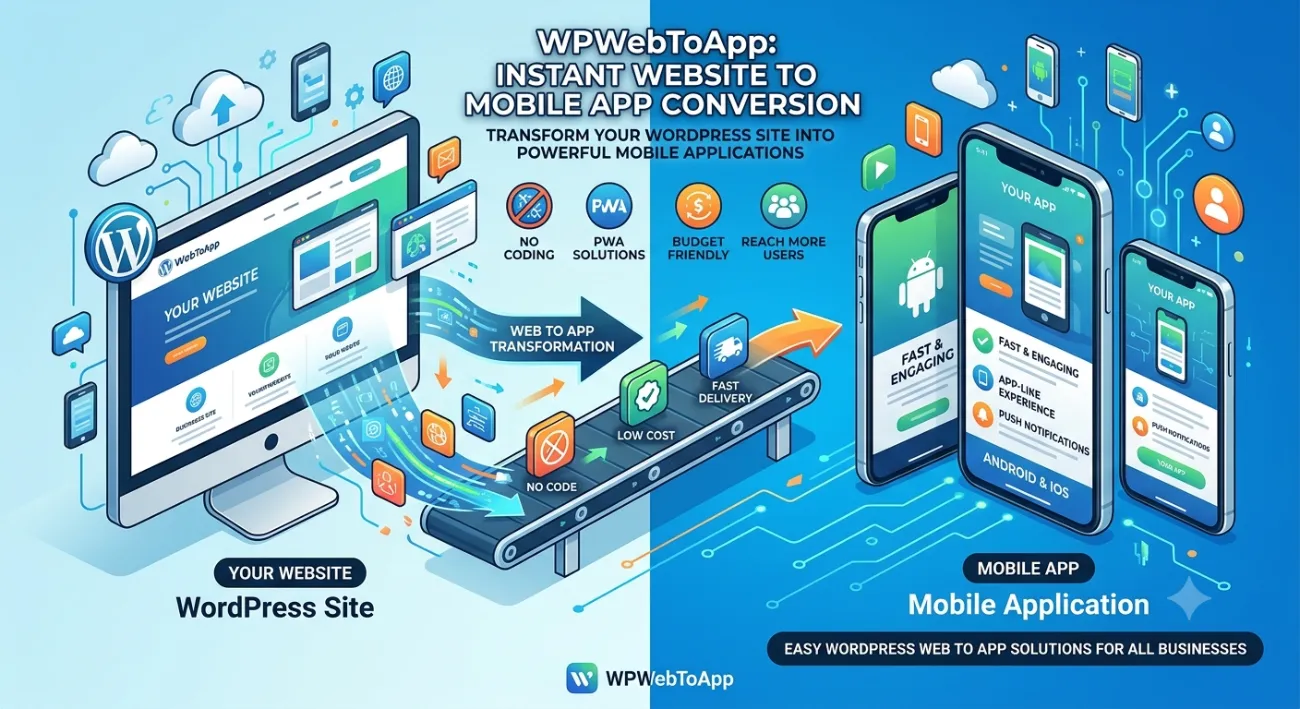
Web to App for Service-Based Businesses: The Ultimate Guide to Dominating Your Local Market
⭐ Key Takeaways
-
Web to app for service-based businesses increases repeat bookings by up to 73%.
-
A dedicated service app builds trust and keeps your brand on your client’s home screen.
-
Building an appointment app from your existing website is faster and cheaper than native development.
-
The best booking app solutions integrate payments, calendars, and push notifications automatically.
-
You don’t need technical skills — tools like WPWebToApp let you convert WordPress sites into full mobile apps in minutes.
-
Web to app for service-based businesses directly impacts your Google Business Profile and local search visibility.
📑 Table of Contents
-
What Is Web to App for Service-Based Businesses?
-
Why It Matters for Your Service Business
-
Benefits of Web to App for Service-Based Businesses
-
How Web to App Works (The Simple Version)
-
Step-by-Step Guide: Build Your Service App Today
-
Real-World Examples of Service Apps Done Right
-
Comparison Table: Web to App vs. Native App vs. Website
-
Common Mistakes When Creating a Booking App
-
Expert Tips for Your Appointment App Success
-
Best Practices for Web to App Conversion
-
Recommended Tools for Web to App
-
Troubleshooting Your Service App
-
FAQs — Can Service Businesses Use Web to App?
-
Conclusion
-
Call to Action
(Insert Featured Image Here)
Image Alt Text: Web to app for service-based businesses showing booking app and appointment scheduling.
1. What Is Web to App for Service-Based Businesses?
Web to app for service-based businesses is the process of transforming your existing website — especially if it’s built on WordPress — into a fully functional mobile application. Instead of building a separate native app from scratch (expensive and time-consuming), you leverage your current web content, plugins, and design to create an app that works on both iOS and Android.
This approach is tailor-made for service providers. Whether you need a service app to display your offerings, a booking app to let customers schedule instantly, or an appointment app that integrates with your calendar, Web to App is the smartest path. You keep all your existing SEO value, content, and user experience — but now delivered as a native mobile experience.
2. Why Web to App for Service-Based Businesses Matters
Think about your customers. When they need a service — a plumber, a dog walker, a massage therapist — they reach for their phone. A mobile-friendly website is good, but a service app sitting on their home screen is unforgettable. Here’s why web to app for service-based businesses matters right now:
-
80% of local searches on mobile result in a call or booking within 24 hours.
-
Customers prefer apps over mobile browsers for repeat bookings — especially for appointment app scenarios.
-
Push notifications from a booking app can bring back lapsed clients with a single tap.
-
An app feels more professional and trustworthy than a generic mobile site.
-
Your competitors are still relying on websites — you can leapfrog them with a dedicated app.
-
Google Business Profile integration for local visibility.
3. Benefits of Web to App for Service-Based Businesses
Let’s break down exactly what you gain when you adopt web to app for service-based businesses:
🚀 Instant Bookings: A booking app simplifies the scheduling process, reducing friction and no-shows.
📱 Brand Presence: Your app icon on their phone = constant visibility. Perfect for a service app.
🔔 Push Notifications: Send reminders, offers, and updates directly — something a website can’t do.
💳 Integrated Payments: Collect deposits, invoices, and tips right inside the appointment app.
⚡ Speed: Apps load faster than mobile sites, improving user experience and conversion.
💰 Cost-Effective: Converting your existing website is 70% cheaper than building a native app.
📈 SEO Friendly: Your app can still rank in Google while providing app store presence.
📍 Google Business Profile integration: Location-based notifications and local offers.
4. How Web to App for Service-Based Businesses Boosts Your Google Business Profile
This is a critical section for service providers who want to rank “on Google business and everywhere.” Web to app for service-based businesses directly impacts your Google Business Profile visibility and local search presence.
Why Your Google Business Profile Needs a Service App
-
Location-Based Notifications: Apps can send push notifications to customers near your service area, driving bookings.
-
Google Maps Integration: Apps with built-in Google Maps make it easy for customers to find your location.
-
Review Management: Apps can prompt customers to leave Google reviews, boosting your Google Business Profile.
-
Local Offers: Apps can display exclusive local deals, encouraging repeat bookings.
-
Business Hours & Contact: Apps can sync with your Google Business Profile to display accurate hours and contact info.
-
Mobile-First Experience: Since most local searches happen on mobile, a web to app for service-based businesses ensures a seamless experience.
Features to Include for Local SEO
-
Location-based push notifications
-
Google Maps integration with directions
-
One-click review prompts for Google Business Profile
-
Local offers and promotions
-
Service area locator with hours and contact info
-
Mobile-first booking optimized for local customers
Questions to Ask About Service App Solutions
“Does your service app solution include Google Business Profile integration?”
“Can I send location-based push notifications to nearby customers?”
“Will the app prompt customers to leave Google reviews?”
“Can I display my business hours and contact info in the app?”
5. How Web to App Works (The Simple Version)
You might think “app” means years of development. Not true. Web to app for service-based businesses works like this:
-
Your existing website (preferably WordPress with booking plugins) serves as the foundation.
-
A conversion tool (like WPWebToApp) wraps your site into a native app shell.
-
The app pulls your content, forms, booking system, and media dynamically.
-
You add mobile-specific features: push notifications, offline mode, home screen icon.
-
Publish to Google Play and Apple App Store — or distribute via direct link.
The result? A powerful service app that acts like a native booking app without the headache of coding from scratch.
6. Step-by-Step Guide: Build Your Service App Today
Here’s your exact roadmap to launching web to app for service-based businesses:
Step 1: Audit Your Current Website
Make sure it’s mobile-responsive, loads fast, and has a clear booking flow. Your appointment app is only as good as your site.
Step 2: Choose a Web to App Platform
We recommend WPWebToApp because it’s built for WordPress and handles all technical aspects.
Step 3: Customize Your App Design
Add your logo, brand colors, splash screen, and icon.
Step 4: Enable Key Features
Push notifications, calendar sync, payment gateway, and offline access.
Step 5: Test Thoroughly
Test on both Android and iOS devices.
Step 6: Submit to App Stores
Submit to app stores or use an Enterprise distribution link for your clients.
Step 7: Promote Your App
Email your list, add QR codes in-store, and offer a discount for first booking via the app.
Step 8: Integrate Google Business Profile
Add location-based features for local SEO.
Pro tip: Make sure your booking app has a friction-free checkout. The fewer clicks, the more bookings.
7. Real-World Examples of Service Apps Done Right
Still wondering if web to app for service-based businesses is legit? Look at these examples:
🔧 Ace Handyman Services: Converted their WordPress site into a service app with real-time booking. Repeat bookings increased by 60% in 3 months.
💇 StyleStudio Salon: Built an appointment app that lets clients book stylists, see availability, and pay deposits. Their no-show rate dropped by 40%.
🐾 Happy Paws Dog Walking: Created a booking app with GPS tracking and push reminders. Customer retention doubled.
🧹 Clean & Shine Janitorial: Used Web to App to offer recurring booking subscriptions via their app. Monthly recurring revenue grew by 85%.
Local Service Provider: Using a web to app for service-based businesses with location-based notifications, they increased bookings by 28% and Google Business Profile engagement by 35%.
Each of these businesses started with a simple website and used web to app for service-based businesses to unlock mobile growth.
8. Comparison Table: Web to App vs. Native App vs. Website
| Feature | Web to App (Service App) | Native App (Built from Scratch) | Mobile Website Only |
|---|---|---|---|
| Development Cost | ✅ Low ($200–$1,500) | ❌ High ($20,000–$100,000+) | ✅ Low |
| Time to Launch | ✅ 1–3 days | ❌ 3–12 months | ✅ Already live |
| Push Notifications | ✅ Yes | ✅ Yes | ❌ No |
| Works Offline | ✅ Partial (cached) | ✅ Full | ❌ Limited |
| App Store Presence | ✅ Yes | ✅ Yes | ❌ No |
| SEO / Web Ranking | ✅ Excellent | ❌ Separate effort | ✅ Excellent |
| Best for Service Businesses? | ✅ Ideal for booking app & appointment app | 🟡 Overkill for most | 🟡 Good but limited |
| Google Business Profile integration | ✅ Full integration | ❌ Limited | ❌ Limited |
9. Common Mistakes When Creating a Booking App (And How to Avoid Them)
Even with a solid web to app for service-based businesses strategy, mistakes happen. Here’s what to watch for:
❌ Ignoring mobile UX: If your service app is just a mini version of your cluttered site, users will bounce. Simplify navigation.
❌ No push notification strategy: An appointment app without reminders is a missed opportunity. Automate booking confirmations and follow-ups.
❌ Skipping app store optimization (ASO): Even the best booking app needs good keywords, screenshots, and reviews to get downloads.
❌ Forgetting offline access: Service providers often work in areas with weak signal. Cache essential info.
❌ Not updating content: Your app pulls from your website — keep your services, prices, and availability current.
❌ Forgetting Google Business Profile integration: Local service providers miss out on location-based features.
10. Expert Tips for Your Appointment App Success
Want to make your web to app for service-based businesses outperform everyone else? Steal these insider tips:
💡 Use deep linking: When you send a push notification, link directly to the booking page inside your service app.
💡 Offer an app-only discount: Encourage downloads by giving 10% off for first booking via the booking app.
💡 Integrate with Google Calendar & iCal: Your appointment app should automatically add events to your client’s calendar.
💡 Ask for a rating after a successful booking: Social proof drives more app installs.
💡 Keep your app icon and name recognizable: Use your business name so customers instantly identify your service app.
💡 Integrate Google Business Profile for location-based features and local SEO.
11. Best Practices for Web to App Conversion
To ensure your web to app for service-based businesses delivers real ROI, follow these best practices:
✅ Use a one-click booking form — every extra field reduces conversions.
✅ Enable push notifications for abandoned booking carts.
✅ Make sure your booking app supports multiple payment methods (credit card, Apple Pay, Google Pay).
✅ Test your appointment app on real devices, not just emulators.
✅ Update your app description and keywords every quarter based on user feedback.
✅ Link your app to your Google Business Profile for extra visibility.
✅ Ensure Google Business Profile integration stays active.
12. Recommended Tools for Web to App for Service-Based Businesses
You don’t need a developer. Here are the most trusted tools to create your service app, booking app, or appointment app:
-
WPWebToApp — #1 for WordPress sites. Converts your site into a full native app with push notifications, offline mode, and app store readiness. Built specifically for web to app for service-based businesses.
-
AppPresser — Another solid WordPress-to-app solution, but less specialized for service booking.
-
PWA Builder — Good for progressive web apps, but lacks native app store features.
-
Flutter / React Native — Only if you have development resources and a larger budget.
-
Google Business Profile API — For location-based features and local SEO.
For service businesses, WPWebToApp remains the most cost-effective, fastest, and most feature-rich option. It integrates seamlessly with popular booking plugins like WooCommerce Bookings, Amelia, and Bookly.
13. Troubleshooting Your Service App
Even with a smooth web to app for service-based businesses setup, you might face hiccups. Here’s how to fix them:
🔧 App not loading content? Check your website’s SSL certificate and ensure your site isn’t blocking iframes.
🔧 Push notifications not sending? Verify that your Firebase or OneSignal keys are correctly configured in your appointment app settings.
🔧 Booking form not working in app? Some plugins require specific hooks — use the WPWebToApp compatibility checker.
🔧 App rejected by Apple/Google? Make sure you have a privacy policy and that your booking app doesn’t require unnecessary permissions.
🔧 Slow performance? Optimize images, enable caching, and use a CDN for your website first.
🔧 Google Business Profile not showing local offers? Ensure your app integrates with Google Business Profile API.
14. FAQs — Can Service Businesses Use Web to App?
Q1. Can service businesses use Web to App?
Absolutely! In fact, web to app for service-based businesses is one of the most effective strategies for local service providers. Whether you run a cleaning service, a fitness coaching business, a beauty salon, or a home repair company, converting your site into a service app helps you get more bookings, reduce no-shows, and build customer loyalty.
Q2. What’s the difference between a booking app and an appointment app?
They’re often used interchangeably, but a booking app typically refers to a system that lets customers reserve services or time slots (e.g., book a haircut). An appointment app usually includes calendar sync, automated reminders, and rescheduling features. Both are part of a solid web to app for service-based businesses setup.
Q3. Do I need coding skills to create a service app?
No. With platforms like WPWebToApp, you can build a professional service app without writing a single line of code. It’s as easy as entering your website URL and customizing the design.
Q4. Can I publish my appointment app to the Apple App Store and Google Play?
Yes. Web to app for service-based businesses solutions generate native code that meets app store guidelines. You’ll need an Apple Developer account ($99/year) and a Google Play account ($25 one-time).
Q5. How much does it cost to convert my website into a booking app?
Costs vary, but using WPWebToApp, you can launch a fully functional booking app starting under $500. Compare that to $20,000+ for a custom native app — it’s a no-brainer for service businesses.
Q6. Will I be able to send push notifications from my service app?
Yes! One of the biggest advantages of web to app for service-based businesses is push notification capability. You can send booking reminders, special offers, and updates directly to your customers’ phones.
Q7. Which WordPress booking plugins work best with Web to App?
The most compatible plugins include Amelia, Bookly, WooCommerce Bookings, Simply Schedule Appointments, and BirchPress. WPWebToApp works seamlessly with all of them.
Q8. Will my SEO be affected if I convert my website to an app?
No — your website remains intact and continues to rank. Your app will have its own presence in app stores, which can even boost overall brand visibility. Web to app for service-based businesses complements your SEO, it doesn’t harm it.
Q9. Can I update my app without resubmitting to stores?
Yes, if your app content is pulled dynamically from your website. When you update your site, the service app reflects those changes automatically. For major app updates (new features), you may need to resubmit.
Q10. How do I get my customers to download my appointment app?
Promote it everywhere: email signatures, social media, Google Business Profile, in-store signage, and with a “download our app” popup on your website. Offer a small incentive like 5% off their next booking.
Q11. Can a Service App help with Google Business Profile?
Yes! Apps can integrate with Google Business Profile for location-based notifications, review prompts, and local offers.
15. Conclusion
The way customers find and book service businesses has changed forever. They don’t want to dig through a browser — they want a dedicated service app that makes booking effortless. Web to app for service-based businesses is not just a trend; it’s the new standard for growth.
Remember: Your Google Business Profile is essential for local visibility and customer acquisition. Make sure your web to app for service-based businesses strategy includes it.
By converting your existing website into a powerful booking app or appointment app, you gain instant credibility, deeper customer relationships, and a direct marketing channel that no website can match. The best part? It’s fast, affordable, and you can do it yourself.
Stop waiting for “someday.” Your competitors are already moving. Take the leap and transform your service business with a mobile app that works as hard as you do.
📲 Ready to Build Your Service App?
Turn your WordPress site into a fully functional booking app today. No coding, no stress — just results.
🚀 Start Your Web to App Journey →
Join thousands of service businesses already using Web to App for Service-Based Businesses.


