
Summary
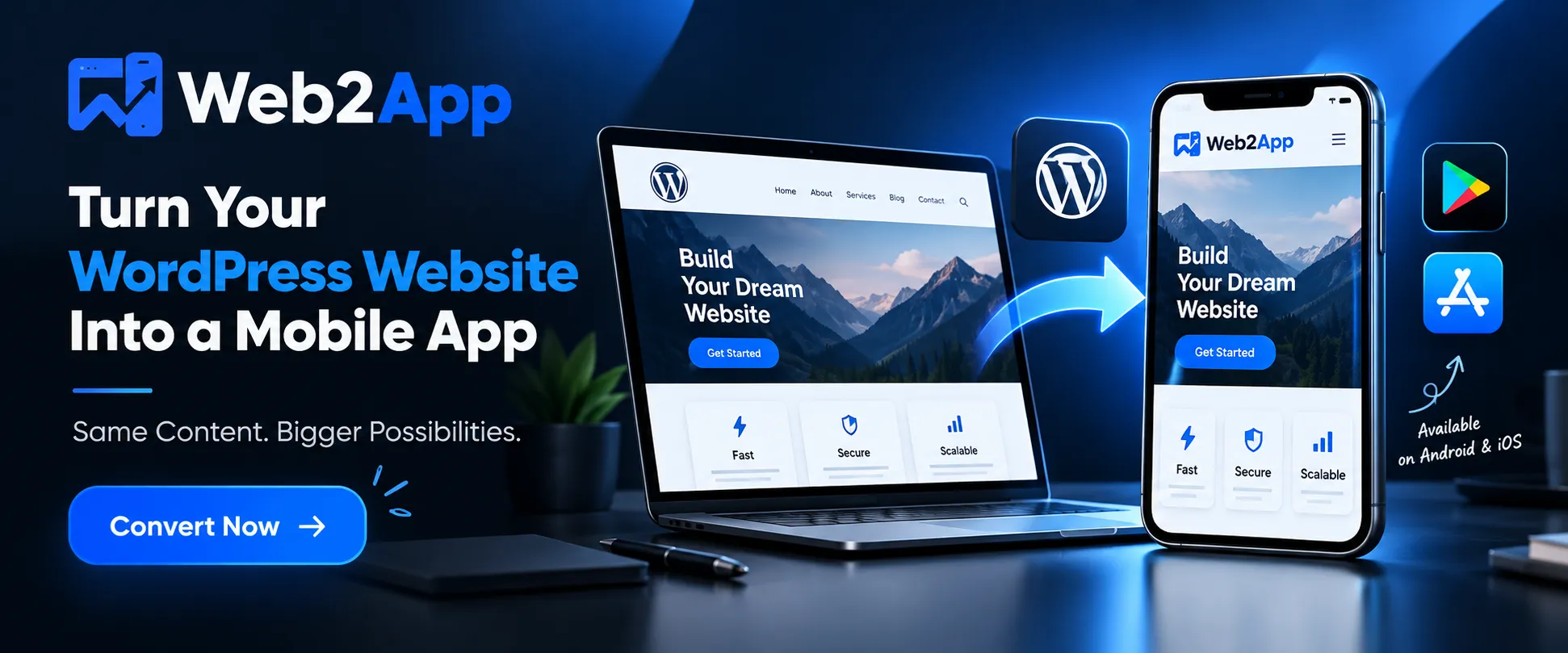
If you already have a successful WordPress website, converting it into a mobile application can be an effective way to provide visitors with a more convenient mobile experience, strengthen your brand presence, improve engagement, and create another channel for reaching your audience.
The good news is that you do not necessarily need to build a mobile application completely from scratch.
A WordPress website can be converted into a mobile app using a dedicated WordPress-to-app solution. Depending on the technology and requirements, the process can involve a WordPress plugin, an app builder, a WebView-based application, a PWA, or a custom mobile application connected to WordPress through APIs.
Modern website-to-app solutions can simplify much of the process. For example, WPWebToApp provides a no-code workflow intended to connect a WordPress website, customize the mobile app, generate the Android application, and prepare it for use. Its website also highlights features such as push notifications, offline functionality, custom splash screens, fast loading, app icons, PWA support, and real-time previews.
However, simply placing a website inside an app is not enough. A successful WordPress mobile app should be fast, responsive, secure, easy to navigate, useful to customers, and designed with mobile users in mind.
This guide explains how to convert a WordPress website to an app, different conversion methods, benefits, costs, WooCommerce considerations, app-store requirements, common mistakes, and how to choose the right solution.
Introduction: Why Convert a WordPress Website to an App?
WordPress powers websites across almost every industry, including blogs, news websites, educational platforms, online stores, membership websites, service businesses, magazines, communities, and publishing platforms.
While responsive WordPress websites already work on smartphones, a mobile app provides a different type of experience.
A website generally requires users to:
- Open a browser.
- Search for or enter your website.
- Navigate to your website.
- Start browsing.
An app, on the other hand, can place your brand directly on the user’s home screen.
Users can open your application with a tap, and depending on the app architecture, you can provide features such as push notifications, app-specific navigation, offline access, splash screens, and other mobile-focused functionality.
For businesses that already have a WordPress website, converting the existing website into an app can therefore be much more efficient than starting an entirely new digital platform.
What Does “Convert WordPress Website to App” Mean?
Converting a WordPress website to an app means creating a mobile application that uses your existing WordPress website, content, functionality, or backend as the foundation of the mobile experience.
There are several approaches.
Common options include:
- WordPress mobile app plugins
- Website-to-app builders
- WebView applications
- Progressive Web Apps (PWAs)
- API-based native applications
- Custom Flutter applications
- Custom React Native applications
The best option depends on what you need the app to accomplish.
For example, a content-based website may work very well with a website-to-app solution, while a complex platform requiring extensive native device functionality may need a custom mobile application.
Android’s own documentation recognizes WebView as an appropriate option for embedding web content within an Android application, particularly when an app wants to reuse existing web content and update it dynamically.
Why Should You Convert Your WordPress Website Into a Mobile App?
There are several reasons businesses choose to make the transition from website to app.
1. Reach Mobile Users More Conveniently
Mobile devices are now central to how people consume content, shop online, communicate with businesses, and access services.
An application gives users another convenient way to access your website.
Instead of remembering your URL, users can simply tap your app icon.
2. Build Stronger Brand Recognition
Your app icon can remain visible on a user’s smartphone.
This creates an additional brand touchpoint.
For businesses that publish content frequently or have returning customers, having an app installed can keep the brand closer to the customer.
3. Push Notifications
One of the biggest advantages of a mobile application can be push notifications.
For example, a news website could notify users about breaking stories.
An eCommerce business could notify customers about:
- New products
- Discounts
- Sales
- Orders
- Special offers
A blog could notify subscribers when a new article is published.
WPWebToApp specifically lists push notifications among its app features.
4. Improve Customer Engagement
An app can provide a more focused environment than a browser.
Users who have intentionally installed your app are often already interested in your business, content, service, or products.
That makes the application another channel for customer engagement.
5. Provide an App-Like Experience
A properly configured mobile app can provide:
- App-specific navigation
- Splash screens
- Custom icons
- Mobile layouts
- Touch-friendly controls
- Push notifications
- Offline functionality
- Full-screen experiences
These features can make a WordPress website feel more like a dedicated mobile product.
How to Convert a WordPress Website to an App
The exact workflow depends on the technology you choose, but the general process is straightforward.
Step 1: Prepare Your WordPress Website
Before converting your site, make sure the website works correctly on mobile devices.
Check:
- Mobile responsiveness
- Navigation menus
- Forms
- Search
- Login
- WooCommerce checkout
- Images
- Videos
- Popups
- Contact forms
- Third-party integrations
- Page loading speed
This is important because converting a poorly optimized website does not automatically create a good mobile app.
Your website should work well on mobile before you turn it into an app.
Step 2: Install a WordPress-to-App Solution
A WordPress app plugin can simplify the conversion process.
WPWebToApp’s current website describes a lightweight plugin-based workflow where users connect their WordPress website, customize their mobile application, and generate an Android APK.
A plugin-based approach can be particularly attractive to WordPress users because much of the process can be handled without traditional mobile-development skills.
Step 3: Connect Your Website
After installation and activation, connect your WordPress website with the app-building system.
This allows the application to use your website’s existing content and functionality.
Depending on the solution, this may involve:
- Website URL
- API connection
- Plugin configuration
- Authentication
- App settings
- Push notification configuration
WPWebToApp describes its connection process as a simple step in which users link their website to the platform.
Step 4: Customize Your App
Branding is important.
Your application should look like your business rather than a generic website wrapper.
Typical customization options include:
App Icon
Your app icon should be recognizable at small sizes.
Splash Screen
The splash screen appears while the application starts.
A professional splash screen can reinforce your branding.
Colors
Use your website’s existing brand colors.
Navigation
Make sure users can easily access the most important sections.
Typography
Use readable fonts and appropriate sizes.
Layout
Ensure buttons, menus, cards, forms, and other interface elements work comfortably on touchscreens.
WPWebToApp currently promotes customization of colors, splash screens, navigation styles, icons, and app settings through its visual editor.
Step 5: Preview the Mobile App
Before generating the final application, test it.
Look for:
- Broken links
- Slow pages
- Incorrect layouts
- Navigation problems
- Login issues
- Checkout problems
- Popups covering content
- Keyboard problems
- Form issues
- Image loading problems
- External links
- Back-button behavior
WPWebToApp provides a real-time mobile app preview so users can inspect the experience before generating the app.
Step 6: Generate the App
Once your website and app settings are ready, generate the application.
For Android, this can involve generating an APK or an Android App Bundle depending on the publishing workflow.
Google’s current Android guidance emphasizes technical quality, secure WebView implementation, appropriate networking practices, and Android App Bundles for Google Play distribution.
Step 7: Test the App on Real Devices
Never rely only on an emulator or preview.
Test your app on actual smartphones.
Check:
- Android devices
- Different screen sizes
- Different Android versions
- Slow networks
- Wi-Fi
- Mobile data
- Landscape/portrait behavior
- Login
- Checkout
- Push notifications
- Offline behavior
- External links
- Back navigation
Real-device testing can reveal problems that are not obvious during development.
Step 8: Publish Your App
If you want your application available through an app store, you need to follow the relevant platform’s rules and publishing requirements.
For Google Play, app quality and technical requirements apply to published applications. Google has also announced additional technical quality requirements for future enforcement, making it increasingly important to maintain app performance and technical quality.
Remember that generating an app and publishing an app are two different steps.
Creating an APK does not automatically mean that the app is approved by Google Play or Apple’s App Store.
Different Ways to Convert WordPress to a Mobile App
Not every WordPress-to-app project should use the same technology.
1. WordPress App Plugin
A plugin can connect WordPress functionality to a mobile application.
Advantages
- WordPress-friendly
- Easier setup
- Less development work
- Existing content can be reused
- Suitable for many blogs and business websites
This is often a practical choice for WordPress owners who want an app without maintaining a completely separate mobile development team.
2. Website-to-App Converter
A converter can take an existing website and create a mobile application around it.
This can be useful if your website already provides the functionality you need.
The advantage is speed.
Instead of building:
WordPress → API → Mobile UI → Authentication → Backend → App
from scratch, you can reuse much of your existing website infrastructure.
3. Progressive Web App
A Progressive Web App can provide an app-like experience directly through the browser.
PWAs can support features such as:
- Installability
- Offline caching
- App-like interfaces
- Web push notifications
- Home-screen access
However, a PWA is different from a traditional application distributed through Google Play or Apple’s App Store.
If store distribution is an important objective, make sure your chosen technology and app architecture meet the respective platform requirements.
4. Custom Native App
A custom native app provides the greatest degree of control.
However, it usually requires considerably more development work.
You may need:
- Backend APIs
- Authentication systems
- Mobile UI development
- Database integration
- Push notification infrastructure
- Native device integrations
- Security testing
- App-store deployment
- Long-term maintenance
This is usually appropriate for complex products rather than a straightforward WordPress website.
5. Flutter or React Native App
Flutter and React Native can be used to build cross-platform applications.
Your WordPress website can serve as the content management system while APIs provide data to the mobile application.
This approach is powerful but more complex than a simple WordPress-to-app conversion.
WordPress Website vs Mobile App
| Feature | WordPress Website | Mobile App |
|---|---|---|
| Browser access | Yes | Not required |
| Home-screen icon | No | Yes |
| Push notifications | Limited/web-based | Yes, depending on implementation |
| App-store presence | No | Yes |
| Installation | Usually no | Yes |
| Offline functionality | Limited/PWA dependent | Possible |
| Updates | Instant | App code may require updates |
| Development cost | Existing | Additional |
| Mobile optimization | Responsive design | App-specific experience |
The important point is that a mobile app should add value rather than simply duplicate the website.
Can You Convert a WooCommerce Website Into an App?
Yes.
WooCommerce is one of the most logical WordPress platforms to consider for mobile applications because customers can already:
- Browse products
- View product details
- Add products to cart
- Log into accounts
- Place orders
- View order information
The key requirement is that your existing WooCommerce experience must work properly on mobile.
A website-to-app approach can reuse the existing mobile website experience, while more advanced projects can create a completely native shopping interface.
For businesses that require complex native commerce functionality, custom development may be more appropriate.
Benefits of a WordPress Mobile App for WooCommerce
A WooCommerce mobile application can potentially help with:
Customer Retention
Customers who install your application have another direct channel to your business.
Push Notifications
Send notifications about:
- New arrivals
- Discounts
- Flash sales
- Order updates
- Abandoned-cart campaigns, where supported
- Promotional campaigns
Brand Visibility
Your logo and app icon remain visible on customers’ devices.
Faster Access
Returning customers can open the app without typing your website URL.
Push Notifications: A Major Advantage of Mobile Apps
Push notifications are one of the most useful mobile engagement features.
For example:
Ecommerce
“Your favorite products are back in stock.”
News
“Breaking News: Major announcement just released.”
Education
“Your new course lesson is available.”
Blog
“A new article has been published.”
Business
“Your appointment is scheduled for tomorrow.”
However, push notifications should be used responsibly.
Sending too many irrelevant notifications can cause users to disable notifications or uninstall the app.
Can a WordPress App Work Offline?
It can, depending on how the application is designed.
Offline functionality generally involves caching selected website content or app resources.
WPWebToApp currently advertises offline mode and notes that selected content can be cached depending on configuration.
Offline support is particularly useful for:
- Blogs
- News
- Documentation
- Educational content
- Articles
- Reference material
However, dynamic functions such as live checkout, account synchronization, real-time inventory, and other server-dependent operations still require an internet connection.
Is Converting WordPress to an App Difficult?
For a basic WordPress website, it doesn’t have to be.
Traditional mobile app development can require knowledge of:
- Java/Kotlin
- Swift
- APIs
- Mobile UI design
- Databases
- Authentication
- Push notification systems
- App-store deployment
A no-code or plugin-based solution can simplify many of these steps.
WPWebToApp specifically positions its product as a no-code solution that allows users to create an app without writing code.
This makes the approach particularly attractive to:
- Bloggers
- Small businesses
- Agencies
- Publishers
- WooCommerce store owners
- Freelancers
- Entrepreneurs
- WordPress developers
How Much Does It Cost to Convert WordPress Website to App?
The cost depends on the method.
Basic Website-to-App Solution
Usually the least expensive option.
Plugin-Based App
Costs depend on the plugin, license, features, and publishing requirements.
Custom App
Usually significantly more expensive because developers build and maintain a separate mobile application.
WPWebToApp currently lists a Starter plan at ₹999 yearly and a Pro plan at ₹2,499 lifetime, according to the pricing information displayed on its website.
Third-party costs can still apply depending on your publishing strategy, developer accounts, APIs, notification services, design requirements, and other integrations.
What Features Should a WordPress Mobile App Have?
A high-quality WordPress mobile application can include:
Essential Features
- Responsive interface
- Custom app icon
- Splash screen
- Easy navigation
- Website integration
- Secure HTTPS connection
- Fast loading
- Search
- Login
- Forms
Advanced Features
- Push notifications
- Offline content
- Deep links
- Analytics
- Social login
- WooCommerce integration
- User accounts
- App-specific navigation
- Custom branding
- PWA support
WPWebToApp’s current feature set includes push notifications, splash screens, offline mode, fast performance, native-feeling navigation, app icon generation, and PWA support.
How to Optimize Your WordPress Website Before Converting It to an App
This is one of the most important steps.
Optimize Images
Large images can slow down mobile pages.
Use:
- WebP
- Proper dimensions
- Compression
- Lazy loading
Improve WordPress Speed
Consider:
- Page caching
- CDN
- Database optimization
- Minification
- Efficient plugins
- Optimized hosting
Remove Unnecessary Plugins
Too many plugins can increase complexity and create compatibility issues.
Make Navigation Simple
Mobile users should be able to reach important pages quickly.
Optimize Forms
Forms should be easy to complete using a touchscreen keyboard.
Security Considerations
Security should not be treated as an optional feature.
Your WordPress website should use HTTPS.
You should also keep:
- WordPress core
- Themes
- Plugins
- PHP
- Security systems
updated.
If your application uses WebView technology, the app implementation should also follow appropriate security practices.
Android’s official documentation provides specific guidance around WebView navigation, JavaScript handling, networking, and security.
Will WordPress Content Automatically Update in the App?
It depends on the technology.
With solutions that load the live website, changes made to the website can generally appear in the app without rebuilding the entire application.
For example, if you publish a new blog post on WordPress, users can see that content through the app’s website connection.
This is one of the biggest advantages of using WordPress as the underlying content management system.
Your team can continue managing content through the familiar WordPress dashboard instead of maintaining a second content-management system.
What Types of WordPress Websites Can Be Converted Into Apps?
Almost any mobile-friendly WordPress website can potentially be converted.
Examples include:
- Business websites
- Blogs
- News websites
- Magazine websites
- Educational websites
- Membership websites
- WooCommerce stores
- Portfolio websites
- Directory websites
- Community websites
- Travel websites
- Restaurant websites
- Real estate websites
- Coaching websites
- Course websites
However, complex functionality should always be tested before selecting the conversion method.
WordPress to App for Bloggers
Bloggers can benefit significantly from mobile applications.
An app can provide:
- Easy article access
- Categories
- Search
- Push notifications
- Offline reading
- Home-screen presence
- Personalized branding
For publishers, push notifications can be especially useful for informing subscribers about newly published content.
WordPress to App for News Websites
News websites can use apps to create a direct communication channel with readers.
For example:
Breaking news → Push notification → User opens app → Reads full story
This can shorten the journey between publishing an article and reaching an audience.
However, notification frequency should be carefully controlled.
WordPress to App for Business Websites
Service businesses can convert their WordPress websites into applications to provide customers with easier access to:
- Services
- Contact information
- Appointment forms
- Offers
- Locations
- Support
- Customer accounts
- Updates
The application can become another branded customer touchpoint.
WordPress to App for Membership Websites
Membership websites may require additional consideration.
If your website has:
- User login
- Member dashboards
- Private content
- Subscriptions
- Courses
- Account management
test every authenticated workflow carefully.
A mobile app should not simply display the public homepage while leaving important member functionality difficult to use.
Common Mistakes When Converting WordPress to an App
Mistake 1: Converting a Poorly Designed Website
If the website is not mobile-friendly, converting it into an app won’t magically fix the design.
Mistake 2: Ignoring App Navigation
A desktop navigation menu may not work well inside a mobile application.
Simplify it.
Mistake 3: Using Too Many Popups
Popups designed for desktop websites can become frustrating on smartphones.
Mistake 4: Ignoring Performance
A slow website creates a slow app experience.
Mistake 5: Not Testing Login
Authentication problems are especially frustrating for users.
Mistake 6: Not Testing WooCommerce
Test:
- Product pages
- Cart
- Checkout
- Payment
- Account
- Order history
before launch.
Mistake 7: Assuming App-Store Approval Is Automatic
Generating an application does not guarantee store approval.
Google Play’s technical quality requirements apply to apps published on Google Play, and Google continues to raise expectations around app quality.
Apple and Google also have their own policies concerning app functionality, content, privacy, security, and user experience.
WordPress App vs Responsive Website: Do You Need Both?
In most cases, yes.
A mobile app should not replace your website.
Your website remains valuable for:
- Google Search
- SEO
- New visitors
- Sharing links
- Desktop users
- Search discovery
- Marketing campaigns
The app serves returning users and provides additional functionality.
A strong digital strategy can therefore be:
SEO Website + Mobile App + Social Media + Email + Push Notifications
Each channel serves a different purpose.
How WPWebToApp Can Help Convert WordPress Websites to Apps
WPWebToApp is designed specifically around the WordPress-to-mobile-app workflow.
Its current website presents a process based on four major steps:
- Connect your WordPress website.
- Customize the mobile application.
- Generate the Android APK.
- Install and launch the app.
The platform also highlights:
- No-code setup
- Android support
- iOS compatibility
- Push notifications
- Custom splash screens
- PWA support
- Fast loading
- Secure architecture
- Live preview
- App icon generation
- Offline mode
For WordPress website owners who want to explore the website-to-app approach without commissioning a completely custom mobile application, this can be a practical starting point.
How to Choose the Right WordPress-to-App Solution
Before choosing a platform or plugin, ask these questions:
1. Does it support my WordPress setup?
Check compatibility with your theme, plugins, WooCommerce, memberships, and other important functionality.
2. Does it support Android?
If Android is your primary audience, this should be a basic requirement.
3. Does it support iOS?
If your audience includes iPhone users, check iOS support before purchasing.
4. Does it support push notifications?
This can be essential for engagement.
5. Does it support offline functionality?
Consider whether your users actually need offline access.
6. Can I customize the branding?
Your application should look like your business.
7. How is pricing structured?
Look at:
- Monthly fees
- Annual fees
- Lifetime licenses
- Publishing costs
- Add-ons
- Maintenance
8. What happens after WordPress updates?
Make sure your solution remains compatible with future WordPress, PHP, theme, and plugin updates.
SEO Benefits of Having a Mobile App
A common misconception is that simply launching an app automatically improves Google rankings.
It doesn’t.
Your website’s SEO remains primarily dependent on the quality, relevance, technical performance, authority, and user experience of the website.
However, an app can support your overall digital marketing strategy by creating another customer-engagement channel.
You can use your website to acquire users through SEO and then encourage returning users to install your application.
For example:
Google Search → WordPress Article → Website Visitor → App Download → Push Notification → Returning User
This creates a broader acquisition and retention ecosystem.
WordPress to App SEO Strategy
If you are creating an article targeting the keyword “convert WordPress website to app”, naturally include related search terms such as:
- convert WordPress website to mobile app
- WordPress to mobile app
- WordPress website to Android app
- convert WordPress to Android app
- convert WordPress to iOS app
- WordPress mobile app builder
- WordPress app plugin
- turn WordPress website into app
- website to app converter
- WooCommerce mobile app
- WordPress Android app
- WordPress iOS app
- mobile app for WordPress website
- how to convert WordPress website into an app
- create an app from WordPress website
Avoid keyword stuffing.
The objective is to answer the user’s questions comprehensively and naturally.
Frequently Asked Questions
1. Can I convert my WordPress website into a mobile app?
Yes. A WordPress website can be converted into a mobile application using a WordPress app plugin, website-to-app builder, PWA technology, WebView-based solution, or custom API-based development.
2. How do I convert a WordPress website to an app without coding?
A no-code WordPress-to-app solution can simplify the process. Typically, you connect your website, customize the app, preview it, generate the application, and then prepare it for distribution.
WPWebToApp specifically promotes a no-code workflow.
3. Can I convert WordPress to an Android app?
Yes. WordPress websites can be converted into Android applications using several approaches, including dedicated WordPress app plugins and custom mobile development.
4. Can I convert WordPress to an iOS app?
Yes, depending on the platform you select. However, iOS applications must meet Apple’s App Store requirements before publication.
5. Can I convert a WooCommerce website into an app?
Yes. WooCommerce stores can be converted into mobile applications. Before launch, thoroughly test product browsing, login, cart, checkout, payments, and order functionality.
6. Does a WordPress mobile app support push notifications?
Many WordPress-to-app solutions support push notifications. WPWebToApp currently lists push notifications as one of its features.
7. Can my WordPress app work offline?
Offline functionality is possible depending on the app architecture and configuration. WPWebToApp currently advertises offline mode with selected content capable of being cached.
8. Do I need programming knowledge to convert WordPress into an app?
Not necessarily. No-code and plugin-based solutions can allow WordPress owners to create applications without traditional programming skills.
Complex applications, however, may require professional developers.
9. How long does it take to convert a WordPress website into an app?
A simple website-to-app conversion can be considerably faster than building a custom application. WPWebToApp says its conversion workflow can generate an Android app within minutes.
The total launch time can be longer because testing, configuration, store assets, developer accounts, and app-store review may still be required.
10. Does converting WordPress to an app improve SEO?
Not automatically. Your website remains the primary SEO asset. An app can complement SEO by helping retain users and create additional engagement channels.
11. Can I keep using WordPress after converting my website to an app?
Yes. In many website-based approaches, WordPress continues to function as the primary content management system.
You can continue publishing and managing your website through WordPress.
12. Can I convert an Elementor website into an app?
Generally, yes, provided the website and its Elementor-built pages work correctly on mobile. However, every interactive element, popup, form, animation, and third-party integration should be tested.
13. Is a WordPress app better than a responsive website?
They serve different purposes. A responsive website is essential for search and broad accessibility, while an app can provide an additional experience for returning users.
For many businesses, having both is the strongest strategy.
14. Can I publish my WordPress app on Google Play?
An Android application can be prepared for Google Play, but publication is subject to Google’s current technical and policy requirements.
15. Is converting WordPress to an app expensive?
The cost depends on the approach. A plugin or website-to-app platform can be significantly less expensive than custom mobile development. Always compare licensing, publishing, maintenance, and additional service costs.
Final Checklist: Before Launching Your WordPress App
Before launching, verify the following:
Website
- HTTPS enabled
- Mobile responsive
- Fast loading
- Navigation tested
- Forms tested
- Login tested
- WooCommerce tested
- Payment process tested
App
- App icon created
- Splash screen configured
- Navigation optimized
- Push notifications tested
- Offline functionality tested
- Back button tested
- External links tested
- App tested on real devices
Security
- WordPress updated
- Plugins updated
- Theme updated
- SSL working
- User authentication tested
- Sensitive data protected
Publishing
- App name selected
- App description written
- Screenshots prepared
- App icon prepared
- Privacy policy available
- Developer account configured
- Store requirements reviewed
Conclusion
Converting a WordPress website into a mobile app can be an effective way to expand your digital presence without rebuilding your entire online platform from scratch.
Instead of creating a separate content management system, you can continue using WordPress for your website while introducing a mobile application as another way for customers and visitors to access your content and services.
The right solution depends on your requirements.
A simple blog or business website may work well with a no-code WordPress-to-app plugin. A WooCommerce store may benefit from mobile commerce functionality. A content-heavy publisher may prioritize push notifications and offline reading. A complex digital product may ultimately require a custom Flutter, React Native, or native application.
The most important principle is simple:
Don’t convert a website into an app just because you can. Convert it because the app provides additional value to your users.
If your WordPress website is already mobile-friendly and you want a faster way to create a branded mobile application, WPWebToApp provides a dedicated WordPress-to-app workflow with no-code setup, app customization, Android app generation, push notifications, offline mode, PWA support, and live preview capabilities.
A well-planned combination of WordPress website + SEO + mobile app + push notifications + customer engagement can give your business a stronger digital ecosystem and create more opportunities to turn visitors into returning users.


