
Summary
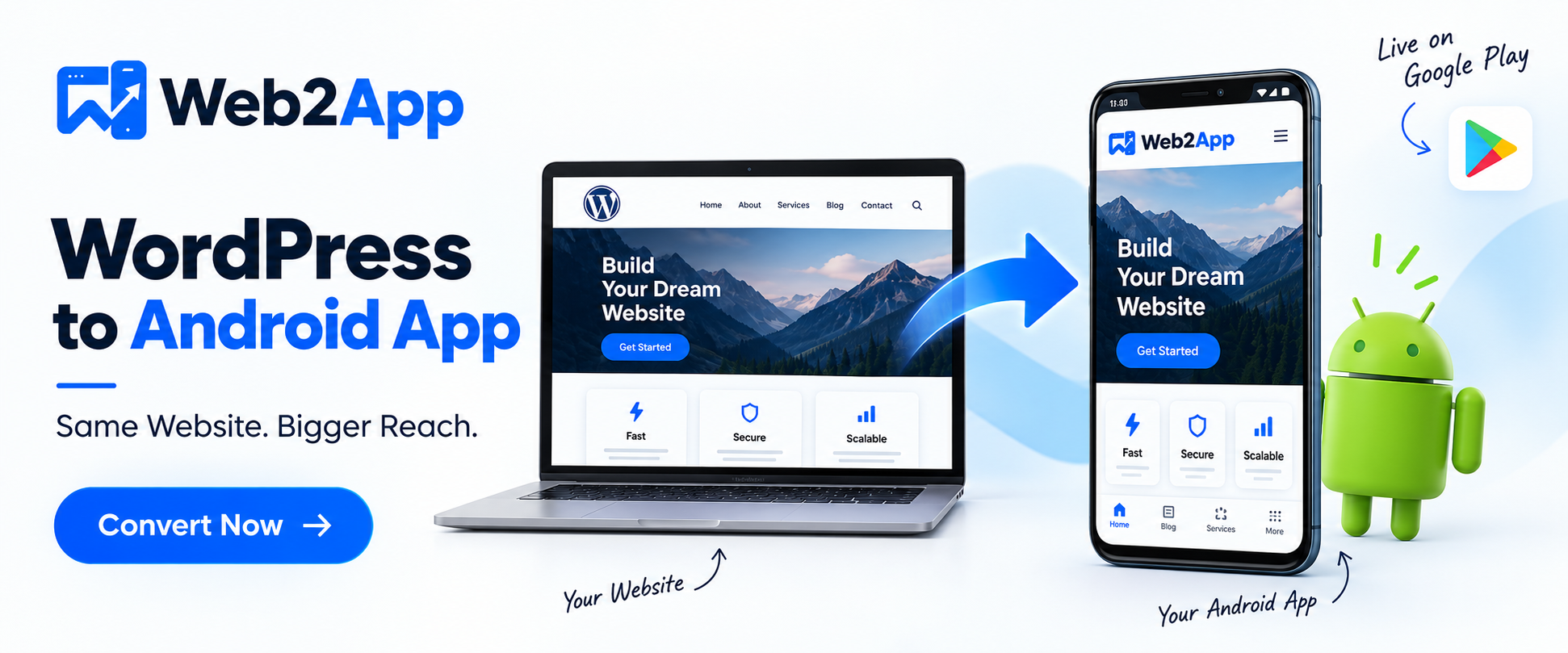
If you already have a WordPress website, you don’t necessarily need to build an Android application from scratch. A WordPress website can be transformed into an Android app using a WordPress-to-app plugin, no-code app builder, WebView-based solution, PWA technology, API-powered application, or custom mobile development.
Creating a WordPress to Android app can give your business, blog, online store, news portal, educational platform, or service website another way to reach mobile users.
An Android application can provide features such as an app icon on the user’s device, app-specific navigation, push notifications, splash screens, offline capabilities, and a more focused mobile experience. The exact capabilities depend on the technology used to build the app.
For WordPress website owners, the biggest advantage is that the existing website can remain the foundation of the digital ecosystem. Instead of maintaining an entirely separate content-management system, you can continue managing content through WordPress while providing Android users with an application.
However, converting a website to an app is more than simply placing a URL inside an Android WebView. A successful app should be functional, responsive, secure, useful, and compliant with Google Play requirements. Google states that apps published on Google Play must provide meaningful functionality and a stable, responsive user experience.
This guide explains how to convert WordPress to an Android app, different conversion methods, benefits, costs, WooCommerce considerations, app features, Google Play requirements, common mistakes, and how a solution such as WPWebToApp can fit into the process.
Introduction: Why Convert WordPress to an Android App?
WordPress has become one of the most widely used platforms for creating websites.
Businesses use it for:
- Company websites
- Blogs
- News portals
- Online stores
- Educational websites
- Membership platforms
- Service businesses
- Magazines
- Communities
- Portfolio websites
- Booking websites
- Course platforms
Most modern WordPress websites are already responsive, meaning they can be accessed from smartphones.
So why would you need an Android application?
A responsive website and an Android app serve different purposes.
A user visiting your website may discover it through Google, social media, an advertisement, an email, or a shared link. An app, however, can create a direct relationship with users who choose to install it.
Once installed, your app can appear directly on the user’s smartphone home screen.
Depending on the app architecture, you can also use features such as:
- Push notifications
- Offline content
- App-specific navigation
- Splash screens
- Custom icons
- Deep links
- Device capabilities
- App-store distribution
This is why many WordPress businesses consider converting their websites into Android applications.
What Is a WordPress to Android App?
A WordPress to Android app is an Android application created using an existing WordPress website as its content or backend foundation.
Instead of building the entire application independently, the app can reuse the website’s:
- Pages
- Posts
- Products
- Images
- Categories
- User accounts
- Forms
- Services
- Content
- WooCommerce functionality
There are several ways to achieve this.
Common approaches include:
- WordPress app plugins
- No-code WordPress-to-app builders
- WebView applications
- Progressive Web Apps
- REST API-based applications
- Flutter applications
- React Native applications
- Fully native Android development
The appropriate approach depends on your website and the type of Android experience you want to create.
Why Convert a WordPress Website to Android App?
There are several potential benefits.
1. Reach Android Users Directly
Android is an important mobile platform for businesses targeting mobile audiences.
An application provides another distribution channel beyond your website.
Instead of relying entirely on users remembering your domain or finding your website through search, your brand can be present directly on their smartphones.
2. Keep Your Existing WordPress Website
One of the biggest advantages of a WordPress-to-app approach is that you can continue using WordPress.
Your existing team can continue to:
- Publish blog posts
- Add products
- Update pages
- Manage users
- Change content
- Update services
- Manage WooCommerce
The app can use the existing website infrastructure depending on the implementation.
This means you don’t necessarily need to build a completely separate CMS.
3. Push Notifications
Push notifications are one of the most useful capabilities of a mobile application.
For example, an eCommerce business could notify customers about:
New products are now available.
A news website could send:
Breaking news: Read the latest update.
A blog could send:
New article published.
An educational platform could notify students:
Your new lesson is available.
Push notifications can create a direct communication channel between your business and app users.
However, notifications should be relevant and useful. Excessive notifications can lead users to disable notifications or uninstall an application.
4. Increase Brand Visibility
When someone installs your Android app, your app icon can remain visible on their device.
This provides another brand touchpoint.
For example:
Website → Visitor → App Installation → Home Screen → Returning User
This can be particularly useful for websites with frequent returning visitors.
5. Create a More Focused Mobile Experience
A website has to support many environments:
- Desktop
- Laptop
- Tablet
- Smartphone
- Search engines
- External links
An application can be designed specifically around mobile usage.
You can simplify:
- Navigation
- Menus
- Buttons
- Search
- User accounts
- Content discovery
The result can feel more focused than a general-purpose website.
6. Offline Functionality
Depending on the technology, an Android app can cache selected resources or content.
This can allow users to access certain information when they temporarily lose their internet connection.
Offline functionality can be especially useful for:
- Blogs
- Articles
- Documentation
- Educational content
- News archives
- Reference material
Not every function can work offline. For example, live payments, real-time inventory, account synchronization, and server-dependent functionality generally require connectivity.
How to Convert WordPress to Android App
The exact process depends on the tool you select.
However, the overall workflow generally looks like this:
WordPress Website → Connect → Customize → Preview → Generate Android App → Test → Publish
Let’s look at each stage.
Step 1: Make Your WordPress Website Mobile-Friendly
Before converting your website into an Android app, check the website itself.
Make sure:
- Pages work on mobile
- Menus work correctly
- Buttons are touch-friendly
- Images load properly
- Forms work
- Login works
- Search works
- WooCommerce works
- Checkout works
- Content is readable
A poorly optimized website can produce a poor app experience.
Converting a website into an app does not automatically fix problems in the underlying website.
Step 2: Select a WordPress-to-Android Solution
You can choose between several approaches.
Option A: WordPress App Plugin
A WordPress plugin can simplify the process by connecting the website to an application-generation system.
Option B: No-Code App Builder
A no-code solution can allow website owners to configure their application without traditional Android programming.
Option C: Custom Android Development
Developers can create a completely customized application that communicates with WordPress through APIs.
The right choice depends on your budget, timeline, technical requirements, and desired app experience.
Step 3: Connect Your WordPress Website
The next step is connecting your website.
Depending on the solution, this may require:
- Website URL
- API credentials
- Plugin configuration
- Authentication
- App settings
- Push notification configuration
A simple website may require relatively little configuration.
A complex website with memberships, WooCommerce, subscriptions, or custom functionality may require additional integration.
Step 4: Customize Your Android App
Your Android application should represent your brand.
Common customization options include:
App Name
Use a recognizable name consistent with your business.
App Icon
Create a clear icon that remains recognizable at small sizes.
Splash Screen
A branded splash screen can be displayed while the app starts.
Colors
Use your brand’s primary and secondary colors.
Navigation
Create simple mobile-friendly navigation.
Typography
Make sure text remains readable on smaller displays.
Buttons
Use appropriately sized touch targets.
Images
Optimize images for mobile performance.
Step 5: Preview Your App
Previewing the application before generating the final build can help identify problems.
Check:
- Homepage
- Menus
- Forms
- Login
- Search
- Blog posts
- Product pages
- Images
- Videos
- External links
- Back navigation
If your website uses popups, sliders, animations, or complex JavaScript, test these particularly carefully.
Step 6: Generate the Android Application
After configuration and testing, you can generate the Android application.
For Google Play distribution, the preferred publishing format for new apps is the Android App Bundle (AAB). Google explains that an App Bundle allows Google Play to generate optimized APKs for different device configurations.
Therefore, your WordPress-to-Android solution should support an appropriate modern Android publishing workflow.
Step 7: Test the Application
Testing is extremely important.
Test your application on real Android devices.
Test:
- Different screen sizes
- Different Android versions
- Wi-Fi
- Mobile data
- Slow connections
- Login
- Registration
- Forms
- Search
- Navigation
- Back button
- External links
- Push notifications
- Offline functionality
- Payments
- WooCommerce checkout
Google’s app-quality guidance emphasizes that apps should be stable, responsive, functional, and provide meaningful user experiences.
Step 8: Prepare for Google Play
Before publishing, prepare:
- App name
- App description
- App icon
- Screenshots
- Feature graphic
- Privacy policy
- Content rating information
- Data safety information
- App category
- Developer account information
Google’s review-preparation guidance specifically includes privacy-policy information, advertising declarations, target-audience details, and other app-content information that developers may need to provide in Play Console.
Step 9: Publish Your Android App
After completing your store listing and policy requirements, submit your application through Google Play Console.
Keep in mind that app generation and app publishing are different processes.
Generating an Android app does not guarantee Google Play approval.
Your app must satisfy the applicable Google Play policies and technical requirements.
Important Google Play Requirements for a WordPress Android App
This is particularly important in 2026.
Google’s current documentation says that, beginning August 31, 2026, new apps and app updates submitted to Google Play must target Android 16 / API level 36 or higher, subject to the documented exceptions.
Therefore, if you’re launching a new WordPress-to-Android application now, the build technology needs to support the current target API requirement.
Google also requires published apps to meet technical quality standards concerning areas such as stability, performance, compatibility, and architecture.
This is important when selecting a website-to-app platform.
Is a Simple WebView Enough for Google Play?
This is one of the most important questions for WordPress website owners.
Technically, Android supports WebView-based applications. Android’s documentation provides guidance for implementing WebViews securely.
However, simply wrapping a website inside an application does not automatically guarantee that the app will satisfy Google Play’s requirements.
Google’s functionality policy says apps should provide meaningful functionality and content and should not simply be limited or non-functional experiences.
Therefore, when creating a WordPress Android app, think beyond:
“Website inside an APK.”
Instead, consider:
“How can the application provide a useful mobile experience?”
This can include:
- Push notifications
- App navigation
- Mobile optimization
- Offline functionality
- Deep links
- Native integrations
- App-specific menus
- Better mobile UX
Android App Bundle vs APK
These terms are often confused.
APK
An APK is an Android application package.
It can be used for certain forms of direct installation and testing.
AAB
An Android App Bundle is primarily a publishing format for Google Play.
Google Play uses the bundle to generate optimized APKs for individual devices.
For a new Google Play application, you should expect to work with the current App Bundle publishing model.
WordPress to Android App for WooCommerce
WooCommerce websites are particularly interesting candidates for mobile applications.
An online store may already provide:
- Product catalog
- Product search
- Categories
- Shopping cart
- Checkout
- Customer accounts
- Order history
- Payment processing
An Android app can provide another way for customers to access these functions.
Benefits for WooCommerce Stores
Product Discovery
Customers can browse products through the app.
Push Notifications
Businesses can notify customers about:
- New products
- Sales
- Discounts
- Back-in-stock products
- Order updates
Customer Access
Returning customers can open the app directly.
Brand Visibility
The app icon can remain on the user’s device.
Important WooCommerce Testing
Before publishing a WooCommerce Android app, test the complete customer journey.
Product
Can customers:
- View products?
- Select variations?
- See images?
- Read descriptions?
- Check availability?
Cart
Can customers:
- Add items?
- Remove items?
- Change quantities?
Checkout
Can customers:
- Enter their address?
- Apply coupons?
- Select shipping?
- Complete payment?
Account
Can customers:
- Log in?
- Reset passwords?
- View orders?
- Update account details?
These workflows should be tested on real Android devices.
WordPress to Android App for Blogs
Blogs can be relatively straightforward candidates for an Android application.
A blog app can provide:
- Categories
- Search
- Articles
- Featured posts
- Related posts
- Push notifications
- Bookmarks
- Offline reading, where supported
For a publishing website, the application can complement organic search.
The website can attract new visitors through Google while the app provides another channel for returning readers.
WordPress to Android App for News Websites
News websites can potentially benefit from push notifications more than many other website categories.
For example:
Breaking News → Push Notification → App → Full Article
However, publishers need to ensure their app provides meaningful functionality and complies with applicable Google Play policies.
Google also has specific policy considerations for news and magazine applications, so publishers should review current Play Console requirements before submitting their app.
WordPress to Android App for Educational Websites
Educational websites can convert their WordPress platforms into Android apps for:
- Courses
- Lessons
- Tutorials
- Study materials
- Videos
- Quizzes
- Student accounts
- Notifications
A mobile app can make educational content more convenient to access.
If your platform contains protected course content, carefully test authentication and access-control behavior.
WordPress to Android App for Business Websites
A service business can create an Android application around its existing WordPress website.
Potential functions include:
- Service information
- Contact
- Appointment requests
- Customer accounts
- Offers
- Notifications
- Location information
- Support
For many businesses, the application should focus on the actions customers use most frequently rather than reproducing every website element.
WordPress to Android App for Membership Websites
Membership websites require additional testing.
A membership website may contain:
- User registration
- Login
- Private content
- Paid subscriptions
- Member dashboards
- Account settings
- Course access
- Downloadable content
The app needs to handle these authenticated experiences correctly.
A basic website wrapper may not be sufficient for a complex membership platform.
Progressive Web App vs Android App
A PWA and an Android application are related but different technologies.
Progressive Web App
A PWA uses web technologies to create an app-like experience.
Advantages can include:
- Installability
- Browser-based distribution
- Offline caching
- Web push
- Lower development complexity
Android Application
A traditional Android app can be distributed through Google Play and can potentially use more Android-specific functionality.
Which one should you choose?
It depends on your objectives.
If you primarily need an installable web experience, a PWA may be appropriate.
If Google Play distribution and an Android-specific experience are important, an Android application may make more sense.
Native Android App vs WordPress-to-App Builder
| Feature | WordPress-to-App Builder | Custom Android App |
|---|---|---|
| Development speed | Generally faster | Usually longer |
| Coding required | Often minimal/no-code | Yes |
| Cost | Often lower | Usually higher |
| Customization | Depends on platform | Extensive |
| WordPress integration | Usually straightforward | Requires development |
| Maintenance | Platform + WordPress | Development team |
| Native functionality | Depends on solution | Extensive |
| Best for | Many standard websites | Complex applications |
Neither approach is universally appropriate.
The decision should be based on your website’s requirements.
How Much Does It Cost to Convert WordPress to Android App?
There isn’t one universal price.
The cost depends on:
- Conversion method
- Features
- Custom design
- WooCommerce integration
- Login system
- Push notifications
- Offline mode
- Native functionality
- Developer involvement
- App-store publishing
- Maintenance
A plugin-based or no-code solution can be considerably less expensive than developing an Android app from scratch.
Before selecting a platform, compare the total cost rather than looking only at the initial license price.
Consider:
License + Development + Publishing + Maintenance + Updates + Third-party services
Features to Look for in a WordPress Android App Builder
If you are choosing a solution, consider these features.
1. Easy WordPress Integration
The platform should work smoothly with your existing WordPress website.
2. Android Support
The solution should produce a current Android-compatible application.
3. Push Notifications
Useful for engagement and announcements.
4. Custom Branding
Look for:
- App icon
- Splash screen
- Colors
- Navigation
- Branding
5. Offline Support
Useful if your users need to access selected content without connectivity.
6. Preview
A preview system can help you identify issues before building the final application.
7. Regular Compatibility Updates
WordPress, Android, Google Play, and mobile browsers continue to evolve.
Your app-building platform should be maintained accordingly.
Why WPWebToApp Can Be Considered for WordPress to Android Conversion
WPWebToApp is focused specifically on turning WordPress websites into mobile applications.
For a WordPress owner looking for a simplified website-to-app workflow, a dedicated solution can reduce the amount of custom mobile development required.
The key things to evaluate before using any such platform are:
- WordPress compatibility
- Android compatibility
- Current Play Store requirements
- Push notifications
- Branding options
- Offline support
- WooCommerce compatibility
- Authentication
- App updates
- Support
- Pricing
- Publishing workflow
For a simple website, this approach can be substantially easier than commissioning an Android application from scratch.
How to Optimize Your WordPress Website Before App Conversion
Your app is only as good as the mobile experience behind it.
Optimize Images
Use properly compressed images and modern formats where appropriate.
Improve Page Speed
Consider:
- Caching
- CDN
- Image optimization
- Database optimization
- Lightweight themes
- Plugin optimization
Reduce Unnecessary Plugins
Every plugin adds another possible compatibility point.
Remove plugins that are no longer required.
Simplify Navigation
Your mobile navigation should be easy to understand.
Test Forms
Check contact forms, login forms, registration forms, and checkout forms.
Security Considerations for a WordPress Android App
Security is critical when converting a website into an application.
Make sure your WordPress website uses HTTPS.
Also keep:
- WordPress updated
- Plugins updated
- Themes updated
- PHP updated
- Security configurations maintained
If your Android app uses WebView technology, the implementation must also be secure.
Android’s current WebView guidance specifically warns against unsafe approaches such as allowing universal access from file URLs and using JavaScript interfaces with untrusted content.
Therefore, don’t assume that any WebView implementation is automatically secure.
App Performance Optimization
A slow website can create a slow application experience.
Focus on:
Image Optimization
Large images consume bandwidth and memory.
JavaScript
Remove unnecessary scripts.
CSS
Avoid unnecessary styles and animations.
Server Performance
Use reliable hosting.
Caching
Cache content where appropriate.
CDN
A CDN can reduce latency for users in different geographic locations.
Performance matters because Google Play evaluates technical quality, and Google has announced additional quality thresholds related to memory use and code optimization beginning in 2027.
Common Mistakes When Converting WordPress to Android App
Mistake 1: Building an App From a Slow Website
A slow website produces a poor mobile experience.
Mistake 2: Ignoring Google Play Requirements
An app can function technically but still have publishing problems if it does not meet current policies.
Mistake 3: Creating a Completely Empty Wrapper
A basic website wrapper may not provide enough meaningful app-specific functionality.
Google’s functionality policy specifically addresses limited-functionality apps.
Mistake 4: Not Testing Authentication
If your website uses login, test it carefully.
Mistake 5: Ignoring Back Navigation
Android users expect the back button to behave predictably.
Mistake 6: Poor App Branding
Don’t simply use a random icon.
Your app should have consistent:
- Logo
- Colors
- Typography
- Splash screen
- Store screenshots
Mistake 7: Forgetting App Updates
Android and Google Play requirements change.
Your application must be maintained after launch.
How to Promote Your WordPress Android App
Once your app is published, don’t simply wait for downloads.
Promote it through your existing marketing channels.
Website
Add:
Download Our Android App
to important website pages.
Blog
Mention the app in relevant articles.
Email Marketing
Send existing customers an app-download campaign.
Social Media
Share the Google Play listing.
Push Notifications
Once users install the app, use notifications thoughtfully.
QR Codes
Place a QR code on:
- Packaging
- Business cards
- Posters
- Offline marketing
- Receipts
This allows users to quickly access your app listing.
WordPress Website + Android App SEO Strategy
The website and application should complement each other.
Your website can target search terms such as:
- WordPress development
- WordPress services
- WordPress to Android app
- WordPress mobile app
- WooCommerce development
- Website to app conversion
Your app can then serve returning users.
A possible customer journey is:
Google Search → Blog → Website → App Download → Returning User
This allows SEO to contribute to app acquisition without treating the app itself as a replacement for your website.
Keyword Ideas for “WordPress to Android App”
For additional SEO coverage, consider naturally targeting these related terms:
Primary Keywords
- WordPress to Android app
- convert WordPress to Android app
- WordPress website to Android app
Secondary Keywords
- WordPress Android app
- WordPress mobile app
- WordPress app builder
- WordPress app plugin
- website to Android app
- turn WordPress website into Android app
- WordPress website Android application
- Android app for WordPress website
Long-Tail Keywords
- how to convert WordPress website to Android app
- how to turn WordPress website into Android app
- convert WordPress website to Android app without coding
- create Android app from WordPress website
- best way to convert WordPress to Android app
- convert WooCommerce website to Android app
- WordPress to Android app builder
- WordPress website to mobile app without coding
Use these naturally rather than repeating the same phrase excessively.
Frequently Asked Questions
1. Can I convert my WordPress website into an Android app?
Yes. A WordPress website can be converted into an Android application using a plugin, no-code app builder, WebView-based application, API integration, PWA approach, or custom Android development.
2. How can I convert WordPress to Android app without coding?
A no-code WordPress-to-app platform can simplify the process. Typically, you connect the WordPress website, customize the application, preview it, generate the Android build, test it, and prepare it for Google Play.
3. Can I convert a WordPress website into an Android app for free?
Some tools may offer free trials or limited plans, but creating and publishing a production-quality Android application can involve software, development, developer-account, hosting, notification, and maintenance costs.
4. Can I convert a WooCommerce website to an Android app?
Yes. WooCommerce websites can be converted into Android applications. Product pages, cart, checkout, customer accounts, payments, and order management should all be thoroughly tested before launch.
5. Does a WordPress Android app support push notifications?
Many WordPress-to-app solutions support push notifications. Whether and how they work depends on the platform and configuration.
6. Can a WordPress Android app work offline?
Yes, selected content can potentially be cached for offline access. However, functionality that requires a live server—such as payments, real-time inventory, and account synchronization—generally requires an internet connection.
7. Do I need Android development knowledge?
Not necessarily. No-code and plugin-based solutions can significantly reduce the amount of programming required. Complex applications may still require professional Android development.
8. Can I continue using WordPress after creating the Android app?
Yes. In many WordPress-to-app implementations, WordPress continues to function as the primary website and content-management platform.
9. Can I publish my WordPress Android app on Google Play?
Yes, provided the application meets Google’s current technical, content, quality, metadata, privacy, and other applicable requirements. Google currently requires new apps and updates submitted from August 31, 2026 to target Android 16/API 36 or higher, subject to its documented exceptions and extension process.
10. Is a WebView app allowed on Google Play?
WebView technology itself is supported by Android, but an app still needs to meet Google Play’s functionality, quality, security, and other applicable policies. A simple website wrapper should not be assumed to qualify automatically.
11. What is better: a WordPress app builder or custom Android development?
A WordPress app builder can be appropriate for many standard websites where speed, simplicity, and cost are important. Custom Android development provides greater control for complex applications requiring extensive native functionality.
12. Can I convert an Elementor WordPress website to Android?
Generally, yes. Elementor pages can be displayed through a suitable mobile application architecture, but all Elementor widgets, forms, animations, popups, scripts, and third-party integrations should be tested carefully.
13. Will my WordPress content automatically appear in the Android app?
Depending on the implementation, the application can use your existing website or WordPress APIs as its content source. The exact synchronization behavior depends on the app architecture.
14. Does creating an Android app improve my website’s Google ranking?
Creating an Android app does not automatically improve your website’s search rankings. Your website should continue to be optimized for technical SEO, content quality, search intent, authority, and user experience.
15. How long does it take to convert WordPress to Android app?
A basic website-to-app conversion can be considerably faster than custom Android development. However, the complete timeline also includes customization, testing, publishing preparation, and Google Play review.
WordPress to Android App Launch Checklist
Before launching your application, use this checklist.
WordPress Website
- HTTPS enabled
- Responsive design
- Fast loading
- Mobile navigation tested
- Forms tested
- Login tested
- Search tested
- WooCommerce tested
- Checkout tested
Android App
- App name selected
- App icon created
- Splash screen configured
- Branding applied
- Navigation tested
- Back button tested
- Push notifications tested
- Offline behavior tested
- External links tested
- Real devices tested
Google Play
- App Bundle prepared
- Current target API requirement checked
- Store listing created
- Screenshots prepared
- Privacy policy added
- Data safety information completed
- Content rating completed
- Target audience information completed
- App tested before submission
Google recommends providing clear and comprehensive store-listing information and ensuring that the app’s functionality is accurately represented.
Conclusion
Converting a WordPress website to an Android app can provide your business with another way to reach and retain mobile users without necessarily rebuilding your entire online infrastructure.
The biggest advantage of a WordPress-based approach is that your existing website can remain the foundation of your digital presence.
You can continue using WordPress to manage:
- Pages
- Blog posts
- Products
- Services
- Users
- Content
- WooCommerce
while your Android application provides an additional mobile channel.
For a simple WordPress website, a no-code or plugin-based solution can make the process significantly easier than developing a custom Android application from scratch.
For more complex websites—especially platforms involving subscriptions, memberships, advanced WooCommerce functionality, real-time data, or extensive device integration—a custom development approach may be more appropriate.
The most important thing is to avoid treating an Android app as merely a website placed inside an APK. The application should provide a useful, stable, secure, and mobile-friendly experience. This is also important for Google Play, where current policies require apps to provide meaningful functionality and a responsive experience.
If you want a dedicated WordPress-to-app workflow, WPWebToApp is positioned around converting WordPress websites into mobile applications. Before selecting any solution, evaluate its current Android compatibility, Google Play publishing workflow, WordPress compatibility, customization options, push notifications, offline support, security, pricing, and ongoing maintenance.
Ultimately, a strong strategy can combine:
WordPress Website + SEO + Android App + Push Notifications + Content Marketing + Customer Engagement
Your website can attract users through search, while your Android application can provide an additional channel for users who want convenient, repeat access to your business or content.


