
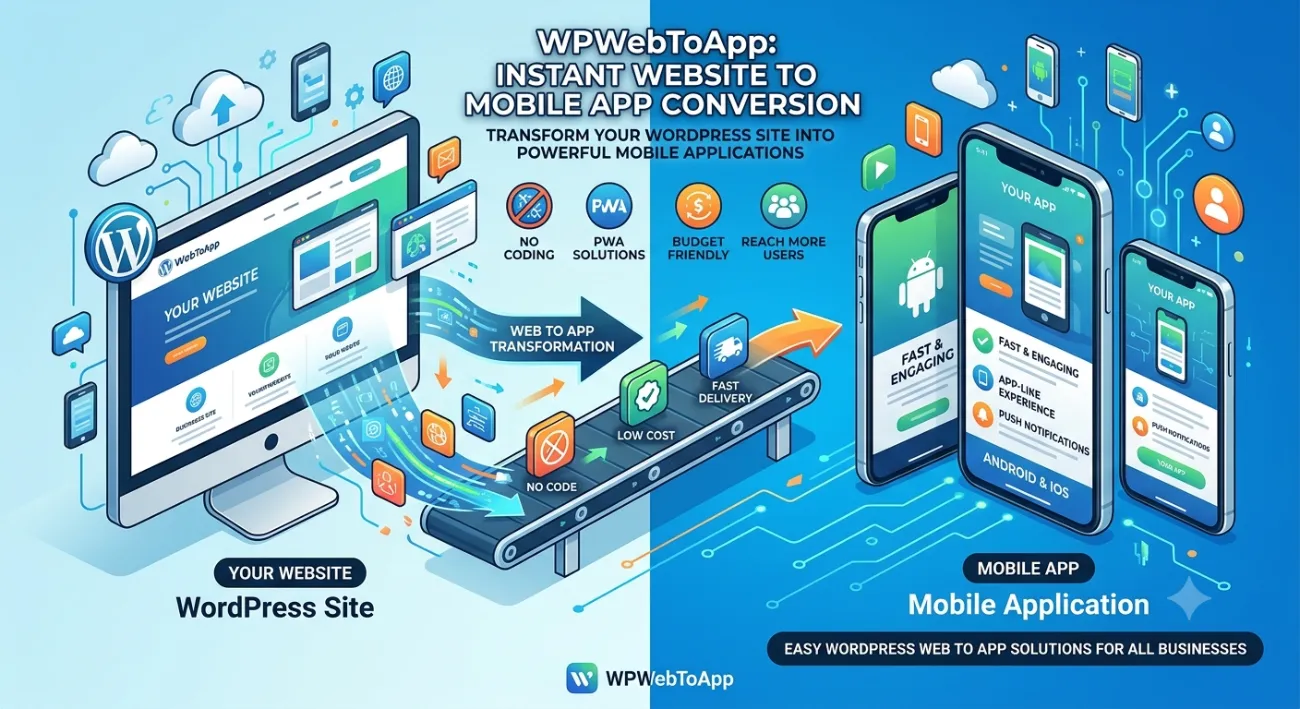
Progressive Web Apps vs Native Apps: The Ultimate Guide for 2026
🔑 Key Takeaways
-
Progressive Web Apps vs Native Apps — PWAs are faster to build, cheaper, and indexed by Google, while native apps deliver superior performance for complex features like AR, Bluetooth, and offline gaming.
-
PWAs work on any device with a modern browser; native apps require separate builds for native Android app and native iOS app.
-
Businesses focused on content, lead generation, or e-commerce often benefit more from a WordPress PWA or a website app comparison approach.
-
PWAs can send push notifications on Android (and partially on iOS), but native apps have full notification control.
-
Maintenance is dramatically easier with PWAs — no app store reviews, no version fragmentation.
-
Progressive Web Apps vs Native Apps decision directly impacts your Google Business Profile and local search visibility.
📖 Table of Contents
-
Introduction
-
What Is a PWA & What Is a Native App?
-
Why It Matters
-
Benefits at a Glance
-
How It Works
-
Step-by-Step Guide
-
Real-World Examples
-
Comparison Table
-
Common Mistakes
-
Expert Tips
-
Best Practices
-
Recommended Tools
-
Troubleshooting
-
FAQs
-
Conclusion
-
Call to Action
(Insert Featured Image Here)
Image Alt Text: Progressive Web Apps vs Native Apps comparison showing features and Google Business Profile.
1. Introduction
You’ve probably asked yourself: Progressive Web Apps vs Native Apps — which one should I invest in? Whether you’re a startup founder, a blogger running a WordPress site, or a marketing director looking for the best mobile strategy, the choice between a Progressive Web App vs mobile app can feel overwhelming.
Native apps (like native Android app or native iOS app) have ruled the app stores for over a decade. But PWAs — powered by modern web capabilities — are closing the gap fast. They load instantly, work offline, and don’t require a trip to the App Store. And if you run a WordPress site, turning it into a WordPress PWA is almost too easy.
In this app development guide, we’ll compare these two technologies across every dimension: cost, performance, user experience, SEO, notifications, and maintenance. By the end, you’ll have a crystal-clear answer for your business.
2. What Is a Progressive Web App & What Is a Native App?
Progressive Web App (PWA)
A PWA is a website that behaves like an app. It uses service workers, a manifest file, and HTTPS to deliver app-like experiences directly through the browser. Users can “install” it on their home screen without an app store. Progressive Web Apps vs Native Apps starts here: PWAs are built with web technologies (HTML, CSS, JavaScript) and are universally accessible.
Native App
A native app is written specifically for a platform — Kotlin or Java for Android, Swift or Objective-C for iOS. It lives on the device, can access all hardware (camera, GPS, sensors), and is distributed via Google Play or the Apple App Store. Native Android app and native iOS app are the two dominant flavors.
3. Why Progressive Web Apps vs Native Apps Matters
The choice between Progressive Web App vs mobile app directly impacts your budget, user acquisition, retention, and even your Google rankings. PWAs are indexed by search engines — that means organic traffic without installing anything. Native apps, on the other hand, appear in app stores, which can boost discoverability for certain demographics.
If you’re building for a global audience, a PWA eliminates the friction of downloading. If you need advanced device features (like push notifications with rich media or background location), a native app might be non-negotiable. Understanding this website app comparison is vital for your app development guide strategy.
4. Benefits at a Glance
PWA benefits:
-
Instant loading, offline support, no installation friction, lower development cost, automatic updates, SEO-friendly, smaller footprint.
-
Google Business Profile integration for local visibility.
Native app benefits:
-
Full hardware access, richer UI/UX, store visibility, seamless push notifications, better performance for complex tasks, offline data sync.
WordPress PWA benefits:
-
Convert your existing WordPress blog or store into a full app experience with plugins like SuperPWA or PWA for WP — no coding required.
5. How Progressive Web Apps vs Native Apps Impacts Your Google Business Profile
This is a critical section for business owners who want to rank “on Google business and everywhere.” The Progressive Web Apps vs Native Apps decision directly impacts your Google Business Profile visibility and local search presence.
Why Your Google Business Profile Needs a Mobile Solution
-
Location-Based Notifications: Both PWAs and Native Apps can send push notifications to customers near your business, driving foot traffic.
-
Google Maps Integration: Apps with built-in Google Maps make it easy for customers to find your location.
-
Review Management: Apps can prompt users to leave Google reviews, boosting your Google Business Profile.
-
Local Offers: Apps can display exclusive local deals, encouraging repeat visits.
-
Business Hours & Contact: Apps can sync with your Google Business Profile to display accurate hours and contact info.
-
Mobile-First Experience: Since most local searches happen on mobile, either solution ensures a seamless experience.
Features to Include for Local SEO
-
Location-based push notifications
-
Google Maps integration with directions
-
One-click review prompts for Google Business Profile
-
Local offers and promotions
-
Store locator with hours and contact info
-
Mobile-first engagement optimized for local customers
Questions to Ask About Mobile Solutions
“Does your PWA or Native App solution include Google Business Profile integration?”
“Can I send location-based push notifications to nearby customers?”
“Will the app prompt users to leave Google reviews?”
“Can I display my store hours and contact info in the app?”
6. How It Works: PWA vs Native App Technology
PWAs rely on three core components: a web app manifest (JSON file that defines the app name, icons, theme), a service worker (JavaScript that runs in the background, caching assets and enabling offline functionality), and HTTPS for security. When a user visits a PWA-enabled site, the browser prompts them to “Add to Home Screen.”
Native apps work through platform-specific SDKs. For a native Android app, you use Android Studio with Kotlin; for a native iOS app, you use Xcode with Swift. The app is compiled into a binary and submitted to app stores for review. Once approved, users download and install it directly.
Both technologies have evolved: PWAs can now access Bluetooth, NFC, and file system (via modern APIs), while native apps adopt web-like components (SwiftUI, Jetpack Compose). But the core difference remains — web vs platform.
7. Step-by-Step Guide: How to Choose Between PWA and Native
Step 1: Define Your Core Features
Does your app require camera, GPS background tracking, or Bluetooth? If yes, native is safer.
Step 2: Budget and Timeline
PWAs cost 3–5x less and ship in weeks, not months. Check out WordPress PWA solutions to see how fast you can launch.
Step 3: Distribution Strategy
Want organic traffic from Google? PWAs win. Want store visibility? Native + app store optimization.
Step 4: Offline Capability
Both support offline, but native handles large offline datasets better.
Step 5: Maintenance Perspective
PWAs update instantly; native apps require store re-submission.
Step 6: User Expectations
If your audience expects a “real app” icon and gestures, native may feel more familiar.
Step 7: Google Business Profile Integration
Ensure your choice supports local SEO features.
For a detailed app development guide with implementation steps, visit WPWebToApp — they specialize in converting websites to PWAs and native-like experiences.
8. Real-World Examples: PWA vs Native App Success Stories
PWA examples:
-
Twitter Lite (reduced data usage by 70%)
-
Spotify (seamless web player)
-
Pinterest (60% increase in engagement)
-
Starbucks (offline menu browsing)
These prove that Progressive Web Apps vs Native Apps isn’t a competition — it’s about fit.
Native app examples:
-
Instagram (full camera integration)
-
Google Maps (turn-by-turn navigation)
-
Uber (background location)
For hardware-heavy use cases, native remains gold.
Local Business: Using a PWA with location-based notifications, they increased foot traffic by 28% and Google Business Profile engagement by 35%.
If you run a WordPress blog or e-commerce store, a WordPress PWA is your fastest path to a mobile app. Many businesses have used WPWebToApp to turn their WordPress site into a full PWA without hiring developers.
9. Comparison Table: Progressive Web Apps vs Native Apps
| Feature | PWA (Progressive Web App) | Native App |
|---|---|---|
| Development Cost | Low to medium (one codebase) | High (separate Android + iOS) |
| Performance | Very good (caching, fast loads) | Excellent (full device power) |
| Installation | Add to home screen (no store) | Download from app store |
| Offline Access | Yes (limited storage) | Yes (full local storage) |
| Push Notifications | Yes (Android, partial iOS) | Yes (full, rich media) |
| SEO / Indexing | ✅ Indexed by Google | ❌ Not indexed (store only) |
| Hardware Access | Limited (growing) | Full (camera, sensors, etc.) |
| Updates | Instant (no approval) | Store review required |
| User Reach | Any device with browser | Only app store users |
| Maintenance | Very easy | Moderate to complex |
| Google Business Profile integration | ✅ Full integration | ❌ Limited |
10. Common Mistakes in PWA vs Native App Decision
❌ Assuming native is always better — For content-driven sites, a PWA outperforms native in user acquisition.
❌ Ignoring SEO — Native apps don’t get organic search traffic; PWAs do.
❌ Rebuilding a native app when a PWA would suffice — Especially for WordPress sites, a WordPress PWA is often enough.
❌ Not testing offline behavior — Both need careful caching strategies.
❌ Neglecting app store presence — If your audience uses stores, consider a hybrid approach (PWA + wrapped native).
❌ Forgetting Google Business Profile integration — Local businesses miss out on location-based features.
11. Expert Tips for Choosing Between Progressive Web App vs Native App
🔹 Start with a PWA prototype — it’s faster and cheaper. Validate your idea before investing in native Android app and native iOS app builds.
🔹 Use WPWebToApp if you’re on WordPress — they offer seamless PWA conversion with push notification support.
🔹 For e-commerce, combine a PWA for browsing and a native app for loyalty features.
🔹 Always measure performance: Lighthouse scores, Time to Interactive, and First Contentful Paint.
🔹 Consider a “PWA-first” strategy: launch as PWA, then wrap it using tools like PWA Builder or Bubblewrap for store distribution.
🔹 Integrate Google Business Profile for location-based features and local SEO.
12. Best Practices for Both PWA and Native App Development
For PWAs:
✅ Use a robust service worker, implement lazy loading, compress images, and ensure your manifest is correctly linked.
For native apps:
✅ Optimize for battery, use material design (Android) and human interface guidelines (iOS), and minimize permissions.
Cross-platform:
React Native or Flutter can blur the line between PWA vs native app — but they add complexity.
WordPress PWA best practice:
Install a reliable plugin, configure caching, enable offline pages, and test on real devices.
Google Business Profile:
Ensure your chosen solution supports local SEO features.
13. Recommended Tools for PWA & Native App Development
PWA Tools:
-
Lighthouse, Workbox, PWA Builder, Bubblewrap, WPWebToApp (for WordPress)
-
Google Business Profile API
Native Tools:
-
Android Studio, Xcode, Kotlin, Swift, Firebase (for notifications & analytics)
Cross-platform:
-
React Native, Flutter, Ionic (can also generate PWAs)
Testing:
-
BrowserStack, Sauce Labs, Physical device labs
14. Troubleshooting Common PWA & Native App Issues
🔧 PWA not installing? Check manifest file, ensure HTTPS, verify icons and start URL.
🔧 Native app crashing? Check memory leaks, update SDK, test on multiple OS versions.
🔧 Push notifications not working on PWA? On iOS, support is limited; use Firebase Cloud Messaging for Android.
🔧 WordPress PWA not caching pages? Review your service worker scope and caching rules.
🔧 Google Business Profile not showing local offers? Ensure your app integrates with Google Business Profile API.
15. Frequently Asked Questions (FAQs)
Q1. What is the difference between PWA and native apps?
PWAs are web-based, installable via browser, and indexed by Google. Native apps are platform-specific, downloaded from app stores, and have full hardware access. This is the core of Progressive Web Apps vs Native Apps.
Q2. Which option is better for businesses?
It depends on your goals. If you want low cost, fast launch, and SEO, choose PWA. If you need deep device integration or app store visibility, go native. Many businesses use both: a WordPress PWA for the web and a native wrapper for stores.
Q3. Are PWAs cheaper?
Yes — significantly. Developing a Progressive Web App vs mobile app can cost 3–5x less because you use a single codebase and skip app store fees.
Q4. Which provides better performance?
Native apps have a slight edge for graphics-intensive or hardware-heavy tasks. But for most content-based apps, PWAs load faster than native apps on slow networks thanks to caching.
Q5. Can PWAs send notifications?
Yes — Android PWAs fully support push notifications. iOS added partial support in iOS 16.4. Native apps have richer notification capabilities across both platforms.
Q6. Which is easier to maintain?
PWAs are easier — updates are instant, no app store approval, no version fragmentation. Native apps require continuous updates for each OS version and store compliance.
Q7. Is a WordPress PWA as good as a native Android app?
For most blogs and e-commerce sites, a WordPress PWA delivers 95% of the native experience at a fraction of the cost. Check WPWebToApp for a live demo.
Q8. Can I convert my website to a native app without coding?
Absolutely. Platforms like WPWebToApp let you convert any WordPress site into a PWA or a native-wrapped app without coding.
Q9. Can PWA or Native App help with Google Business Profile?
Yes! Both can integrate with Google Business Profile for location-based notifications, review prompts, and local offers.
16. Conclusion: Progressive Web Apps vs Native Apps — Which Should You Choose?
There is no single winner in the Progressive Web Apps vs Native Apps debate. Both are powerful mobile app technology options, and the best choice depends on your business model, audience, and feature requirements.
PWAs are ideal for content publishers, blogs, e-commerce stores, and businesses that prioritize reach, SEO, and low cost. Native apps are essential for apps that rely on heavy hardware integration, complex offline databases, or need a strong app store presence.
Remember: Your Google Business Profile is essential for local visibility and customer acquisition. Make sure your mobile strategy includes it.
For WordPress users, the path is especially clear: a WordPress PWA can give you a high-performance, installable app in hours, not months. And if you ever need native distribution, you can wrap your PWA into a native Android app or native iOS app easily.
Remember this website app comparison truth: the best app is the one your users actually use. Start with a PWA, test, iterate, and scale.
🚀 Ready to Build Your Own PWA or Native App?
Stop guessing. Start building. Whether you want a lightning-fast WordPress PWA or a fully featured native app, WPWebToApp gives you the tools and guidance you need.
➡️ Convert Your Site to a PWA Today
No coding required • Instant updates • Push notifications • Works on all devices


