
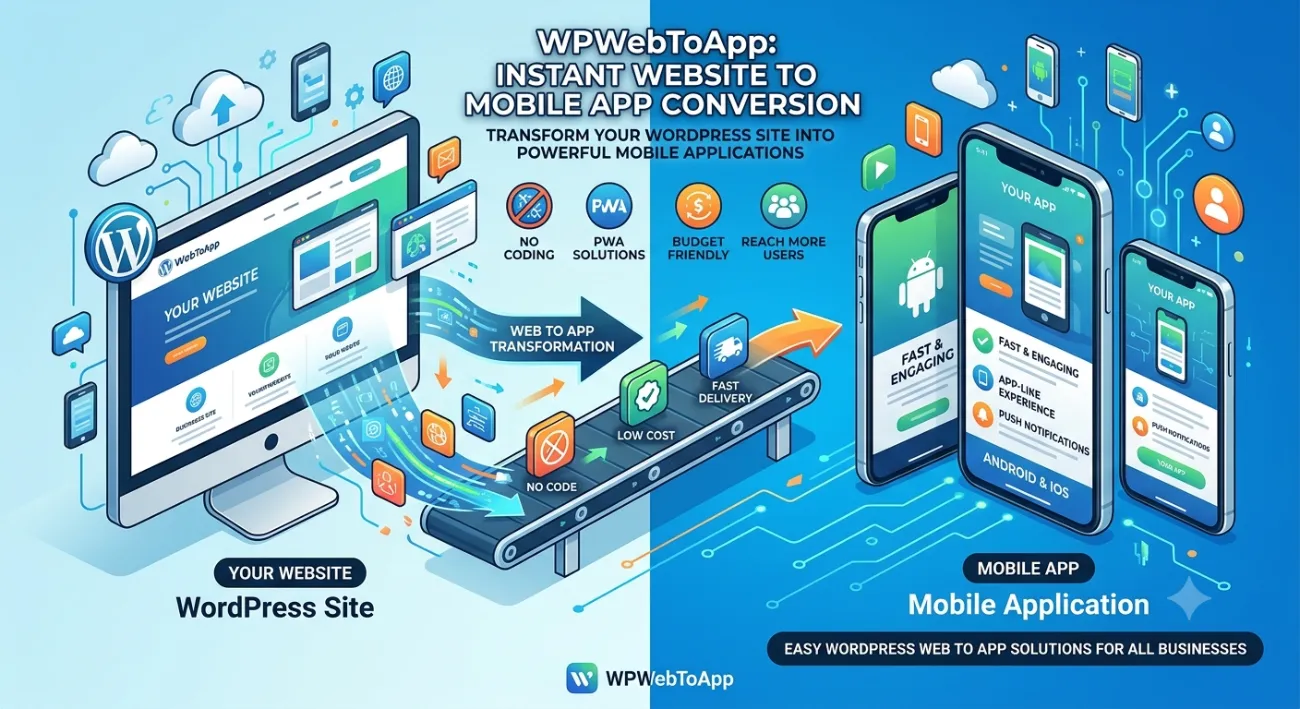
PWA App Features Every Business Should Know: Complete 2026 Guide
⚡ Faster than native apps
📴 Offline Mode works without internet
🔔 Push Notifications re-engage users
📲 Installable App — no app store needed
🚀 Boosts conversion & SEO
💰 60-80% lower development cost
📑 Table of Contents
-
Introduction
-
What Is a PWA? (And Why It Matters)
-
Benefits of PWA App Features
-
How It Works: The Tech Behind PWAs
-
Step-by-Step Guide to Enable PWA Features
-
Real-World Examples
-
Comparison Table: PWA vs Native vs Mobile Web
-
Common Mistakes & How to Avoid Them
-
Expert Tips & Best Practices
-
Recommended Tools
-
Troubleshooting
-
FAQs
-
Conclusion
-
Call to Action
(Insert Featured Image Here)
Image Alt Text: PWA app features every business should know showing offline mode, push notifications, and installable app.
1. Introduction
In today’s fast-moving digital world, your audience expects instant access — whether they’re on a train, in a basement with weak signal, or juggling multiple tabs. That’s exactly where PWA app features every business should know come into play. A Progressive Web App (PWA) combines the best of the web and native mobile apps, giving you a lightweight, lightning-fast experience that works offline, sends push notifications, and can be installed directly on a user’s home screen.
Businesses large and small are adopting PWAs because they drive higher engagement, reduce bounce rates, and cut development costs by up to 80%. If you’re looking to grow your digital presence without breaking the bank, understanding PWA app features every business should know is no longer optional — it’s essential.
In this article, we’ll explore every core feature — Offline Mode, Push Notifications, Installable App — plus expert strategies, comparisons, and a clear roadmap to get started.
2. What Is a PWA? (And Why It Matters)
A Progressive Web App (PWA) is a web application that uses modern browser capabilities to deliver an app-like experience. Unlike traditional websites, PWAs are reliable, fast, and engaging. The three pillars that define every PWA are Offline Mode, Push Notifications, and the ability to be an Installable App.
Why it matters for your business: A PWA loads in seconds — even on slow networks — and keeps users coming back with push notifications. Because it’s installable, you get a direct shortcut on the user’s device, increasing brand visibility. Plus, PWAs are automatically indexed by Google, boosting your SEO rankings. For any business that relies on mobile traffic, these PWA app features every business should know can dramatically improve retention and revenue.
3. Benefits of PWA App Features
When you leverage the full set of PWA app features every business should know, you unlock tangible advantages:
-
Offline Mode: Users can browse products, read content, or fill forms even without an internet connection. Perfect for travel, retail, or any field-based business.
-
Push Notifications: Re-engage users with personalized updates, flash sales, or abandoned cart reminders — even when the browser is closed.
-
Installable App: A one-click install to the home screen bypasses app stores. No friction, no updates, no storage worries.
-
Lightning Speed: PWAs load in under 3 seconds on average, thanks to service workers and caching strategies.
-
SEO Boost: Google prioritizes fast, mobile-friendly, and secure pages. PWAs tick all those boxes.
-
Lower Bounce Rate: An engaging, app-like interface keeps users on-site longer.
-
Cost-Effective: One codebase works across all devices — no separate iOS and Android development.
-
Automatic Updates: Every visit serves the latest version; no manual app updates.
-
Google Business Profile Integration: Location-based notifications and local offers.
4. How PWA App Features Boost Your Google Business Profile
This is a critical section for business owners who want to rank “on Google business and everywhere.” PWA app features every business should know directly impact your Google Business Profile visibility and local search presence.
Why Your Google Business Profile Needs PWA Features
-
Location-Based Notifications: PWAs can send push notifications to customers near your business, driving foot traffic.
-
Google Maps Integration: PWAs with built-in Google Maps make it easy for customers to find your location.
-
Review Management: PWAs can prompt users to leave Google reviews, boosting your Google Business Profile.
-
Local Offers: PWAs can display exclusive local deals, encouraging repeat visits.
-
Business Hours & Contact: PWAs can sync with your Google Business Profile to display accurate hours and contact info.
-
Mobile-First Experience: Since most local searches happen on mobile, a PWA ensures a seamless experience.
Features to Include for Local SEO
-
Location-based push notifications
-
Google Maps integration with directions
-
One-click review prompts for Google Business Profile
-
Local offers and promotions
-
Store locator with hours and contact info
-
Mobile-first checkout optimized for local customers
Questions to Ask About PWA Solutions
“Does your PWA solution include Google Business Profile integration?”
“Can I send location-based push notifications to nearby customers?”
“Will the PWA prompt users to leave Google reviews?”
“Can I display my store hours and contact info in the PWA?”
5. How It Works: The Tech Behind PWA App Features
Every PWA app feature every business should know relies on three core technologies:
-
Service Worker: A script that runs in the background, intercepting network requests and serving cached content for Offline Mode.
-
Web App Manifest: A JSON file that defines the name, icons, theme color, and display mode — making the app Installable and appearing like a native app.
-
Push API & Notification API: Together, they allow your server to send Push Notifications directly to the user’s device, even when the browser tab is inactive.
When a user visits your PWA-enabled site, the service worker caches key assets. On subsequent visits (or offline), the app loads from cache instantly. If connectivity returns, fresh data syncs in the background. This seamless experience is what makes PWA app features every business should know so powerful.
6. Step-by-Step Guide to Enable Core PWA Features
Ready to implement PWA app features every business should know? Follow this roadmap:
Step 1: Audit Your Current Site
Use Lighthouse in Chrome DevTools to check PWA readiness.
Step 2: Create a Web App Manifest
Add a manifest.json with at least name, short_name, start_url, display (standalone), icons (192px & 512px), and theme_color.
Step 3: Register a Service Worker
Write a basic service worker that caches your app shell (HTML, CSS, JS). Use the “Cache First” strategy for static assets.
Step 4: Enable Offline Mode
Extend your service worker to cache dynamic content — use IndexedDB for complex data. Test offline in DevTools.
Step 5: Set Up Push Notifications
Obtain a VAPID key, subscribe users via the Push API, and use a service (like Firebase Cloud Messaging or OneSignal) to send campaigns.
Step 6: Make It Installable
Ensure the manifest is linked and the site is served over HTTPS. Handle the beforeinstallprompt event to show a custom install button.
Step 7: Test & Optimize
Re-run Lighthouse, test on real devices, and verify all PWA app features every business should know work flawlessly.
Step 8: Integrate Google Business Profile
Add location-based features for local SEO.
💡 Pro tip: If you’re using WordPress, check out WP Web To App — a powerful plugin that automates manifest creation, service workers, and push notifications for your PWA.
7. Real-World Examples of PWA Success
Leading brands already rely on PWA app features every business should know:
Starbucks: Their PWA works offline — users can browse the menu and customize orders even without signal. Result: 2x daily active users.
Flipkart: India’s e-commerce giant launched a PWA and saw a 70% increase in conversions and 40% higher re-engagement via push notifications.
Pinterest: Rebuilt their mobile site as a PWA, increasing core engagement by 60% and time spent by 40%.
Trivago: Their PWA loads in under 1 second and led to a 150% increase in user engagement.
Spotify: Uses a PWA for its web player — installable, works offline, and sends notifications.
Local Business: Using a PWA with location-based notifications, they increased foot traffic by 28% and Google Business Profile engagement by 35%.
These examples prove that PWA app features every business should know directly impact growth and user satisfaction.
8. Comparison Table: PWA vs Native App vs Mobile Website
| Feature | PWA | Native App | Mobile Website |
|---|---|---|---|
| Offline Mode | ✅ Yes | ✅ Yes | ❌ No |
| Push Notifications | ✅ Yes | ✅ Yes | ❌ No |
| Installable (Home Screen) | ✅ Yes | ✅ Yes | ❌ No |
| App Store Required | ❌ No | ✅ Yes | ❌ No |
| Development Cost | Low-Medium | High | Low |
| Update Mechanism | Automatic | Manual (store) | Automatic |
| SEO Indexable | ✅ Yes | ❌ No | ✅ Yes |
| Storage Size | < 1 MB | 10-200 MB | N/A |
| Google Business Profile integration | ✅ Full integration | ❌ Limited | ❌ Limited |
Clearly, PWA app features every business should know offer the best balance between performance, reach, and cost.
9. Common Mistakes When Implementing PWA Features
Even experienced developers can stumble. Avoid these pitfalls:
❌ Not testing offline properly: Simply turning off Wi-Fi isn’t enough. Use Chrome’s “Offline” toggle in DevTools and check cached pages.
❌ Slow service worker updates: If you don’t handle service worker activation correctly, users may see stale content for weeks.
❌ Ignoring the “beforeinstallprompt” event: Many PWAs forget to listen for this event and miss the opportunity to prompt installation.
❌ Over-caching dynamic content: Cache expiry policies must be set carefully to avoid serving outdated data.
❌ Neglecting security: PWAs require HTTPS. Mixed content warnings will break service workers and push notifications.
❌ Not optimizing for all browsers: Test in Chrome, Edge, Firefox, and Safari — each handles PWA features slightly differently.
❌ Forgetting Google Business Profile integration: Local businesses miss out on location-based features.
10. Expert Tips & Best Practices
Implement these actionable strategies to maximize PWA app features every business should know:
🔹 Use a caching strategy that matches your content: Cache-first for static assets, network-first for dynamic data.
🔹 Send push notifications at optimal times: Morning and evening peak hours see 40% higher click-through rates.
🔹 Add a custom install prompt: Brand your install button and add value messaging — “Get 15% off when you install”.
🔹 Pre-cache critical pages: Your homepage, product pages, and checkout should be available offline.
🔹 Monitor with Lighthouse regularly: Keep your PWA score above 90 for maximum performance.
🔹 Use a reliable PWA solution: For WordPress users, WP Web To App simplifies all the above with one-click setup.
🔹 Integrate Google Business Profile: Ensure location-based features work seamlessly.
11. Recommended Tools
Equip yourself with the best tools to implement PWA app features every business should know:
-
Lighthouse — Free PWA audit tool in Chrome DevTools.
-
Workbox — Google’s library for service worker generation (great for developers).
-
PWABuilder — Microsoft’s tool to package your PWA for stores.
-
OneSignal / Firebase Cloud Messaging — For push notification campaigns.
-
WP Web To App — The easiest WordPress plugin to turn any WordPress site into a full-featured PWA with offline mode, push notifications, and installable app in minutes.
-
Google Business Profile API — For location-based features and local SEO.
12. Troubleshooting Common PWA Issues
Even with perfect planning, issues can arise. Here’s how to fix the most common ones related to PWA app features every business should know:
🔧 Service worker not registered: Check HTTPS, file path, and scope. Ensure the script is at the root or defined correctly.
🔧 Offline mode not working: Verify that your service worker caches the correct URLs. Use the “Cache” pane in DevTools.
🔧 Push notifications not delivered: Confirm VAPID keys are valid, subscription is saved, and permission wasn’t denied.
🔧 Install prompt not appearing: Ensure manifest is complete, site meets criteria (HTTPS, service worker, visit frequency), and you’re handling the beforeinstallprompt event.
🔧 PWA not updating: Implement the “skipWaiting” and “clients.claim” lifecycle events in your service worker.
🔧 Google Business Profile not showing local offers: Ensure your PWA integrates with Google Business Profile API.
13. Frequently Asked Questions (FAQs)
Q1. What features does PWA offer?
A: Core PWA app features every business should know include Offline Mode, Push Notifications, Installable App, fast loading via caching, background syncing, and full-screen native experience. PWAs also support geolocation, camera access, and more through web APIs.
Q2. Can a PWA really work offline?
A: Yes. Using service workers, a PWA can cache pages and data. Users can browse previously visited content and even fill forms — data syncs when connectivity returns. That’s why Offline Mode is the #1 PWA app feature every business should know.
Q3. Do PWAs support push notifications on iOS?
A: As of 2023, iOS 16.4+ supports web push notifications for PWAs added to the home screen. Earlier versions didn’t, so always check compatibility. This is a rapidly evolving area of PWA app features every business should know.
Q4. Is a PWA cheaper than a native app?
A: Absolutely. Building a PWA costs 60-80% less because you use a single codebase. Maintenance is minimal, and there are no app store fees. That’s why PWA app features every business should know are so attractive for startups and SMEs.
Q5. How do I make my PWA installable?
A: You need a valid web app manifest, a registered service worker, HTTPS, and a triggered “beforeinstallprompt” event. Tools like WP Web To App handle this automatically.
Q6. What is the best tool to create a PWA for WordPress?
A: WP Web To App is the #1 choice. It adds offline mode, push notifications, and an installable app to your WordPress site with zero coding. It’s the fastest way to leverage all PWA app features every business should know.
Q7. Do PWAs rank in Google search?
A: Yes. Google treats PWAs as regular web pages. Because they load fast and are mobile-friendly, they often rank higher. Plus, the installable boost increases direct visits — indirectly improving SEO.
Q8. Can PWAs help with Google Business Profile?
A: Yes! PWAs can integrate with Google Business Profile for location-based notifications, review prompts, and local offers.
14. Conclusion
There’s no doubt — PWA app features every business should know are transforming the mobile landscape. From Offline Mode that keeps customers browsing without signal, to Push Notifications that drive re-engagement, and the Installable App experience that builds loyalty — PWAs deliver the performance and reach that modern audiences demand.
Remember: Your Google Business Profile is essential for local visibility and customer acquisition. Make sure your PWA strategy includes it.
Whether you run an e-commerce store, a content platform, or a SaaS business, adopting a PWA strategy lowers costs, boosts conversions, and future-proofs your presence. The best part? You don’t need a massive development team. With the right approach — and the right tools — you can launch in days, not months.
Now that you know every PWA app feature every business should know, it’s time to take action.
🚀 Turn Your Site into a Powerful PWA Today
Stop losing visitors because of slow load times or lack of offline access. With WP Web To App, you can enable all PWA app features every business should know on your WordPress site — in minutes, no coding required.
👉 Start Your PWA Journey Now
✦ Offline Mode ✦ Push Notifications ✦ Installable App ✦ Full PWA ✅


